
Default Shader Params
For Shader Configuration in detail, see Shader Configuration.
On this panel, you can change the default names of values specific to the semantics of the UniformSetter.
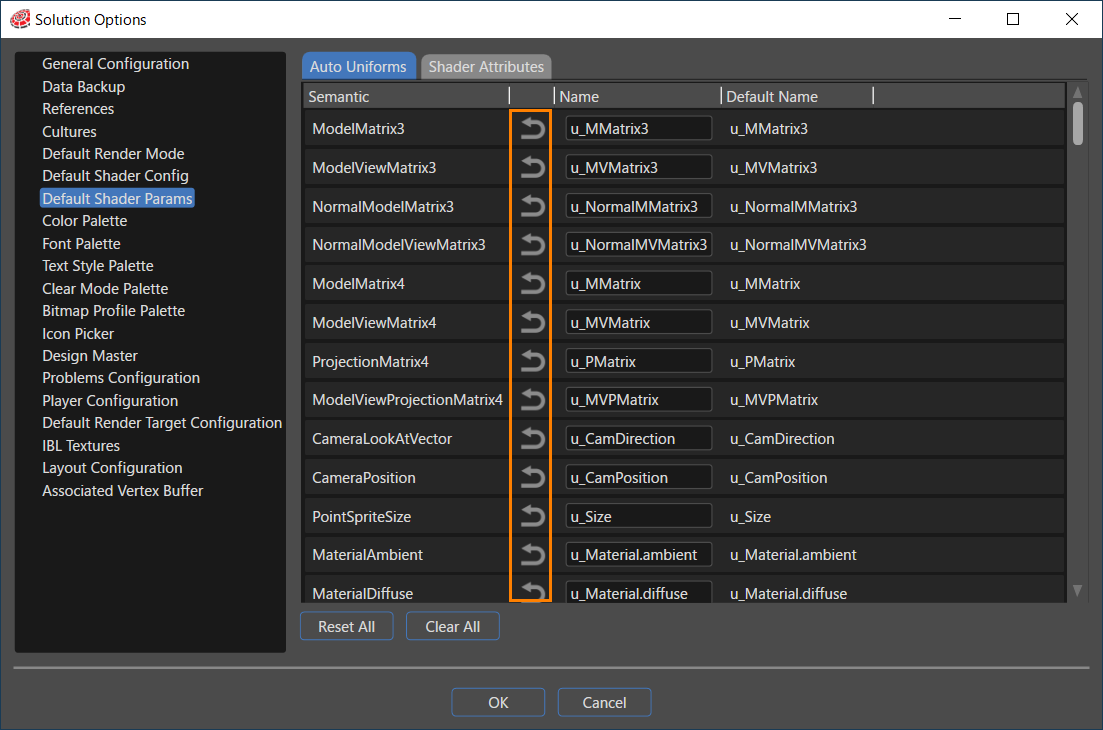
- Select the target for editing from the [ Auto Uniforms ] and [ Shader Attributes ] tabs.
- After changing the default name, click the arrow button (the orange frame in the above image) to return the name to the default name.
- Clicking on [ Reset All ] will return all edited items to their default names.
- Clicking [ Clear All ] will delete all names.
- When the editing operation is complete, click [ OK ] button at the bottom of the Solution Options dialog to save the edited results.
- If [ Cancel ] button is pressed, the edits will not be saved.