
Layout Configuration
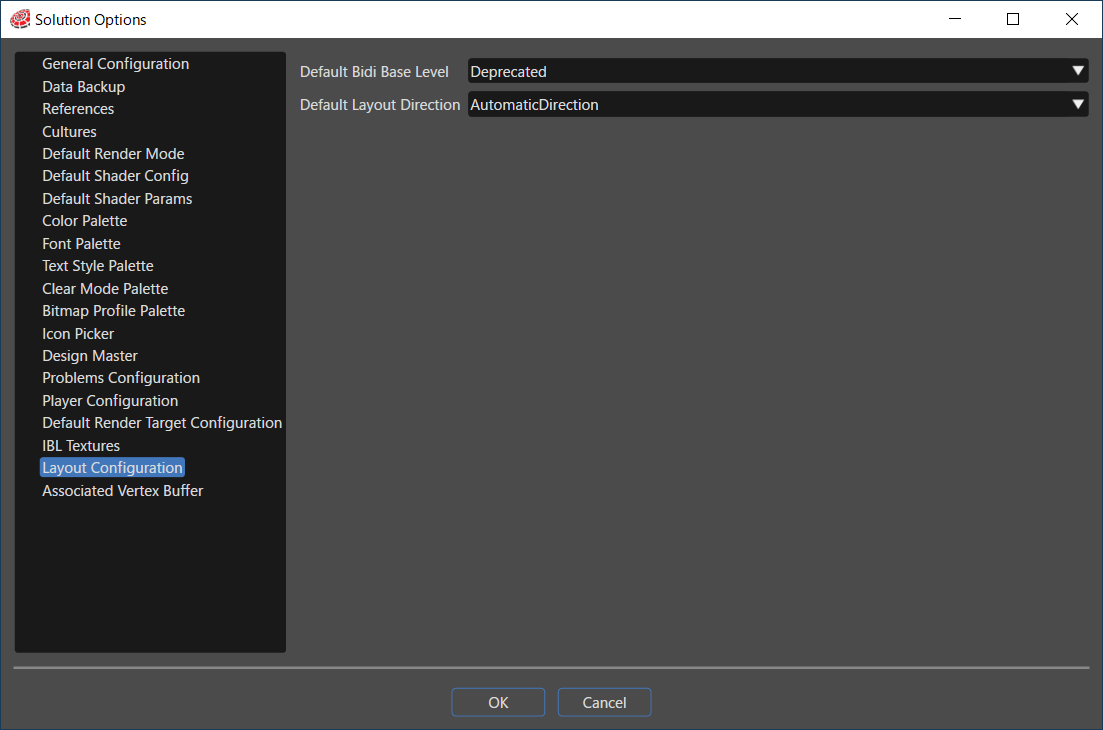
Default Bidi Base Level
Defines how alignment is handled in cases where right-to-left characters such as Arabic or Hebrew (Bidi/Bidi) are mixed in with left-to-right writing such as English.
- Implicit: Depends on the first strong character in the string. In other words, if the string begins with "a", it is searched from left to right, and if it begins with "ت", the search is from right to left. If it begins with a space, colon and so on, the first character is searched for in the explicit direction.
- LeftToRight: Placement is fixed from left to right.
- RightToLeft: Placement is fixed from right to left.
- Culture: The orientation set in Culture will be applied regardless of the orientation of the parent layout.
- Inherited: The placement inherits from the parent's layout orientation. If no layout orientation is set for any parent, the orientation specified in Culture will be applied.
- Deprecated: Same as Inherited.
Default Layout Direction
The Layout Direction property defines how the alignment is handled.
- LeftToRightDirection: The alignment is fixed to left-to-right
- Right-To-LeftDirection: The alignment is fixed to right-to-left
- AutomaticDirection: This is the default layout direction. The default interpretation of AutomaticDirection is to inherit the parent’s value (InheritDirection). If no value is set on any parent, and therefore nothing can be inherited, the culture layout direction is used (CultureDirection).
- InheritDirection: Alignment is inherited from the parent layout direction. If no layout direction is set on any parent, the direction of the current culture is used.
- CultureDirection: The alignment depends on the culture and is independent of the parent layout direction.
- Right-to-left for Arabic and Hebrew
- Left-to-right for most languages (e.g. English, German...)
- Right-to-left for Arabic and Hebrew