
Player Configuration
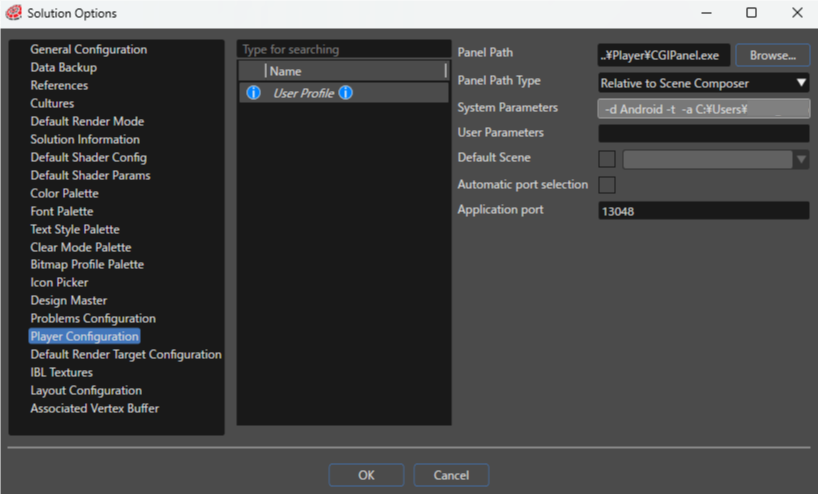
Configure settings related to CGI Panel startup.
| Panel Path |
Specifies the path to the CGI Panel. By default, the path points to the correct executable but the path can be changed or browsed for with the [ Browse ] button. |
| Panel Path Type |
Specify the path type to the CGI panel from the following three types. [ Relative to Scene Composer] is selected by default.
|
| System Parameters | Parameters that are automatically sent to the player at startup (not editable). |
| User Parameters |
Additional command line arguments can be customized here. These arguments will be executed in addition to the arguments specified in System Parameters. |
| Default Scene |
Select the scene that will be selected by default for the player. To use this option check the checkbox and select the default scene from the scenes set in the solution. |
| Automatic port selection |
If enabled, a different port will be automatically assigned if the port set in the Application port field is already in use. |
| Application port |
Specifies the port to use when setting up a TCP connection with the application. Normally, there is no need to change the default value of "13048". |