Custom Solution Templates
Default Solution
Any created solution can be set as a template solution:
- Create a new solution, name it (example: "MySolutionTemplate") and archive it as a .zip file.
- The .zip file will be added into the Solutions folder. Usually, this folder can be found in the directory <cgi_studio_root>\bin\SceneComposer\Data\Solutions
- Add the new default solution to the XML file "solutions.xml" which can be found in the same folder.
- Write "<Solution Name="My Solution Template" File="MySolutionTemplate.zip" IsDefault="True"/>" and save the XML file.
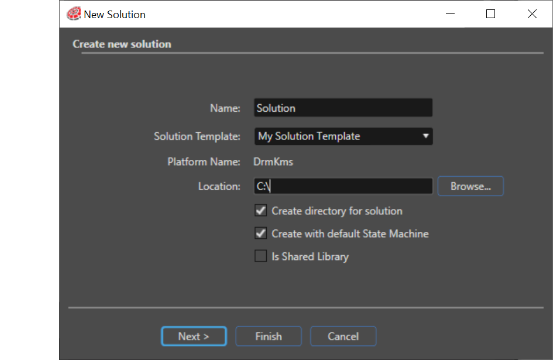
After restarting SceneComposer, the added solution can be used as template whenever a new solution is created. It will be accessible in the "Solution template" field from the "New Solution" panel.