Items AssetId
Item Asset Validation
In Candera the objects are now identified using a numerical Id. For Library Items (scene, bitmap, etc) the maximum value is 1FF FFFF (25 bits), for Node Attachment Templates (appearance collection, material, render mode, uniform setter, texture) is 7FFFF (19 bits) and for nodes is 3FFF FFFF (30 bits). The Id will be generated automatically if its value is set to 0.
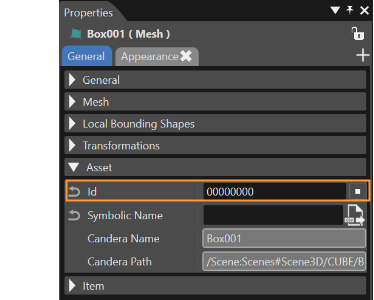
For library items the Ids must be unique for all objects of the same type. For nodes the Ids must be unique inside the scene. If necessary, the property can be copied by using the small button near the field of the property.
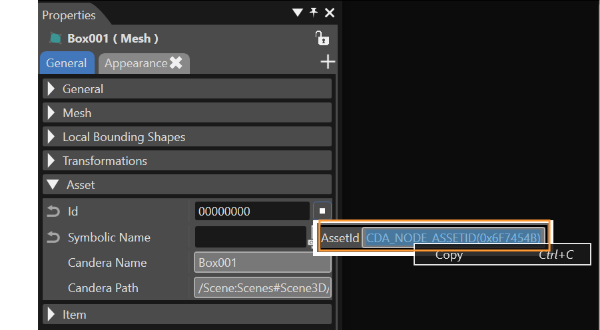
-
The copy option is possible by using the context menu (right click inside the AssetId field).
Symbolic Names
This type of names can be assigned to items to make their Id accessible from applications. A symbolic name can be assigned via Properties panel in the field which can be seen in the image below.
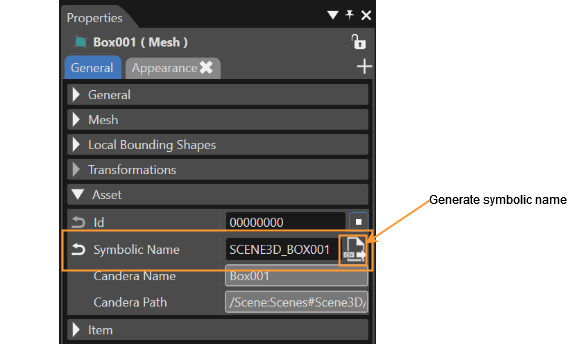
A symbolic name can be created by the user or by using the "Generate Symbolic Name" button.
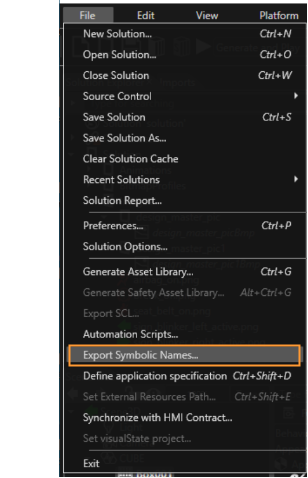
A C++ header with all the symbolic names from the solution can be generated via File->Export Symbolic Names.