
Set Priority of Lua-Scripts
Script Priority
Another useful feature of Lua-Scripting is the priority. It defines in which order the scripts get called (f.e. the Update or the Init). To test this feature in its simplest way create four cubes and equip them with the same script called "SimpleLogInfo".
    local function Init(self, id)
        Candera.LogInfo(self.logString)
    end

    return {
        Init = Init,
        logString = "logString"
    }
This script allows to enter an output string in the public table which will get written in the CanderaLogging panel. Now apply the script to each of the cubes and enter a proper log info to the public value "logString" in the Properties panel. The next step is to assign a priority value to each instance of the script:
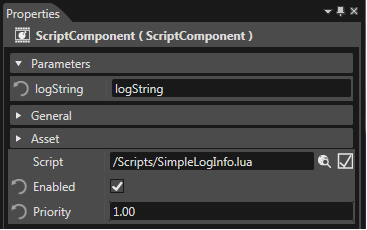
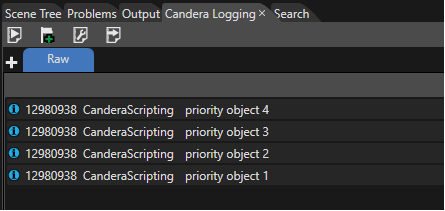
Now if you start the execution of the script system you can read the log strings in the order according to their priority. (open the CanderaLogging as explained in "Lua Introduction")
Tip: for ordering script execution you can also use call-back functions. F.e. LateUpdate(self, id) is called every render frame after all Update callbacks.