Expand Controls
Expand Controls
If a control node needs to be customized for a specific set of scenes, it might be useful to decompose an existing control to create a new, customized version of it.
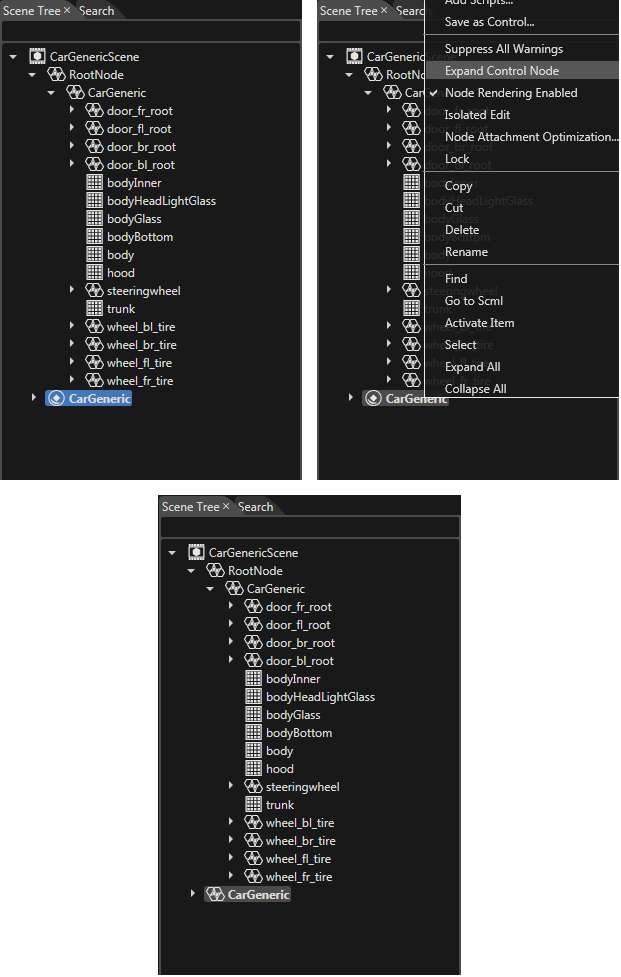
For this, use the context menu option "Expand Control Node" on a selected control.
In this case, the control node will lose the link to the original control source and will become a usual node; any modification of the control will not affect it anymore.