
Locking UI Elements
In different circumstances it could be useful to have the possibility to avoid any type of accidental SceneComposer solution modification. SceneComposer offers the locking option to provide the possibility to avoid such unfortunate mistakes.
Locking is available via context menu for all items excepting folders.
To lock a selected item the user has to right click on that item. From the context menu it is possible to select the "Lock" option.
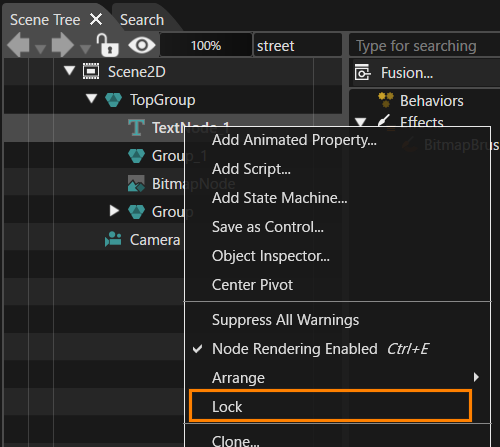
The locking state of the items can be: unlocked or locked (directly or by an ancestor). The item icon is decorated in such a way that it is clearly indicate if it is locked. The properties (including the name) and the structure of locked items cannot be changed using direct means (properties panel, scene tree etc.)
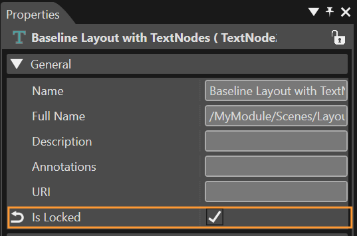
Another way to lock a selected item is to check the "Is Locked" checkbox in Properties.
The re-import of content used by locked items is not possible.
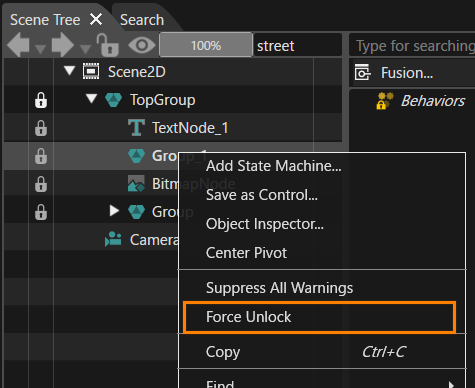
If it is necessary to unlock a sub-item it is possible to use the "Force Unlock" option from the context menu. When the "Force Unlock" option is used not only the sub-item is unlocked, the parent node is unlocked as well.
Generally speaking this feature is a soft lock mechanism. References used by a node can be modified, but not the locked object directly. For instance, if a node which has associated a texture that uses a bitmap is locked, the bitmap still can be modified so, in this way, the locked node can be modified.