
Overview
The Scene Composer interface consists of three parts: the menu bar, the toolbar, and the panels. The menu bar contains operation menus arranged by category, such as File and Edit. The toolbar contains icons for frequently used operations. In addition, for each function, a window called a panel is provided for working with Scene Composer. For more information, see the description page for each part.
- Menu bar
- Tool bar
- Panel: Solution Explorer/Imports
- Panel: Scene Tree/Search/Output etc.
- Panel: Scene Editor/State Machine Editor/Fusion etc.
- Panel: Toolbox/Render Targets etc.
- Panel: Properties
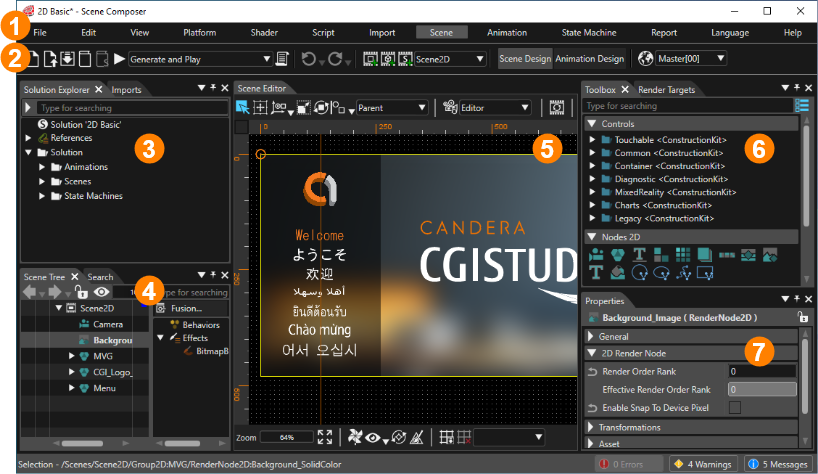
Panels 3 through 7 above can be customized to any layout. Customized layouts can also be managed as perspectives. (For more information, see Perspective Support.)