
Fusion
In the Preferences [ Environment ] > [ Fusion ], you can configure settings related to the display in the Fusion panel.
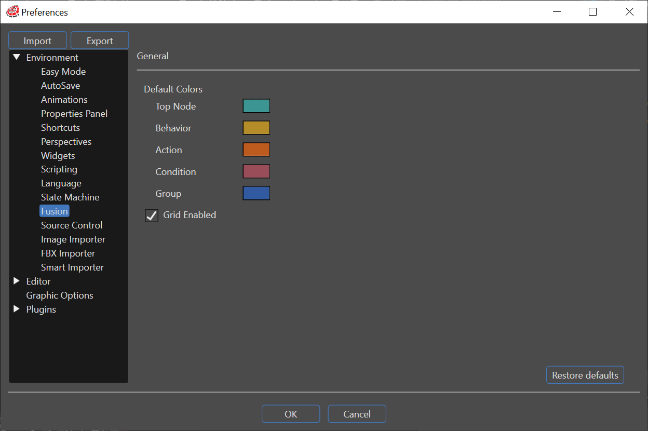
General
| Default colors |
You can configure the color of the newly created Fusion nodes displayed on the Fusion panel. Changing default color do not attached already created nodes, however those color will be used when user will call "Restore Default Header Color" command from context menu. |
| Grid Enabled | When this option is enabled, there are grids in Fusion panel. |
| Restore Defaults | Pressing this button will return all settings to their default settings. |