CGI Studio 3.6
CGI Studio 3.6 - What's new:
Welcome to CGI Studio 3.6, Candera's software development platform for development of hybrid 2D and 3D graphical interfaces for Automotive Systems.
This page provides information about the most important features added since the last Release. In this release the focus was on the integration of the redesigned Player, culture management in Scene Composer, Monotype support and new Controls with key handling. A special highlight among the Controls is the dynamic list. Please see the details below.
RenderMode for SceneEditor 2D/3D to show RenderTarget Alpha Blending
With CGI Studio 3.6 we introduce a new render mode for the scene editor for 2D and 3D scenes. The user is now able to switch between "Normal Scene Editor Rendering" and "Alpha Blending Scene Editor Rendering". The new render mode allows you to easily identify transparent objects. This is especially useful for devices that support hardware layer blending.

More information is available in chapter RenderTarget Alpha Blending
Drop Shadow Effect and Outline Effect also available for TextNode2D
The newly implemented OpenGL 2D effects
- OpenGL Drop Shadow Text Brush Blend and
- OpenGL Outline Text Brush Blend
offer the possibility to add these visual effects also to TextNode2D.

For more information please see the OpenGL 2D Effects Solution Scene Composer sample solutions.
2D SolidColorBrushColorBlend Effect
A SolidColorBrushColorBlend effect adds a color effect to the existing SolidColorBrushBlend effect. It multiplies the FillColor with the Color. This effect can be useful when it comes to reusing ColorEffects out of an effect, to multiply a color with the actual color to blit; especially in cases where the original color should be preserved, but should be changed for certain effects.
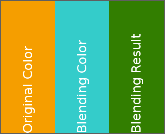
For further details please see section SolidColorBrushColorBlend SolidColorBrushColorBlend.
Integration of Monotype
Users of CGI Studio can now use the commercial font engine Monotype (iType) together with its WT Shaper as alternative to the already used freetype, harfbuzz and ComplexScript engines. Switching to monotype can easily be done using CMake. More details on the integration of Monotype can be found in chapter Integration of Monotype
Copy & Paste or Drag & Drop from ToolBox to SolutionExplorer
To make CGI Studio SceneComposer even more convenient and userfriendly we introduced the possiblity to Copy & Paste or Drag & Drop items from the Toolbox to the SolutionExplorer. The performed Drag&Drop operation automatically creates a copy of the source object. It can be used to create your own variants of the controls delivered in the construction kit.
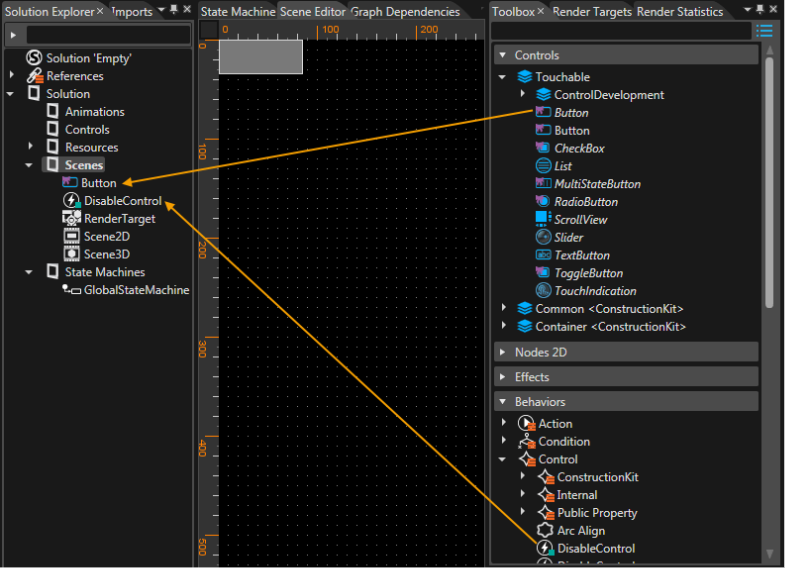
Copy and paste is performed using the context menu or the keyboard shortcuts CTRL+C and CTRL+V. Drag & Drop is done by picking the item with the mouse, dragging it to its destination in the SolutionExplorer and dropping it at the desired location.
Integration of the Player into SceneComposer
So far we were offering CGI Studio SceneComposer and Player as two separate applications. With CGI Studio 3.6 the Player can be started from within the SceneComposer. In the toolbar near the top left corner you can now find a play button and a drop-down menu to start the Player. In the drop-down menu you can choose one of the following options:
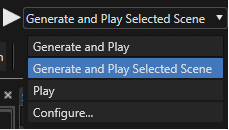
| Menu Entry | Action |
| Generate and Play | Generates assets and starts the Player |
| Generate and Play Selected Scene | Generates assets and starts the Player with the current scene after pressing the "play" button on the left |
| Play | Starts the Player after pressing the "play" button with the most recent generated asset |
| Configure... | Opens a configuration dialog. Configurations, like the path to the Player, can be set. Further wise it allows to set additional parameters and the default scene that will be shown. |
It is possible to start two Players in parallel with different assets. Starting a third Player is not possible because it would try to overwrite the first generated asset. The generated assets are stored in temporary application data user folders.
Player Re-Design
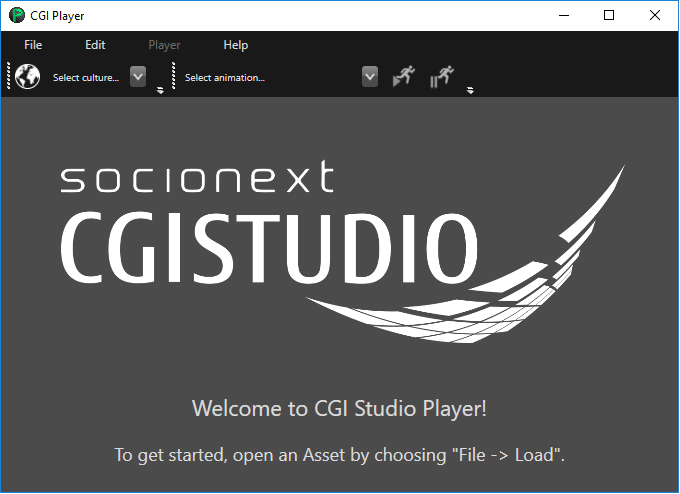
Speaking of the Player: it now features a fresh new design - both in the UI and internal architecture setup - for an improved user experience.
Handling of Keyboard incl. Virtual Keyboard Events
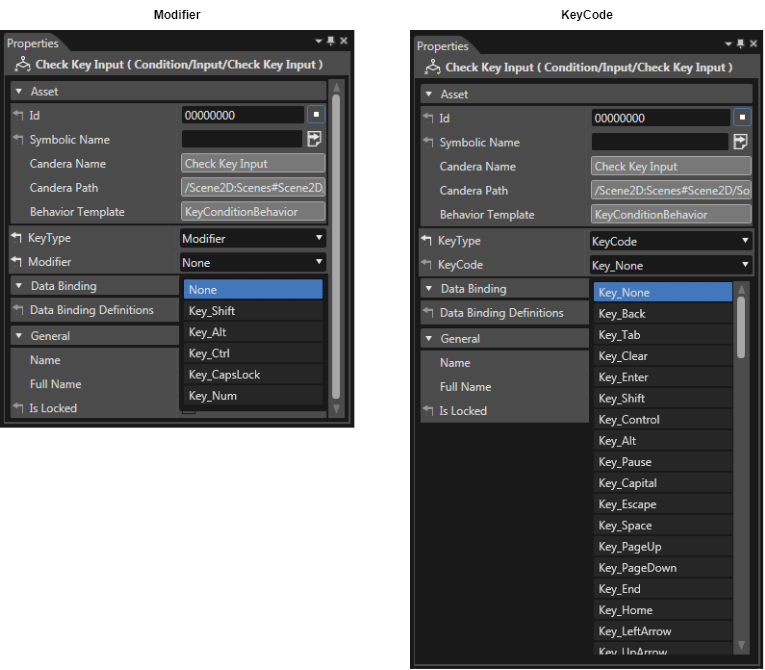
With CGI Studio 3.6 it is now possible to directly react on virtual Key Events using the concept of Behaviors. A new Control Behavior "Virtual Key" has been added that receives a Change Value Event with a boolean. True will start emitting Key Events, false will stop emitting Key Events. A new Condition Input Behavior "Check Key Input" has been added, so it is possible for any control to react on it and call any Action Behavior. The "Check Key" Input Condition Input Behavior as well the "Virtual Key" Control Behavior can be configured with a Modifier and a KeyType.
Line Spacing Customization
With CGI Studio 3.6 the user can customize the way multi-line text is imported from Photoshop. As CGI Studio is using a different text engine than Adobe, customization is needed to achieve the same presentation, especially spacing for multi-line text.
The Photoshop importer imports multi-line text as it is - setting default line spacing
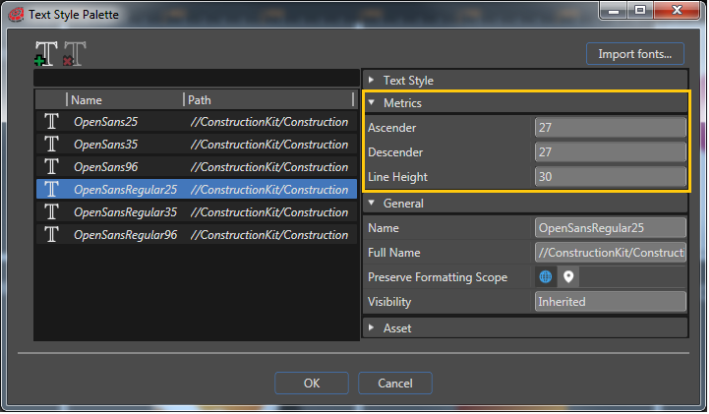
With implementation of this new customization possibility, the Line Height property has been removed from the TextNode in SceneComposer. TextStyle has a new category (in the property grid) called "Metrics" that contains the following properties to display the line spacing values calculated from Candera:
| Property | Description |
| Ascender | Font ascender value in device pixels. |
| Descender | Font descender value in device pixels. |
| Line Height | Line height of the font (lineGap = lineHeight - (ascender - descender)) |
Generic Transformation is optional
In order to increase the performance when rendering, the generic transformation used for 3D Nodes, Canvas Nodes and also for Textures, has become an optional parameter in SceneComposer.
Advanced Cluster Sample Solution
A new Advanced Cluster Solution has been added to the Sample Solutions that can be found on the startup screen of CGI Studio SceneComposer 3.6. It shows how to create an advanced cluster without the need of application logic. It is just using Controls for implementation and therefore works with the Player.

A description of how it is assembled and how it can be created from start can be found in the section for Sample Solutions Advanced Cluster Solution.
Extension of FeatStd::Variant
The list of data types of FeatStd::Variant has been extended by data types that are often used in applications:
- FloatValue
- DoubleValue
- Int8Value
- Int16Value
- Int32Value
- Int64Value
- UInt8Value
- UInt16Value
- UInt32Value
- UInt64Value
- BoolValue
- StringValue
A new TryGet() method has been implemented, which returns true if the conversion was possible without value range limitation and false otherwise. You can find out more about this in the Class Reference of FeatStd::Variant.
Freetype Font Streaming
Instead of loading a complete font from asset file into RAM it is also possible to use the freetype custom IO stream API where only the required bytes are requested from the font. This features is especially useful for big fonts. This can be done on a font-by-font basis.
Even after introducing the new (stream-based) font data access strategy, it is still possible to select the old (memory-based) font data access strategy.
Offline Shader Compiler Plugin for R-Car D3 Integrity
With CGI Studio 3.6, a shader compiler plugin for Scene Composer is provided for Renesas R-Car D3 Integrity platform. This new shader compiler also supports offline compilation. All shaders and only those shaders that are used and are part of the asset library are compiled.
PSD Exporter sets Text Height
The PSD Export now sets the Layout Size of the TextNode2D to the text area size from Photoshop. The TextNode2D's clipping behavior is adapted so that rendering area is big enough for rendering complete lines and then apply clipping to the area.
Pivot Point
With CGI Studio 3.6 Scene Composer uses a real pivot point instead of a pivot offset. The pivot point is used as center point for rotation and scaling. It is available for 2D and 3D. A gizmo - an orange circle with an orange dot inside - shows the position of the pivot point in 2D scenes.
In 2D the existing translation modes (Pivot and Object, Pivot only, Object only) are now based on the real pivot point:
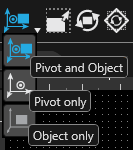
"Pivot and Object" mode: Position property (only) of the translated node is re-computed and updated.
"Pivot only" mode: both Pivot property and Position property values of the translated node are re-computed and updated.
"Object only" mode: both Position and PivotPoint properties of the translated node are re-computed and updated.
Memory Usage Improvements
For CGI Studio 3.6 the memory Usage for large solutions has been improved significantly.
Integrated Text Management
CGI Studio supports internationalization in form of a custom solution based on the Translator plugin and customer external tools. All language tables can be now maintained directly in Scene Composer. For a better integration of the text's management, the following steps have been performed:
- The translator plugin has been integrated to be part of SceneComposer.
- The text table editing has been extended so that any text item can be edited for all languages.
- Text editing is allowed in the property grid for the selected locale.
- Live text switching w/o asset re-generation is now possible in the editor and display preview.
Further wise, CGI Studio 3.6 comes with an integrated Translator Plugin. In the toolbar you can find an icon to open the "Solution Icons: Cultures" dialog to add or delete languages as well as a drop-down box for choosing the currently active language.

More information about the Translation Plugin can be found in chapter Scene Composer Translator Plugin.
Unique Identifiers for Behaviors
With CGI Studio 3.6 unique identifiers for behaviors have been introduced. For this, an Identifier class has been introduced which matches any arbitrary string path / string tree. The concept is derived from Java String Interning (https://en.wikipedia.org/wiki/String_interning).
Support for True Type Font Container (TTC)
An Iterator has been implemented to iterate over the names of the faces contained by a TTC font. The order in which the face names are provided by the iterator is a hint for the index that needs to be passed at Font::Setup(name, index), to properly load the expected face.
Toggle Button
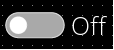
We have now added a new Control "Toggle Button" that behaves like a Push Button but it toggles with each press between "On" and "Off". It is typically used for activating and deactivating a persisting functionality.
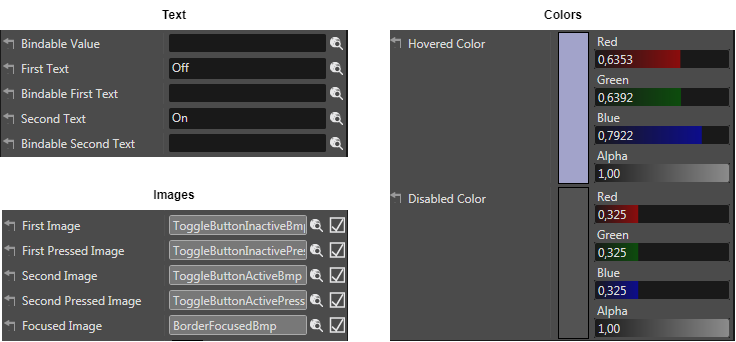
The visual appearance of the Toggle Button can be altered in the properties panel. The texts, the images and also the colors for hovered and disabled can be configured.
Clock Control
CGIStudio 3.6 offers a new DigitalClock and an AnalogClock Control, which can be found in the ConstructionKit.
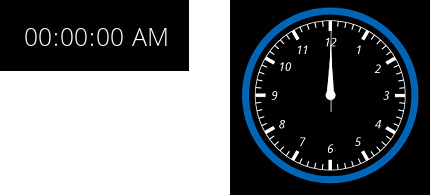
More information can be found in chapter Digital Clock and Analog Clock.
Input Field Control
CGI Studio 3.6 provides an Input Field Control for Keyboard Input.
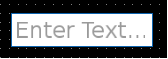
For more information please check section InputField.
Dynamic List
The list control has been extended by supporting Courier Data Binding and generic windowed list model fragments.
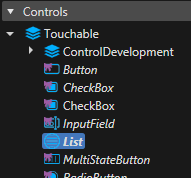
For more information please see the Dynamic List Tutorial.
Databinding UI
With Scene Composer 3.6 each bindable property of a Behavior, Widget, Behavior Building Block or Control will have a button next to the property that allows to define or break a link to a data source.
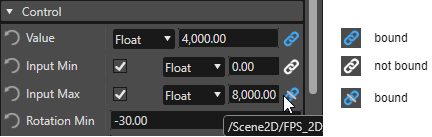
Additionally, when hovering the buttons, the concerned binding source is displayed as tooltip (see the lower right corner of the picture above).
Sequential and Bidirectional Transitions
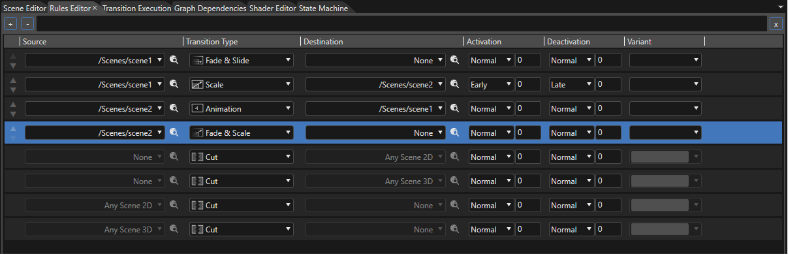
Until now, only simultaneous transitions from one scene to another were possible, meaning that, for example, one scene would fade out while the other one fades in. With CGI Studio 3.6, it is possible to configure transition rules, which result in a sequential playback of the respectively involved transition fragments. To accomplish this, new options to set the transition strategy for "Activation" and "Deactivation" fragments have been added to Scene Composer's Rules Editor.
Additionally, transition rules can now be set as bidirectional, further simplifying the transition setup process. Now, only one rule is needed for a transition in both directions.
For more information about the new Transition features, please read the chapter Transitions.