CGI Studio 3.4.0
CGI Studio 3.4.0 - What's new:
Welcome to CGI Studio 3.4.0, Candera's software development platform for development of hybrid 2D and 3D graphical interfaces for automotive systems.
This page informs about the most important features, added since the last release. Focus of this release were new features such as transitions, a new Player, animation property setters, performance improvements, language dependent fonts, custom property configuration, Uniform Buffer Object (UBO) support, CGI Analyzer with frame debugger, IVI controls, live data preview, sample solutions, and improved documentation.
Improved Documentation
The documentation was enhanced for:
- all new controls and all new sample solutions
- a cluster controls tutorial were you can learn how to create a cluster with controls, the solution can be found in
- SceneComposer Start Screen
- Tutorial videos like how to use design master, learn about scripting up to the cluster control tutorial
- new tutorials for Transitions, Behaviours, MFR (Multi-Freqency Rendering) or Lua-scripting
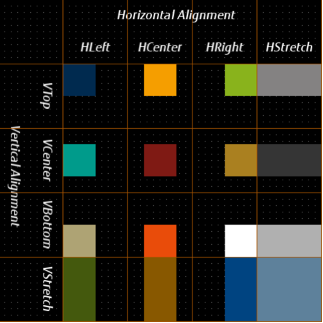
- Layouter documentation and tutorial
Find below a glimpse of the layout-sample:
Sample Solutions
Many samples are now on SceneComposer Start Screen
New samples have been added to ease exploring CGI Studio features. The new ones are: scripted car, layouter, cluster control tutorial, transitions
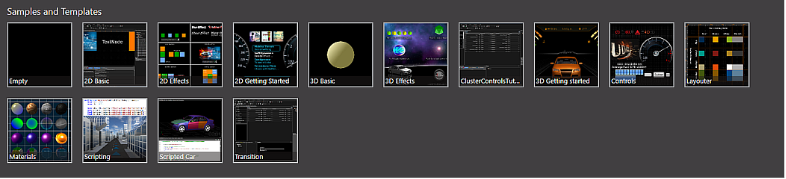
Mark a solution and follow the link to the documentation at the bottom of the screen, you are guided to the related tutorial.
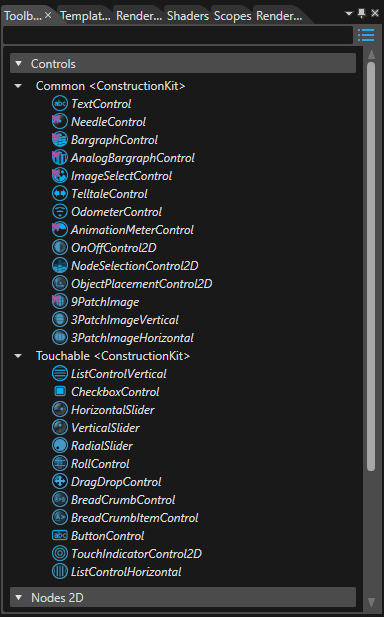
IVI Controls in Construction Kits
Now also controls are available to create menus or to support touch.
In the construction kit you can find the IVI controls available for your platform:
Analyzer with Frame Debugger
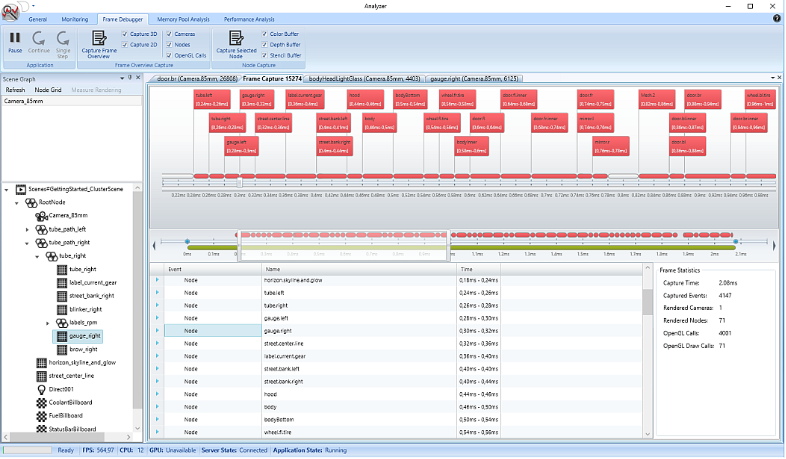
The Analyzer provides a frame debugger as a new feature to help discovering visual defects much easier. The frame debugger gives an overview of what has been rendered in which order. Additionally, it gives visual access to the drawn content of each node. Furthermore, a statistical summary of the rendered frame is available.
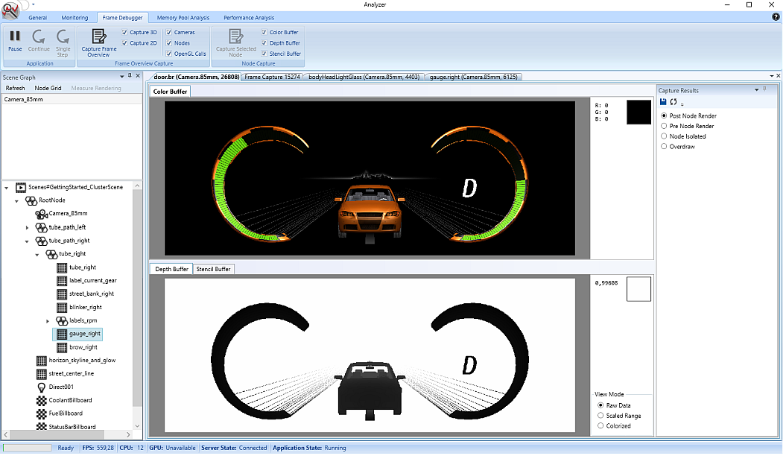
Debug color, depth, and stencil buffer content at custom defined time points.
Animation Transitions
The transition framework has been extended to add a Animations as new build-in transition type. Now it is possible to trigger animations or group animations within transitions. With animation transitions almost any arbitrary transition can be realized.
The transition type Animation holds three additional optional parameters:
- AnimationId – Candera::Id of the animation that is executed by the transition framework.
- AnimationTimeline- specifies the time when the animation will start. The end time of the animation depends on the selected playback mode.
- IsAnimationTimeRelative- defines the playback mode for the animation:
- TransitionTime - default(false) - The animation speed is adapted such that the end time of the transition, specified by the AnimationTimeline parameter, will match the end time of the animation.
- AnimationTime (true) - The animation duration is given by the animation itself.
- TransitionTime - default(false) - The animation speed is adapted such that the end time of the transition, specified by the AnimationTimeline parameter, will match the end time of the animation.
The animation specific parameters can be specified in the properties panel once the corresponding transition type has been selected:
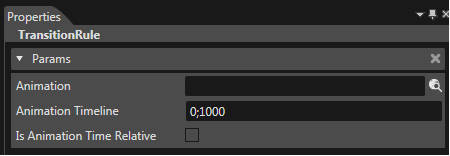
The animations can be triggered through a request by matching the corresponding rule.

Reverse Transitions
The transition framework offers the possibility of reversing transitions, because transitions shall be reversed when a fragment is deactivated, while it’s fragment is in activation or vice versa. If a reversible fragment has been identified, the already running TransitionFragment shall go backwards, from its current state to the original one.
A reverse transition is executed if all of the following conditions are fulfilled:
- the variant of the already running TransitionFragment shall match the variant of the current request
- the source of the already running TransitionFragment shall match the Destination of the matching rule
- the Destination of the already running TransitionFragment shall match the Source of the matching rule
- AllowReverse is set to true
Uniform Buffer Objects (UBOs)
Candera now supports uniform buffer objects on OpenGL ES 3.0 platforms. Uniform buffer objects batch uniform settings for e.g. light and materials. A reduced number of render state changes increases render performance on GPU-bound applications.
They can be set in Solution Options:
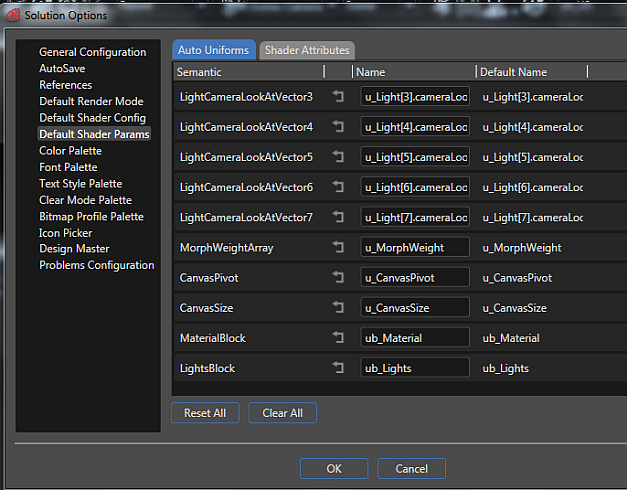
Transform Feedback
Candera supports transform feedback on OpenGL ES 3.0 platforms. This feature enables the user to utilize the vertex processing unit of the GPU to perform calculations and reuse the results. This is especially useful for debugging vertex transformations. Applications can also use it for use cases like speeding up particle systems.
Pixel Buffer Objects
Candera supports pixel buffer objects on OpenGL ES 3.0 platforms. This feature can be used to transfer data to and from video memory asynchronously.
Renderer Statistics Overlay
Candera introduces a helper class to draw renderer statistics data on screen as an overlay. That way critical information regarding rendering is available in real time on target platforms for diagnostic purposes.
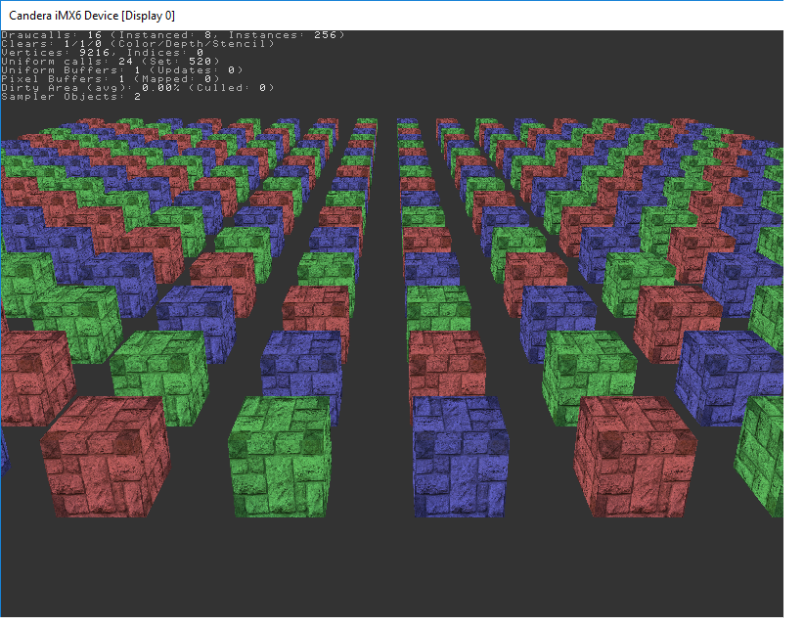
Renderer Statistics
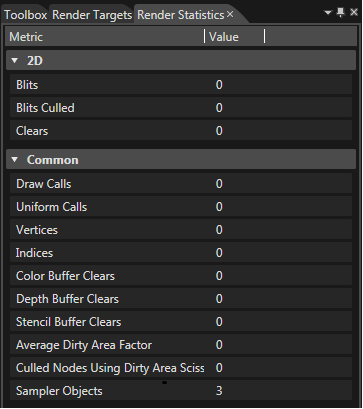
New render statistics have been added under the 2D section: Blits, Blits Culled, and Clears.
They can be seen here:
Language Dependent Fonts
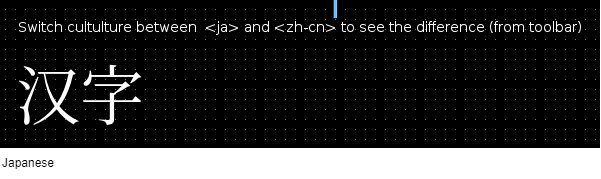
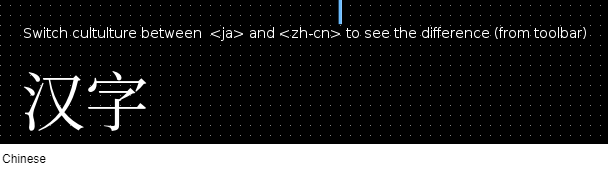
Until now, the fonts could be configured based exclusively on unicode ranges. From this version onwards it is possible to configure the fonts on the basis of language. So, the configuration is extended in such a way that the font selection can be also conditioned by language ISO codes (the standardized nomenclature used to classify languages). The text style entries are grouped by culture (multiple). Every text style has - similar to "Entries" - a "Culture" list and every culture from this list has its own "Entries" list. In this way all the text style entries are grouped - as mentioned above - by culture.
This is an example for the Japanese and Chinese, just the culture is changed not the font:
New Animation Property Setters
It is now possible to animate more properties for cameras and nodes in both 2D and 3D scenes. The new properties which can be animated are:
- viewport and scissor rectangle properties of camera objects from both 2D and 3D scenes
- bounding rectangle, clipping rectangle, and layout margin properties of 2D nodes
- vertex rectangle property of renderable canvas objects
Widgets have been enhanced to support properties of Vector4 and Margin type. This type of properties can also be animated.
Custom Property Configuration
A configuration file allows the user to set values that overwrite the default value from the ApplicationConfig file when SceneComposer starts. This file can be generated by using the SceneComposerConfigurator.exe.
Here you can see the default configuration of the properties for TextNode:
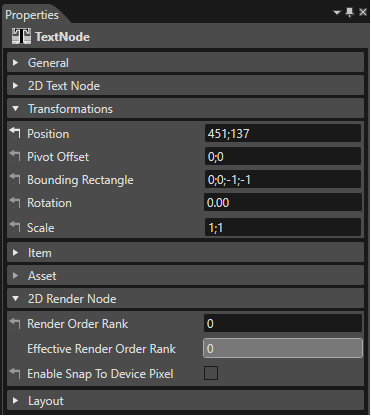
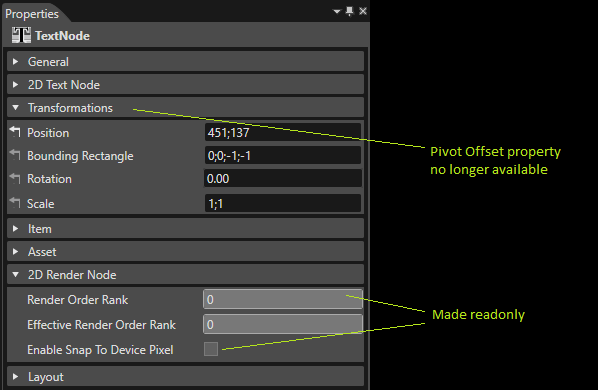
The Pivot Offset has been removed and the properties Render Order Rank and Enable Snap To Device Pixel have been set to read only:
Live Data Preview
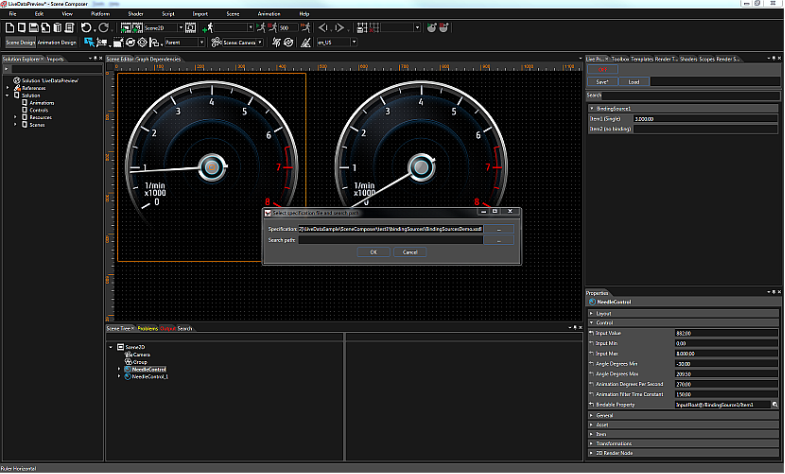
SceneComposer was extended to allow an advanced usage of Courier plugin.
The user, when working with Courier, can define the data items and link them to widget/control properties via data binding. With live data you can simulate this for each item and store the simulation.
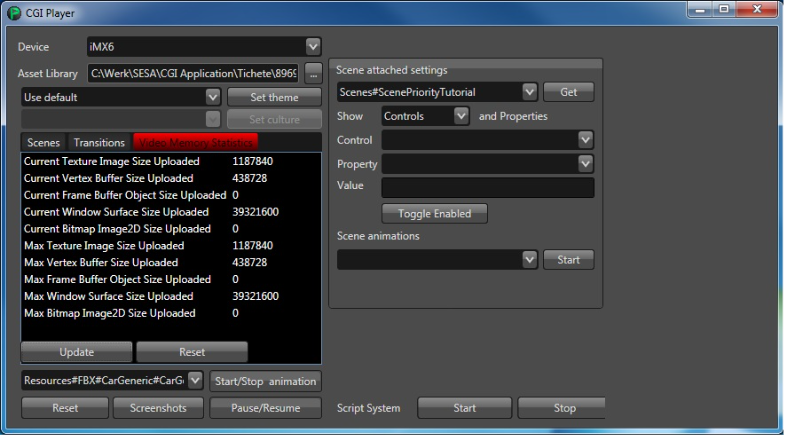
New Player
A new Player is available under "<cgi-studio-root>/cgi_studio_player". It supports Courier which means that it recognizes touch-input for instance. Further features are Transitions and Memory Statistics. It also comes with a new Panel.