
Add a new Display
Add display
There are two options available on how to add a new display:
Go to "Platform" > "New Display" in the menu bar or go to the Render Targets panel, right click on the Displays node and select "New Display".
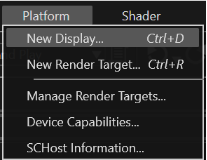
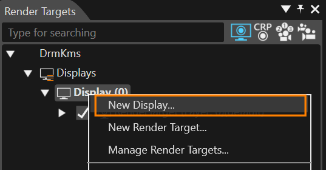
"Render Targets" panel
Specify the desired display name and display id in the "Add New Display" dialog:
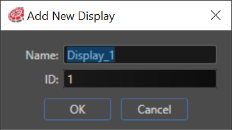
"Add New Display" Dialog
Set the desired resolution of the display via Properties panel by editing ResolutionX and ResolutionY.
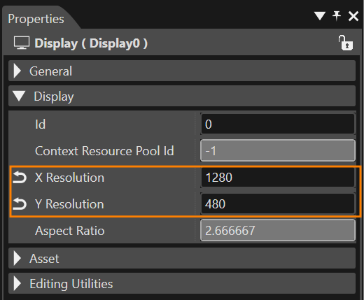
Properties Panel of Display
A display can be deleted in the "Render Targets" panel. Right click on the display and select the "Delete" option from the context menu or press the Delete key.