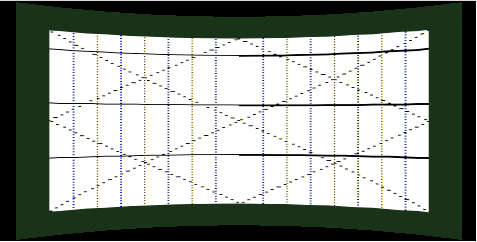
Reference Points and the Warp Matrix
The warping parameters are based on reference points. These points are mapped by a 2D array containing coordinates inside the bitmap area to be warped.
For each reference point, a shift vector is stored by the application. Every shift vector determines the amount of distortion to be applied to the corresponding point in x- and y-direction. The warping parameter correspond to the shift vectors (in pixels) of warping interpolation point in warped images, in comparison to reference points in non-warped images (divided by the specified pixel resolution). To save memory space and computing time, the absolute coordinates are not saved as warping parameters, but rather only the distance from the reference points (without rotation and shifting).
The figure below shows a reference point grid with corresponding shift vectors.
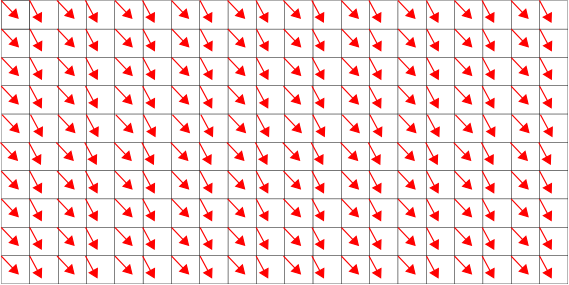
CGI Studio Warping Library used row-major data ordering for area shift vector sets.
The warp matrix is a two-dimensional matrix computed by the warping library. Each point corresponds to a bitmap image reference point that has been shifted. The value of each point is the vector-addition of the reference point and the corresponding shift vector with regards to pixel resolution. All values of the warp matrix are normalized to the range [0..1] at the end of warp matrix computation or adjustment in order to be used by Candera.
-
The Warping Library does not provide an interface that supports the usage of "final shifted" points instead of the shift vectors. In such case, the library cannot be used. These "final shifted" points can serve as entry point in calculating the Candera::WarpMatrix data.
Example
The number of reference points influence the output of the warp matrix. The points should be chosen, proportionally, with regards to the size of the bitmap area. The larger the value, the more accurate and smooth the result of the warp image.
NumOfRefPointsX: 4 | NumOfRefPointsY: 2
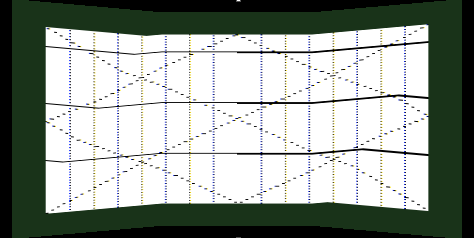
NumOfRefPointsX: 2 | NumOfRefPointsY: 4
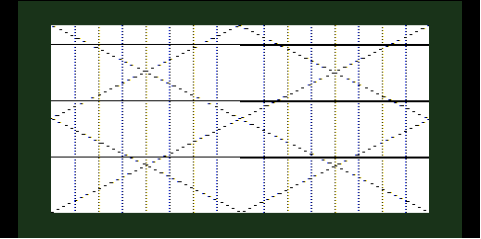
NumOfRefPointsX: 4 | NumOfRefPointsY: 4
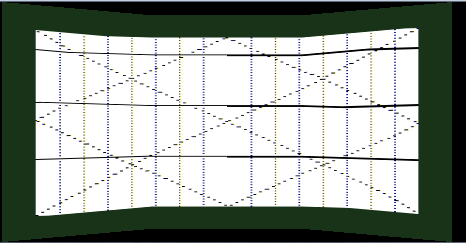
NumOfRefPointsX: 11 | NumOfRefPointsY: 5