
Zooming
This feature was created to assist in developing high- or low-resolution HMIs. Developers of low-resolution HMIs can zoom in, developers of high-resolution HMIs can zoom out.
It may also be convenient if you want to take a closer look and examine the HMI in detail.
- The first icon of the toolbar resets the zoom level of every host application display.
- The second and third icon are for zooming out and zooming in. The zoom level is adjusted by 5% on every button click.
- The fourth option of the zooming toolbar is a filter that can be enabled to improve the visual output when zoomed in.
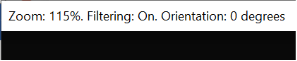
The current zoom factor and whether the filter is enabled is displayed in the Player's titlebar.
Please be aware, that while using zoom, the output is not pixel exact anymore.