Control Center Welcome Screen
To open the CGI Studio Control Center double-click "ControlCenter.exe", which can be found in the "ControlCenter" folder in the bin directory.
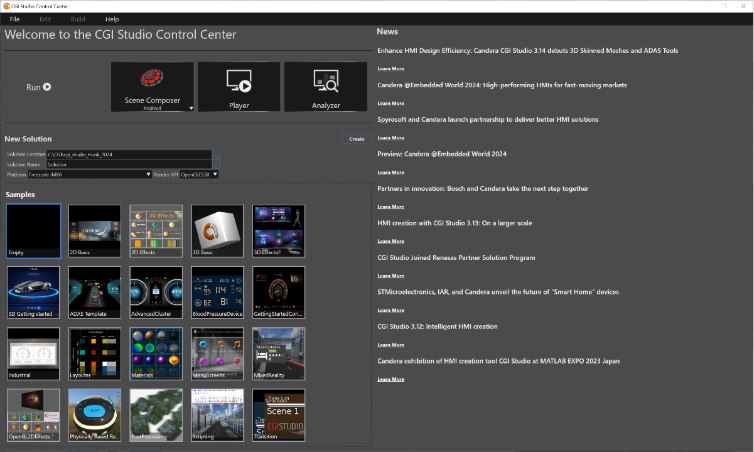
In the top left section, the Welcome page offers the possibilities to run Scene Composer, the Player (CGI Panel) or the CGI Studio Analyzer.
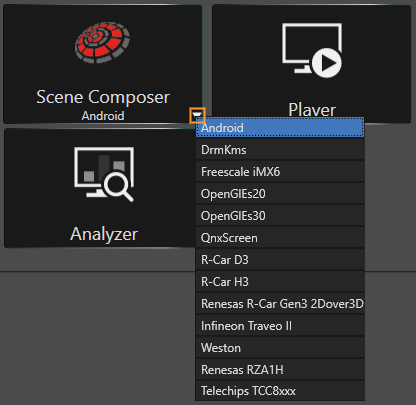
Before clicking the "Scene Composer" button to open Scene Composer, please choose your preferred platform. To do this, open the drop-down menu with the little arrow on the bottom right of the button (marked in orange in the image below).
Create a new Solution
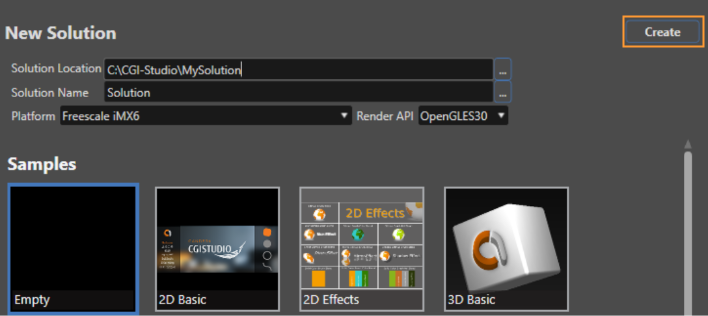
As shown in the image below, it is possible to create a CGI Studio Control Center Solution:
Select a location and a name for your solution, then choose a platform and a Render API. Select a template from the list of available Scene Composer solutions in the section below (the selected template is highlighted with a blue border). Finally, click the "Create" button (marked in orange).
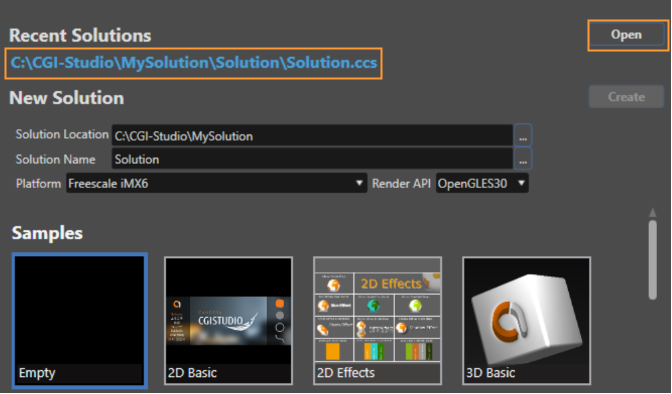
Recent Solutions
If you have already created a solution and you are reopening the CGI Studio Control Center, you can see the recent solution just above the "New Solution" section. To open the recent solution click on the solution link to select it (highlighted in bold and blue text) and click the "Open" button or simply doubleclick the recent solution you intend to open.