
OpenGL Multi Texture Brush Blend
GlMultiTextureBrushBlend
This effect allows to define two textures. These two textures are blended using a blend factor.

Image and Secondary Image
Here you can define the first image.

The second image can be configured with the property "SecondaryImage".

Blend Factor
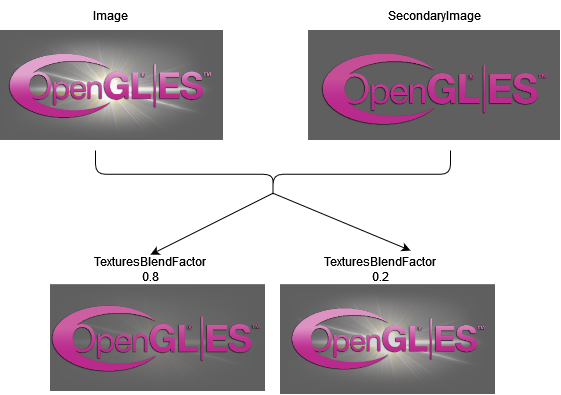
The given images will be blended according to the TexturesBlendFactor.
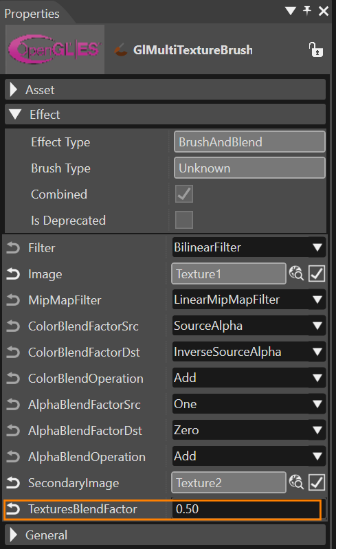
The value of the TexturesBlendFactor ranges between [0...1].
E.g. 0.2 would be 20% of Image and 80% of Secondary Image.
This OpenGL effect demonstrates the usage of the API for 2D Effects on 3D Devices.
Detailed basic information on this effect can be found here.