
View Tree
View Tree is the editor for arranging View in the solution as a tree and composing screen transition logic based on that structure. When you define transition relationships between Views on the tree, that information is exported as the Global State Machine at asset generation and becomes available as destination candidates for the JumpToView action behavior.
When you set a parent–child relationship between Views, the child View is activated in sync when the parent View becomes active, allowing you to manage groups of screen elements that should always be shown together. In addition, by associating an Action Chain created in the Action Chain Editor with each View, you can define that View’s event logic and conditional transitions.
View Tree panel UI
By default, the View Tree panel is hidden. To display it, choose View > View Editor > View Tree from the menu bar.
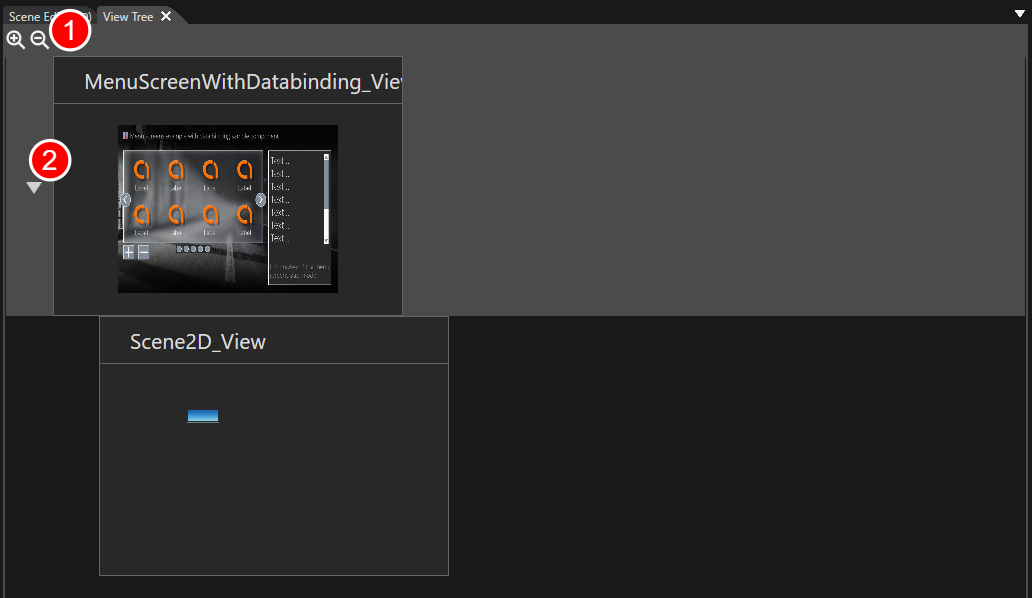
Appears when a View has child Views. Click to toggle the visibility of the child Views.
Basic operations
Place Views
Drag and drop Views that you have defined beforehand in the View Definition Editor onto the View Tree panel.
Dropping onto a blank area of the View Tree panel places the Views side by side (as peers).
Dropping onto an existing View places the dropped View as that View’s child.
When a parent–child relationship is set between Views, the child View’s event logic is activated in sync when the parent View becomes active.
Configuring in Action Chain Editor
For each View placed on the View Tree, you can configure its event logic in the Action Chain Editor. You can launch the Action Chain Editor in either of the following ways:
Double-click the View you want to configure.
Select the View and choose Open Action Chain Editor from the context menu.
Exported as a Global State Machine