
In-Vehicle Infotainment
In-Vehicle Infotainment
Overview
The in-vehicle infotainment solution showcases a full feature automotive IVI, which could be used as a solution template.
The solution has a interactive 3D digital twin, a dashboard, media phone and HVAC and also an application drawer and car settings pages. It also features a navigation scene with a navigation solution placeholder.
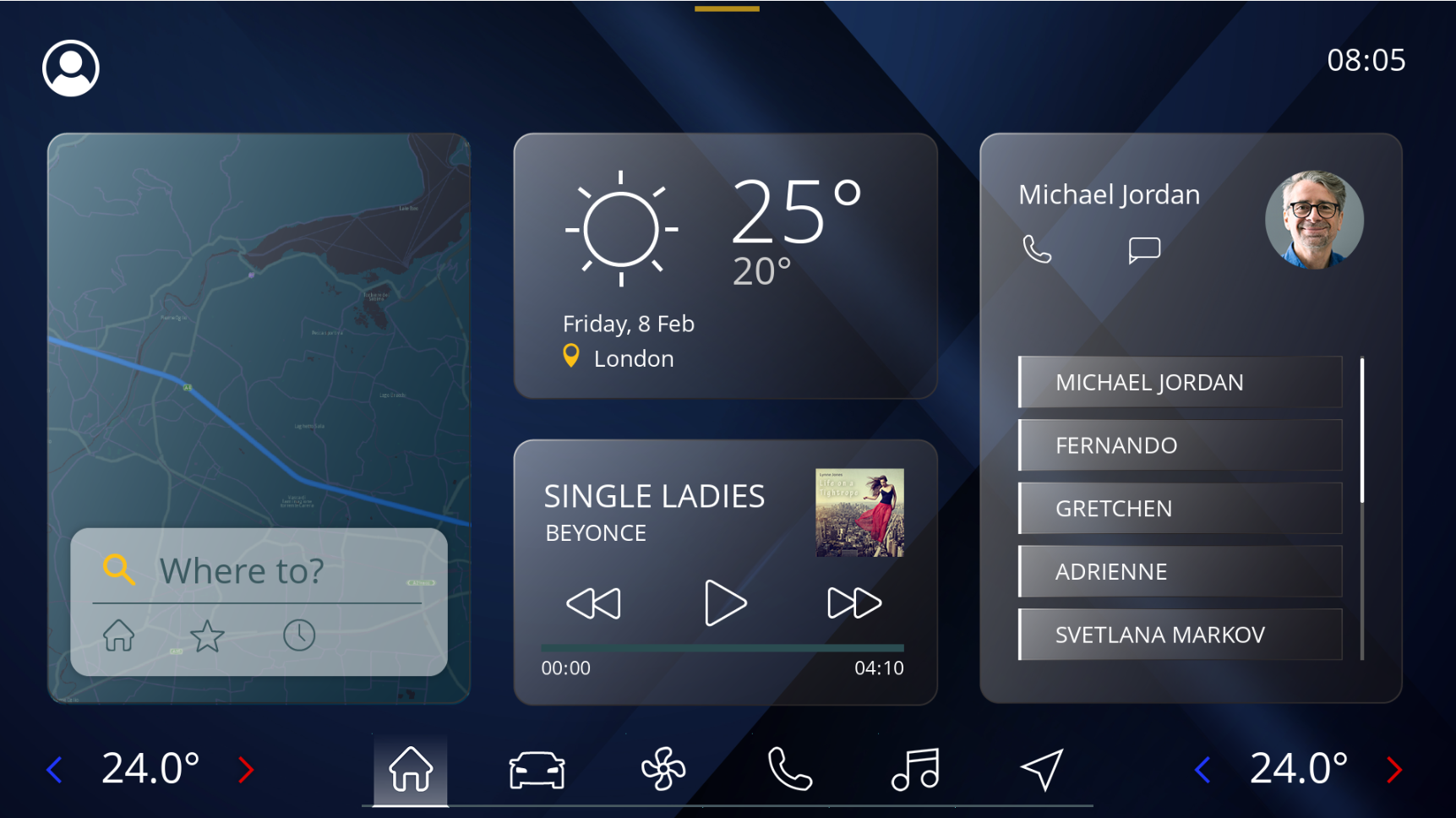
Scene
| No | Category | Name(s) | Description |
| (1) | Digital Twin |
/DigitalTwin/Porsche_Macan_Turbo_EW /DigitalTwin/Scene2D-UI /Menu/DigitalTwin |
The digital twin scenes. |
| (2) | HVAC |
/Menu/HVAC/HVACScene2D |
Implementation of HVAC scenes. |
| (3) | Media |
/Menu/Media/Scene2D /Menu/Media/MP3AlbumScene2D /Menu/Media/MP3PlaylistScene2D /Menu/Media/RadioScene2D |
The media control scenes. |
| (4) | Phone |
/Menu/Phone/CallPopupScene2D /Menu/Phone/ContactScene2D /Menu/Phone/IncomingCallScene2D |
The phone connection scenes. |
| (5) | Settings |
/Menu/Settings/DisplayInterfaceScene2D /Menu/Settings/DrivingAssistScene2D /Menu/Settings/GeneralSettingsScene2D /Menu/Settings/MaintenanceScene2D /Menu/Settings/PrivacySecurityScene2D /Menu/Settings/SettingScene2D /Menu/Settings/VehicleSettingScene2D |
The IVI settings scenes to configure several features of the IVI and car. |
| (6) | AppDrawer |
/Menu/AppdrawerScene2D |
The app drawer shows the implementation of external optional applications. |
| (7) | Home |
/Menu/HomeScene2D |
The home scene. |
| (8) | Navigation |
/Menu/NavigationScene2D |
The navigation scene/tile is a placeholder for a navigation solution integration, as there is no "standard" for navigation integrations and strong depend on the navigation software provider solution. |
| (9) | Background |
/BackgroundScene2D |
Contains the background of the IVI. |
| (10) | Status |
/StatusBarScene2D |
The status bar of the IVI. |