
Configure Source Control
Configure Source Control
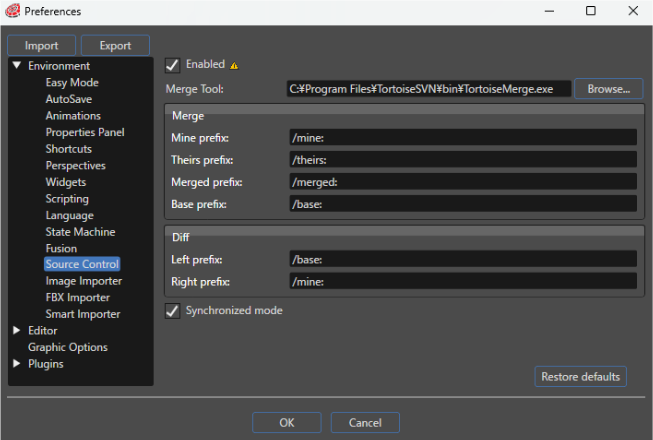
It is necessary to configure an external tool when you're working with a solution from repository, using the source control offered by SceneComposer.
To do this open the Preferences dialog (from "File" > "Preferences") where you can specify the external tool that will be used and specific commands for "Merge" and "Diff" operations. Before any of these operations, the merge tool has to be enabled by using the available check-box.
The
tool

Theuse.
The value of the check-box is evaluated only when a solution is opened or created.