Animation Options
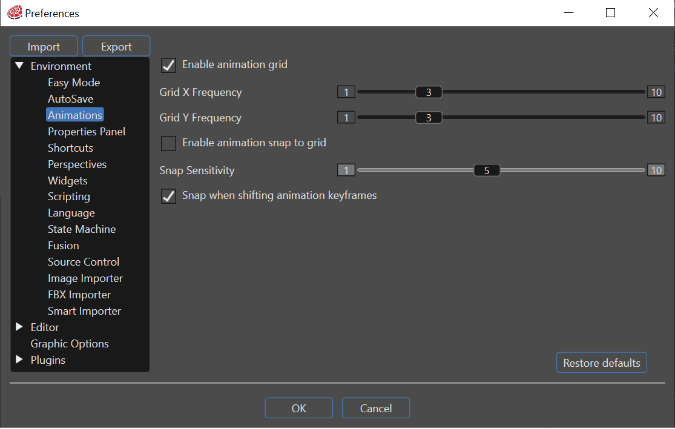
Enable animation grid
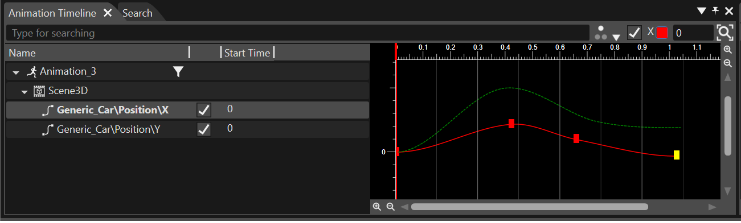
The animation grid represents a collection of lines at a configurable step size for each axis (Grid X Frequency and Grid Y Frequency) that is rendered in the background of the CurveEditor of the AnimationTimeline panel. The
Grid isX enabledFrequency
If checking the checkbox "[Enable animation grid"grid] fromis enabled, set the sectioninterval Environmentfor - Animations, indisplaying the "Preferences"animation dialog.grid along the X axis.

Grid Y Frequency
TheIf "Snap when shifting[Enable animation keyframes"grid] checkboxis allowsenabled, set the settinginterval offor displaying the snap shifting animation keyframesgrid toalong incrementthe ofY 5.
axis.

Enables animation snappingsnap to grid
The "AnimationEnables animation snap to grid" option enables the keyframes to become aligned to the grid when being translated in the Curve Editor of AnimationTimeline panel. To
Snap thisSensitivity
If check the checkbox "Enable[Enables animation snap to grid"grid] fromis theenabled, section "Environment - Animation" of Preferences dialog and configureset the desired sensitivity (the range is the distance to guideline where the keyframes stick to the grid).
Snap when shifting animation keyframes
If enabled, animation keyframes can be set in units of 5 frames on the animation timeline. If disabled, they can be set in units of 1 frame.