
Creating a new Solution
The first step is to create a new solution with Scene Composer. A solution is a project file containing resources for a single project. Selecting a template makes it easy to create a new Solution.
- Double-click on the Empty template in Samples and Templates.
- Selecting an Empty template creates a
copysolutionofbased on the template.

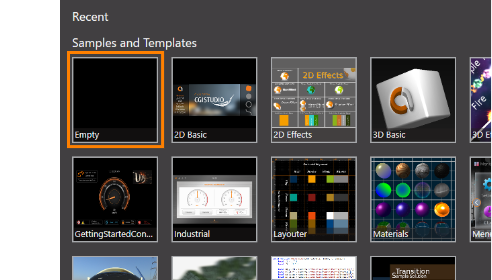
- Selecting an Empty template creates a
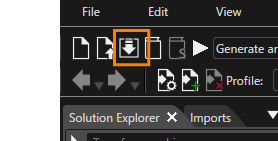
- Click the "Save solution..." icon on the
toolbar.toolbar or use the keyboard shortcut Ctrl + S.AThe Windows "Save As" dialogboxwillappearbeinopened,whichwhere you cansetdefine theanylocationdestinationand filename,namethenforsaveyourthesolution.file.
You can also save a
newyour solutionbyviaclickingtheonmenu: "File"on the toolbar and selecting- "Save Solution" or "File" - "Save Solution as...".
the "Save As" dialog choose a location, enter a suitable filename and click [Save].