Running the Player Demo Application on iMX6 Integrity
Download the Application
To download and debug the application you need a Green Hills probe with firmware 4.4.0 or higher that is configured for your according iMX6 SABRE hardware.
Monolith Application
In MULTI launcher select "Open debugger" and choose the application from your build folder with postfix Monolith. Then hit F5 and connect to target (mpserv connection via Ethernet). Choose "Download to RAM" and choose ID 1. After the application is downloaded, connect an rtserv2 connection directly to the board via Ethernet that allows you to start the Player application. There are three ways to specify the IP address of the board that shall be used for rtserv2:
- as u-boot environment variable (will overrule the other two options)
- In the global_table.c file of the kernel (in your int1104 folder)
- via the command "nc" after the Monolith was started
Loading the asset
The Player demo application has the asset file added by teh linker. It will be loaded to RAM together with the application. As a default, the tunnel asset is linked. This can be changed in the file cgiapp_device_specific_inc.cmake in the CGIApplication/Platform/IntegrityiMX6 folder.
Logging Output and Key Input
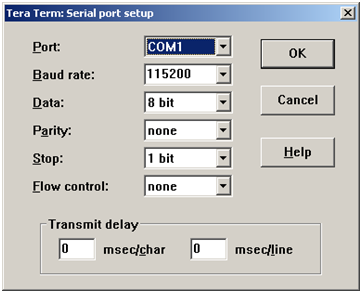
Use TeraTerm or another terminal software to connect to the target via COM to receive logging output and use key input.