
Vertex Buffer Editor
Buffer Editor
ItImported isGeometry possiblecan tobe selectmanaged theand typeconfigured ofin imported geometry aseither ArrayBuffer or IndexBuffer accordingformat, todepending differenton geometricalits topologies.Geometry TheTopology. firstArrayBuffer deliversoffers higher renderrendering performance (caching,cache sequentiallyefficiency and sequential read) but with the cost ofconsumes more memory used, assince vertices cannot be shared; the last is the best way to use less memory.shared.
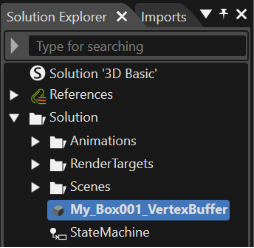
ATo configure these two types of Vertex Buffer elements, select the vertex buffer should be selected in the Solution ExplorerExplorer, and then configure the VertexGeometry (vertex attribute statuses) within the [Vertex Buffer] category in orderthe [Properties] panel.
Within the Vertex Buffer, each Property Item (Normal, TextureCoordinate, Tangent, BiNormal) has a status of Imported (available), Removed (deleted), Regenerated/Generated (added), or Missing (not set). All selected Float32-type vertex attributes within the vertex buffer can be converted to makeFloat16 thoseif twonecessary, typeswith ofconvertible VertexBufferpatterns elementsindicated available.in parentheses.
When [Is Indexed] is enabled, the vertex buffer can be converted to an index array buffer by selecting the optimal index size. Depending on the vertex count, 8-bit, 16-bit, or 32-bit index buffers will be generated, and a valid buffer type can be specified via the BufferType property in the AssetData section.
When importing a glTF file that contains positions, UVs, and normals but lacks tangents, tangents will be automatically generated using the MikkTSpace algorithm. With MikkTSpace support in the Vertex Buffer Editor, the “Generated MikkTSpace” and “Regenerated MikkTSpace” options can now be selected for the Tangent and BiNormal Property Items, improving rendering quality when applying normal maps and ensuring consistency across tools.
The selectable statuses in the [Properties] panel vary depending on whether the imported file contains vertex attributes.

If the attribute is not included (Missing status), [Generated] can be selected.
If the attribute is included (Imported status), [Regenerated] and [Removed] can be selected.
Tangent and BiNormal support the MikkTSpace options, while TextureCoordinate is always included during import and thus never enters the Missing state, resulting in fewer selectable options compared to other attributes.
Based on the above rules, the selectable options for each Property Item in the vertex buffer are as follows.
When attribute is not included:
Missing, Generated (Float16), Generated (Float32)
When attribute is included:
Imported (Float32), Imported (Float32 => Float16), Regenerated (Float16), Regenerated (Float32), Removed
Missing, Generated (Float16), Generated (Float32)
Imported (Float32), Imported (Float32 => Float16), Regenerated (Float16), Regenerated (Float32), Removed BiNormalMissing, Generated MikkTSpace (Float16), Generated MikkTSpace (Float32), Generated (Float16), Generated (Float32)
Imported (Float32), Imported (Float32 => Float16), Regenerated MikkTSpace (Float16), Regenerated MikkTSpace (Float32), Regenerated (Float16), Regenerated (Float32), Removed TangentMissing, Generated MikkTSpace (Float16), Generated MikkTSpace (Float32), Generated (Float16), Generated (Float32)
Imported (Float32), Imported (Float32 => Float16), Regenerated MikkTSpace (Float16), Regenerated MikkTSpace (Float32), Regenerated (Float16), Regenerated (Float32), Removed
TextureCoordinateImported (Float32), Imported (Float32 => Float16)
After the first step, in the Properties panel a new category of properties becomes available: "Asset Vertex Buffer".

VertexGeometry
Further,can be modified. Attributes can be Imported (readable), Removed (deletable), Regenerated/Generated (addable), or Missing. All Float32 attributes selected from the VertexGeometryvertex isbuffer modifiable.can Meaningbe attributes are readable ("Imported"), discardable ("Removed") or added ("Regenerated", "Generated") or signalized as missed ("Missing"). It is possibleconverted to convertFloat16. allAvailable Float32conversions to Float16 selected attributes from vertex buffers. Any possible conversion isare indicated in parentheses.
IfWhen "Is Indexed" is enabled, the vertex buffer willcan be converted to an index array buffer,buffer by selecting the optimal index size. Therefore, dependingDepending on vertexthe count,number of vertices, an 8bit,8-bit, 16bit16-bit, or 32bit32-bit index buffer will be created. The BufferType property in the AssetData section will specifyspecifies the effectivevalid buffer type.
Additionally, when importing a glTF file that contains positions, UVs, and normals but lacks tangents, tangents are automatically generated using the MikkTSpace algorithm. With the support of the MikkTSpace algorithm in Scene Composer's Vertex Buffer Editor, new options “Generated MikkTSpace” and “Regenerated MikkTSpace” have been added for the Tangent and BiNormal properties. This improves rendering quality when applying normal maps and ensures consistent results across different tools.
The followingavailable options change depending on whether the imported file contains attributes (Normal / BiNormal / Tangent / Texture Coordinate).
Additionally, Tangent and BiNormal are options compatible with MikkTSpace, but Texture Coordinate is an attribute that is always included during import, so it does not appear in the Missing state, and the available options are organized with fewer choices than other attributes.
Following the above rules, the available options for each property in the vertex buffer propertiesare canas be edited:follows:
Normal:Missing, Generated (Float16), Generated (Float32)

If the meaning attributes do not fit together, an error message will be given in the Output: "Error Asset Library generation failed..."
Like any other properties, the asset vertex buffer properties can be reset if necessary by pressing the button on the left of each property.
According to the changes upon the asset vertex buffer properties, the new values for properties like Vertex Stride, Vertex Count, Vertex Format, etc. will be updated and displayed in the Asset vertex Buffer category from the Properties panel.