
MVG Nodes
MVG Nodes can be created in CGI Studio SceneComposer via the Toolbox. Simply drag and drop the desired MVG Node into the Scene Editor or Scene Tree Panel.
The following MVG Nodes are available:
-
MVG Arc Node
-
MVG Ellipse Node
-
MVG Path Node
-
MVG Rect Node

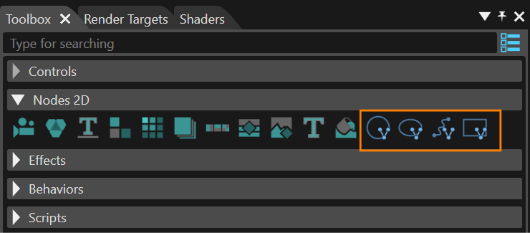
You can see an application of MVG nodes in Scene Composer's 2D Basic sample.
Configure MVG Nodes
An MVG node is a RenderNode2D and therefore it has the same properties that can be configured in the properties panel:
- General. Name, Full Name, Description...
- 2D Render Node: Render Order Rank...
- Transformation: Position, Pivot Point, Pivot Offset...
- Asset: Id, Symbolic Name...
- Item: Scope Mask, Alpha Value...
- Layout: Vertical Alignment, Horizontal Alignment, Size...
Further details like the visual appearance of MVG nodes can be configured in the node's effect. Each type of MVG node has its appropriate effect:
| MVG Node |
MVG Brush |
| MVG Arc Node | |
| MVG Ellipse Node | |
| MVG Path Node | |
| MVG Rect Node |
Select the MVG Node in the Scene Tree and select the attached MVG effect in the right side of the Scene Tree to view its properties in the properties panel.

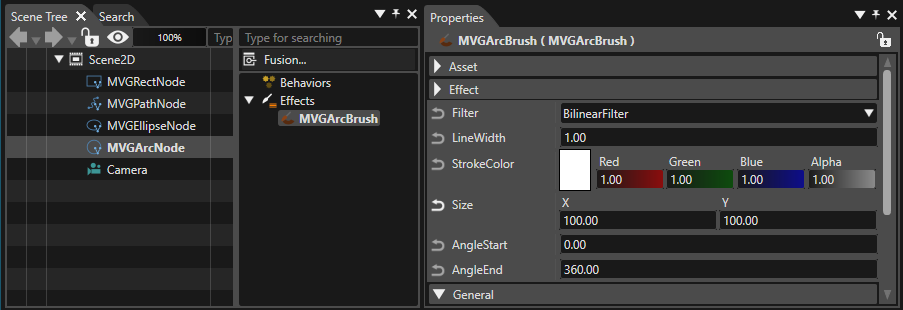
MVG Arc Node - MVGArcBrush
Can be used to displayrender an arc.
The properties of the MVG Arc Node are those of a regular RenderNode2dD.RenderNode2D. InFor the propertiesattached ofeffect the MVG Arc Brush,MVGArcBrush, the following properties can be configured.configured:

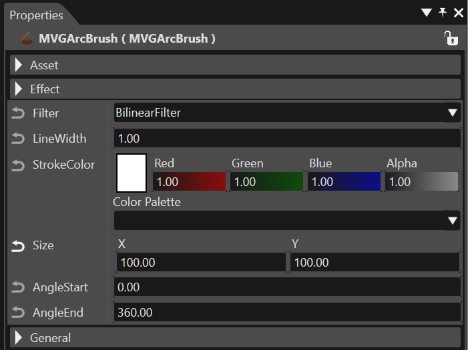
| Filter |
. |
| Line Width |
pixels. |
| Stroke Color |
line. |
| Size |
|
| Angle Start |
|
| Angle End |
point. |
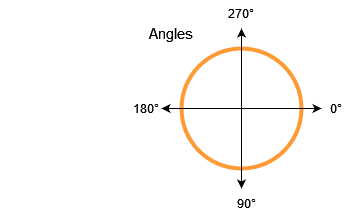
The arcs starting and end point hashave to be entered as in degrees. Please also see the sketch below.

MVG Ellipse Node - MVGEllipseBrush
Can be used to displayrender an ellipse.
The properties of the MVG Ellipse Node are those of a regular RenderNode2dD. InFor the propertiesattached ofeffect the MVG Ellipse Brush,MVGEllipseBrush, the following properties can be configured.configured:

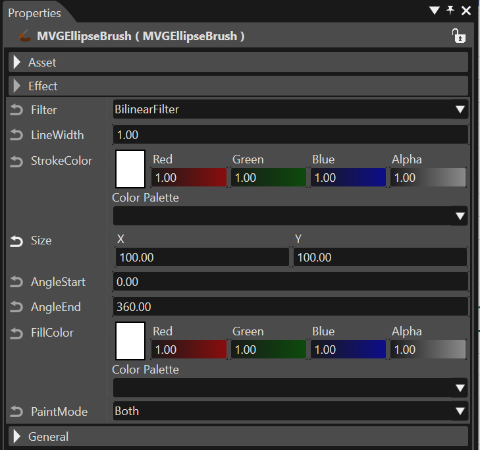
| Filter |
. |
| Line Width |
pixels. |
| Stroke Color |
line. |
| Size |
|
| Angle Start |
|
| Angle End |
point. |
| FillColor |
ellipse. |
| PaintMode |
. |
MVG Path Node - MVGPathBrush
Can be used to displayrender paths with a combination of instructions.
The properties of the MVG Path Node are those of a regular RenderNode2dD. InFor the propertiesattached ofeffect the MVG Path Brush,MVGPathBrush, the following properties can be configuredconfigured:

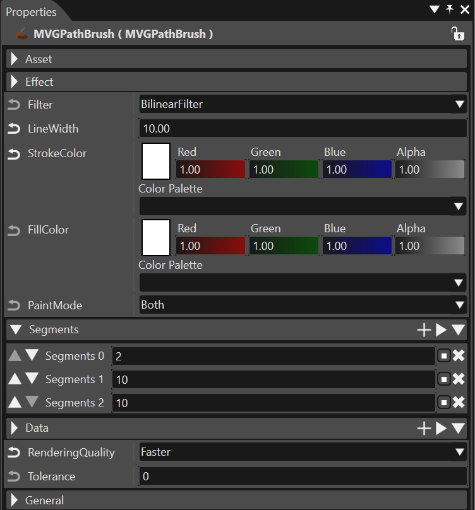
| Filter |
. |
||||||||||||||||||||||||||||||||
| LineWidth |
pixels. |
||||||||||||||||||||||||||||||||
| Stroke Color |
line. |
||||||||||||||||||||||||||||||||
| FillColor |
path. |
||||||||||||||||||||||||||||||||
| PaintMode |
. |
||||||||||||||||||||||||||||||||
| Segments |
Defines segments.
|
||||||||||||||||||||||||||||||||
| Data | Defines Data according to the specified Segment. |
MVG Rect Node - MVGRectBrush
Can be used to displayrender a rect.
The properties of the MVG Rect Node are those of a regular RenderNode2dD. InFor the propertiesattached of the MVG Rect Brush,MVGRectBrush, the following properties can be configured.configured:

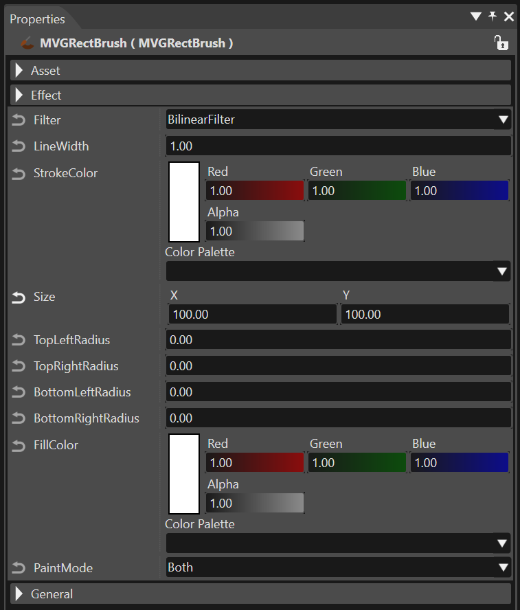
| Filter |
. |
| LineWidth |
pixels. |
| Stroke Color |
line. |
| Size |
|
| TopLeftRadius |
|
| TopRightRadius |
corner. |
| BottomLeftRadius |
corner. |
| BottomRightRadius |
corner. |
| FillColor |
path. |
| PaintMode |
. |