Scripting Solution
Summary
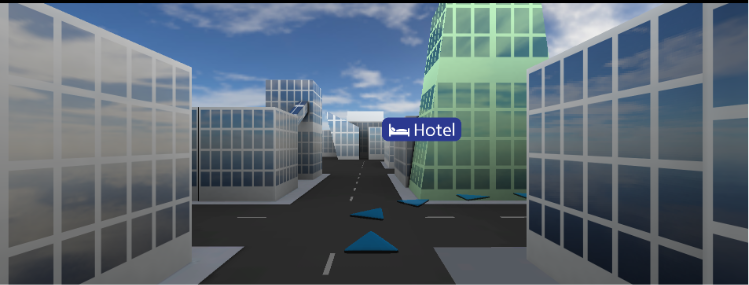
This solution showcases scripting in SceneComposer. Starting the script system, the scene's camera will perform a fly-through of the city by following the blue arrow objects that are overlayed on the streets. When the camera comes into proximity of the bank/restaurant/hotel building, the respective building will fade into a greenish tint to highlight it. It will also downscale the building's billboard sign so that it does not impair readability when the camera gets close to it.
Purpose
The user gets an impression of what can be done by using a few simple scripts containing very little Lua code. This provides an outlook of SceneComposer becoming an integrated development environment.
Description
The sample solution contains the following 5 scripts:
- BuildingFader.lua A script that fades the material of the node it is attached to (bank/restaurant/hotel building) to a greenish color based on the distance of the node to the camera.
- Id.lua An empty script to identify the node it is attached to, so other scripts can operate on it. It is attached to blue arrow objects to make them accessible for the SplineCameraSetup script.
- SignScaler.lua A script that scales the node it is attached to (bank/restaurant/hotel sign) based on the distance of that node to the camera.
- SplineCamera.lua A script that calculates a spline defined by the given ControlPoints, and moves the camera that it is attached to along the spline.
- SplineCameraSetup.lua A script that sets up the camera and its spline. It gets all the scripts in its subtree, then iterates over them to get nodes called 'arrows.xxx' (where 'xxx' is a number), sorts them, and uses them as control points for the spline.
The script code is documented to provide more details. For general information about Scripting see Introduction to Candera Lua Scripts