
Coffee Machine
Overview
This sample shows aan automated coffee machine HMI solution. It is designed to make preparing drinks easier, smarter, and more connected through an advanced user interface. It brings together different functions in one organized way, helping users navigate the machine efficiently and manage the preparation process.
The solution includes features such as drink selection, user profiles, drink customization, and coffee machine management. Its main strength is a central interface that connects different modules for drink preparation, maintenance, and settings. These parts work together to create a smooth workflow and a consistent user experience across the entire coffee machine system.
Feature Description
Scene
| No. | Scene Name | Description |
| (1) | Coffee Clock | Initial scene with animated clock as a placeholder until the screen is touched. Upon touch the main page will be shown. |
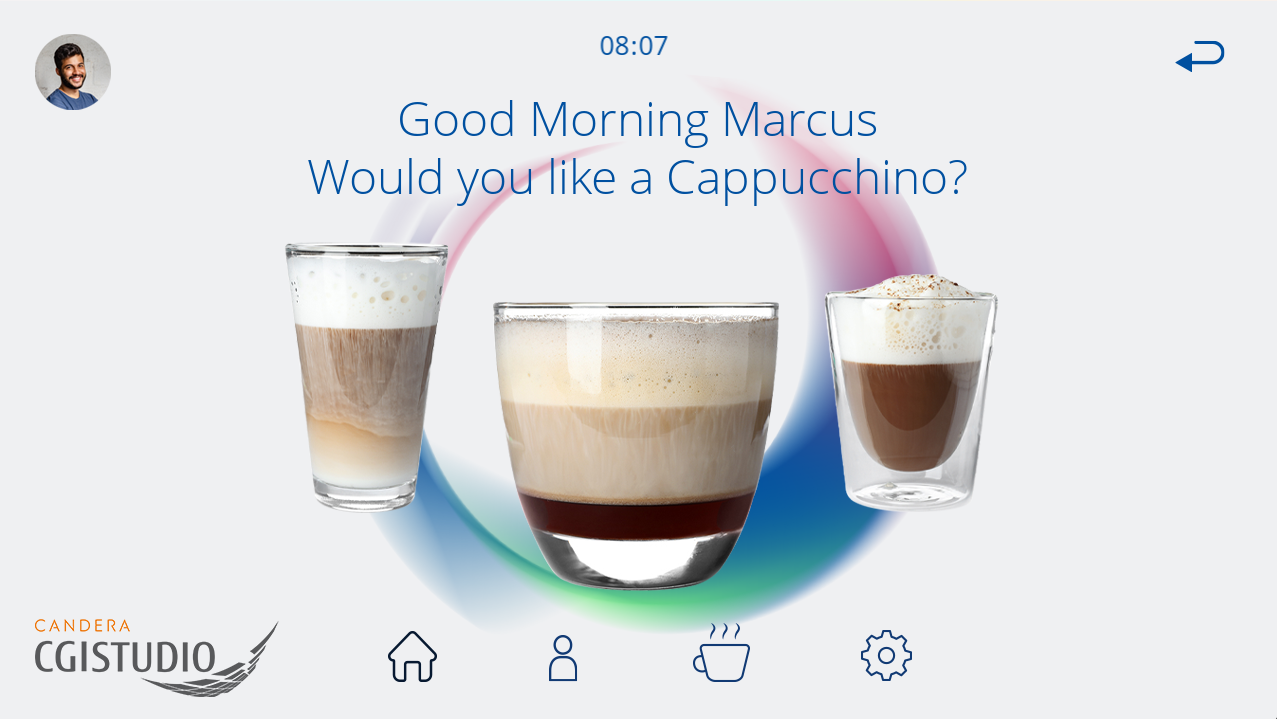
| (2) | Scene_Welcome | The main screen upon starting the demo. The screen features a "Good Morning" message that is addressed to the selected profile. This scene features three pre-selected coffee types. More coffee variants are available in the Scene_Selection. |
| (3) | Scene_Profiles | This screen allows the selection of pre-defined profiles (Marcus, Alice). A "New Profile" button is available, however, non-functional in this demo. The changed profile is also reflected on the other scenes. |
| (4) | Scene_Selection | This menu shows all available coffee variants. The selection is implemented via a horizontal scrolling list that can be navigated either by the press of the navigation buttons or by swiping. |
| (5) | ||
| (6) | ||
| (7) |
Control
Transition
The default transition is used for all scenes in this solution ("Cut").