
Coffee Machine
Overview
This solution shows our Candera demo for a Coffee Machine screen. It demonstrates a wide range of coffee machine functionalities and also introduces new ideas like the implementation of profiles.
Feature Description
Scene
| No. | Scene Name | Description |
| (1) | Coffee Clock | Initial scene with animated clock as a placeholder until the screen is touched. Upon touch the main page will be shown. |
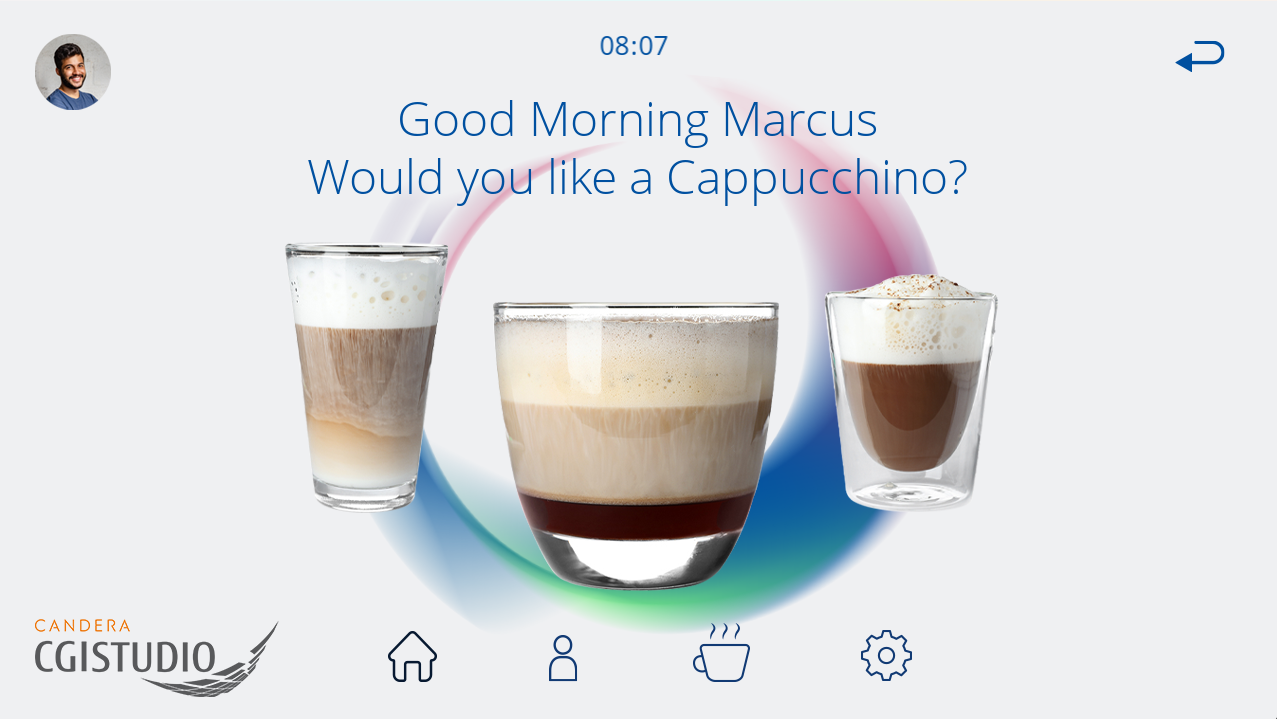
| (2) | Scene_Welcome | The main screen upon starting the demo. The screen features a "Good Morning" message that is addressed to the selected profile. This scene features three pre-selected coffee types. More coffee variants are available in the Scene_Selection. |
| (3) | Scene_Profiles | This screen allows the selection of pre-defined profiles (Marcus, Alice). A "New Profile" button is available, however, non-functional in this demo. The changed profile is also reflected on the other scenes. |
| (4) | Scene_Selection | This menu shows all available coffee variants. The selection is implemented via a horizontal scrolling list that can be navigated either by the press of the navigation buttons or by swiping. |
| (5) | ||
| (6) | ||
| (7) |