# CGI Studio 3.9
#### CGI Studio 3.9 - What's new:
Welcome to CGI Studio 3.9, Candera's software development platform for development of hybrid 2D and 3D graphical interfaces for Automotive Systems.
This page provides information about the most important features added since the last Release.
---
#### Control Center
In CGI Studio Release 3.9.0 we are proud to announce the Control Center - a new tool that integrates all tools of the CGI Studio product chain.
For new users, it provides a dashboard from which the Scene Composer, the Player, the Analyzer and the SCHost/application builds can be done with a button click.
For advanced users it also allows them to edit and build the CGI Panel, edit data bindings and Courier definitions. For clients with complex processes, it allows changing the scripts used for the operations above and customizing them to fit their needs.
All this information is stored in a Control Center solution that is specific to a certain application/Scene Composer solution, making it easy to share it between multiple users. [\[More...\]](https://doc316en.candera.eu/books/control-center)
---
#### Android Improvements
- *NativeViewLibrary* has been updated: Switched from external CMake build with shared libraries to a fully integrated CMake build in Android Studio. This allows easier debugging of native cpp code.
- Android Control: The new Android Native View Control is a lightweight option for Android application developers to include advanced rendering with CGI Studio directly into the Android application. Like any other Android control (e.g. buttons, sliders), it can be configured directly in Android Studio. The communication between CGI Studio’s Android Native View Control and the CGI Studio graphics engine is conducted with JSON events. CGI Studio’s Android Native View Control enriches default Android applications with state-of-the-art 2D and 3D rendering including high-quality animations and effects. CGI Studio rendering can be easily integrated into Android application and interact with Android default HMI with the new Android Native View Control.
More information can be found in our Forum CGI Studio Lighthouse.
---
#### ASTC Texture Compression Support for OpenGL ES 3.2
For improving rendering performance, bitmaps can now be converted to an ASTC format (Adaptive Scalable Texture Compression Format). SceneComposer now offers a new bitmap converter that can be selected for a BitmapProfile, called AstcBitmapConverter, and 14 ASTC formats to choose from.
---
#### SceneComposer User Interface Improvements
CGI Studio 3.9.0 offers the following improvements of the user interface:
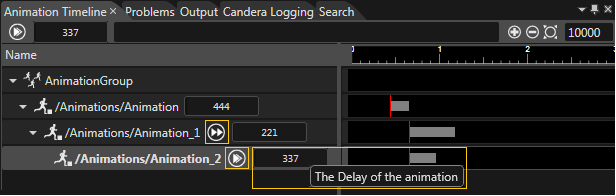
- **Animation Group Timeline**:
- Toggle Begin with / Begin after parent animation
- Time delay in milliseconds
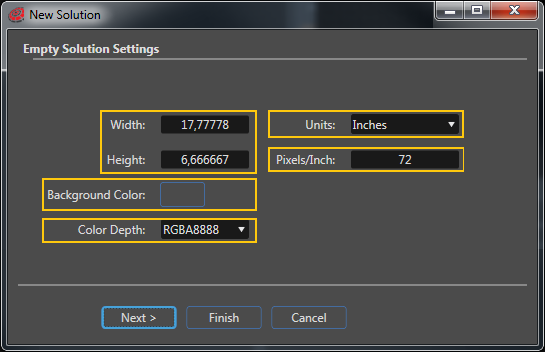
- **Empty Solution Settings**:
- Width/Height
- Units
- Pixels/Inch
- Background Color
- Color Depth
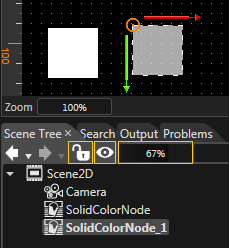
- **Scene Tree - Quick Action Toolbar**:
- Lock
- Visibility
- Opacity
---
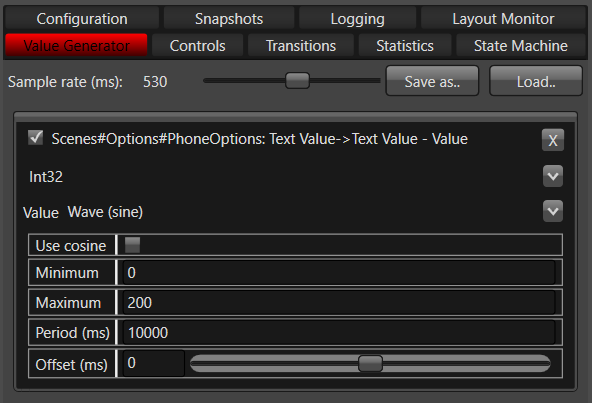
#### CGI Player - Value Generator
This feature in CGI Player provides the possibility to simulate the change of values on view elements.
With this, view elements/controls can be simulated without logic implementation.[ \[More...\]](https://doc316en.candera.eu/books/player/page/value-generator)
---
#### Smart Photoshop Importer
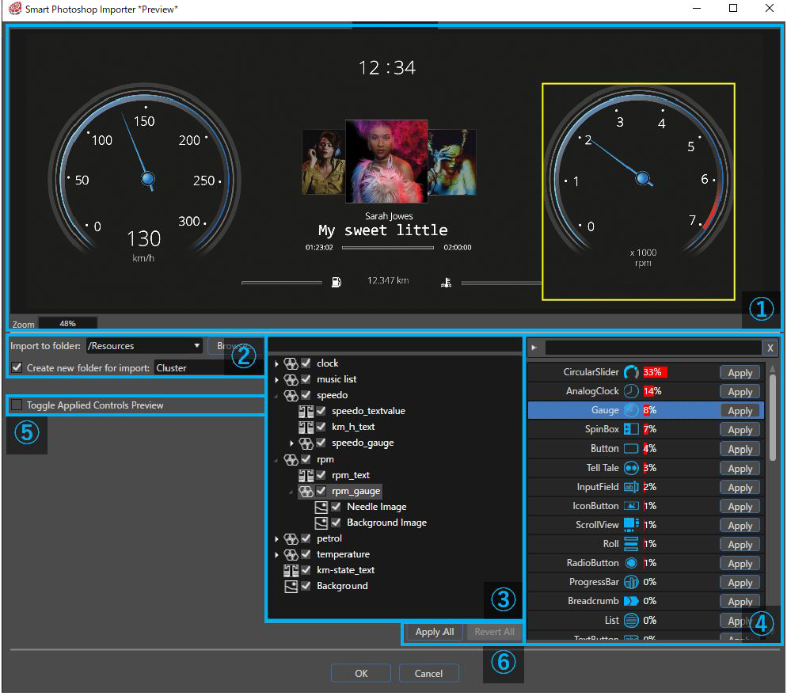
The Smart Photoshop Importer provides the ability to import Photoshop files in a smart way using Artificial Intelligence. This feature is in preview state. [\[More...\] ](https://doc316en.candera.eu/books/import-of-resources/chapter/smart-importer)
---