# Warping Areas

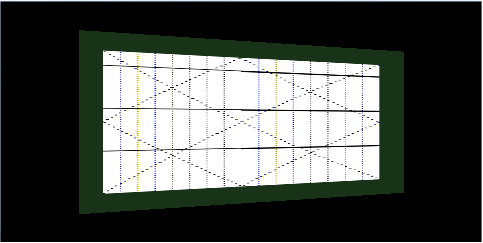
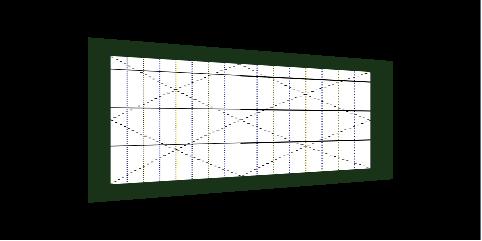
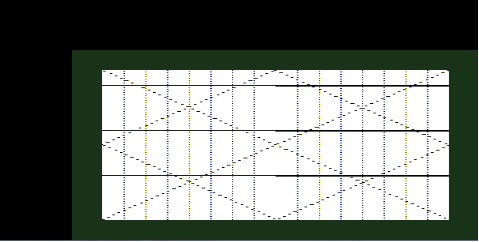
The display area comprises the whole image including the grey border, as depicted in the figure below.

The bitmap image area is the area within the grey border. This is the area of interest and which should be warped. The reference points are evenly distributed over the bitmap image area.

The illuminated display area is the part of the display, which is backlit and projected to the windshield. This is the area where the warped image will be rendered into. If the bitmap image area is larger than the specified illuminated display area, then the warp image will be scaled to fit into the illuminated area boundaries.

<div class="contents" id="bkmrk-"><div class="contents"><div class="textblock"><div drawio-diagram="2010"><img src="https://doc316en.candera.eu/uploads/images/drawio/2023-02/drawing-7-1676953032.png" alt=""/></div>

</div></div></div>The Warping Library needs the following parameters to be configured which are related to the warping areas:

<div class="contents" id="bkmrk-display-size-x%2Fy%3A-ar"><div class="contents"><div class="textblock">- Display Size X/Y: area of the display size
- Bitmap Area X/Y: area for the warping screen
- Bitmap Shift Area X/Y: shift values of bitmap area center point
- Illuminated Area X/Y: area of the illuminated area
- Illuminated Shift Area X/Y: shift value of illuminated area center point
- Warping Area (parameter is no longer used in the calculation of the warp image, but the values are checked for boundary correctness - use same values as for illumination area).
- Warping Shift Area (parameter is no longer used in the calculation of the warp image, but the values are checked for boundary correctness - use same values as for illumination shift area).
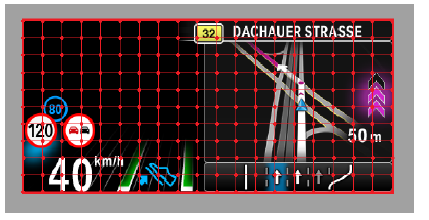
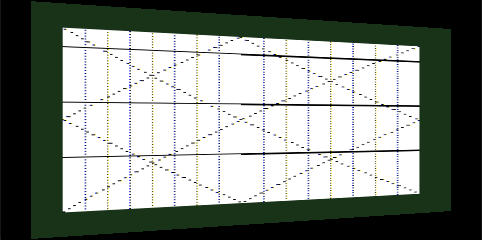
</div></div></div>The Bitmap Shift Area describes the connection vector between the origin of the bitmap coordinate system (0,0) and the center point of the bitmap image - the Bitmap Area Center Point. This center point represents the center point of the image area.

#### Example

Warp image is influenced by the size of bitmap area and illuminated area.

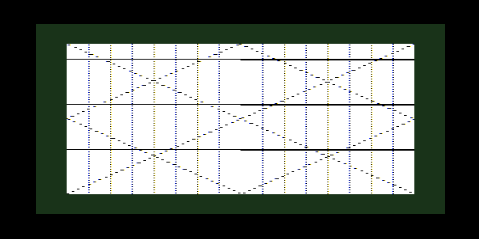
**Reference points are distributed over display area** Display Area: 480x240   
BitmapArea: 480x240 | BitmapShiftArea: 240x120  
IlluminatedArea: 480x240 | IlluminatedShiftArea: 240x120

<div drawio-diagram="2011"><img src="https://doc316en.candera.eu/uploads/images/drawio/2023-02/drawing-7-1676953116.png" alt=""/></div>

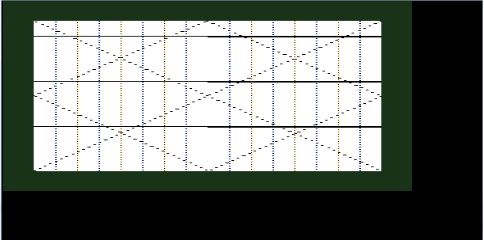
**Content shrinks to fit inside illuminated area**  
Display Area: 480x240   
BitmapArea: 480x240 | BitmapShiftArea: 240x120  
IlluminatedArea: 409x190 | IlluminatedShiftArea: 240x120

<div drawio-diagram="2012"><img src="https://doc316en.candera.eu/uploads/images/drawio/2023-02/drawing-7-1676953143.png" alt=""/></div>

**Bitmap area changes, content shrinks even more to fit inside illuminated area**  
Display Area: 480x240   
BitmapArea: 409x190 | BitmapShiftArea: 240x120  
IlluminatedArea: 480x240 | IlluminatedShiftArea: 240x120

<div drawio-diagram="2013"><img src="https://doc316en.candera.eu/uploads/images/drawio/2023-02/drawing-7-1676953163.png" alt=""/></div>

Position of the warp image inside the illuminated area can by influenced by the corresponding BitmapShiftArea parameters. Similarly, the position of the illuminated area is given by the IlluminatedShiftArea. For better visualizing this, no pre-distortion was applied.

**Top left aligned**  
Display Area: 480x240   
BitmapArea: 409x190 | BitmapShiftArea: 205x95  
IlluminatedArea: 480x240 | IlluminatedShiftArea: 240x120

<div drawio-diagram="2014"><img src="https://doc316en.candera.eu/uploads/images/drawio/2023-02/drawing-7-1676953201.png" alt=""/></div>

**Center aligned**  
Display Area: 480x240   
BitmapArea: 409x190 | BitmapShiftArea: 240x120  
IlluminatedArea: 480x240 | IlluminatedShiftArea: 240x120

<div drawio-diagram="2015"><img src="https://doc316en.candera.eu/uploads/images/drawio/2023-02/drawing-7-1676953234.png" alt=""/></div>

**Bottom right aligned**  
Display Area: 480x240   
BitmapArea: 409x190 | BitmapShiftArea: 276x145  
IlluminatedArea: 480x240 | IlluminatedShiftArea: 240x120

<div drawio-diagram="2016"><img src="https://doc316en.candera.eu/uploads/images/drawio/2023-02/drawing-7-1676953260.png" alt=""/></div>

<div class="contents" id="bkmrk--11"><div class="contents"><div class="textblock">  
</div></div></div><div class="contents" id="bkmrk-for-the-presented-us"><div class="textblock"><dl class="note"><dd><p class="callout info">For the presented use cases, the warp image bounds were not specified. (see <span style="color: rgb(230, 126, 35);">[Warp Image Bounds](https://doc316en.candera.eu/link/456#bkmrk-page-title)</span> for more details)</p>

</dd></dl>---

<dl class="note"></dl></div></div>