# Design Master

The Design Master allows selecting an image that will be displayed as background image in the camera view in order to help on editing.

<div class="contents" id="bkmrk-enable-this-feature-"><div class="contents"><div class="contents"><div class="textblock">- Enable this feature by checking the checkbox "Enable" and then selecting the desired image from the existing images of the solution (previous imported images).
- After that all 2D scenes will have the selected image set as default Design master.
- Change the image used as background for a specified scene by selecting a different image for the scene property "Design Master" from the Properties panel.
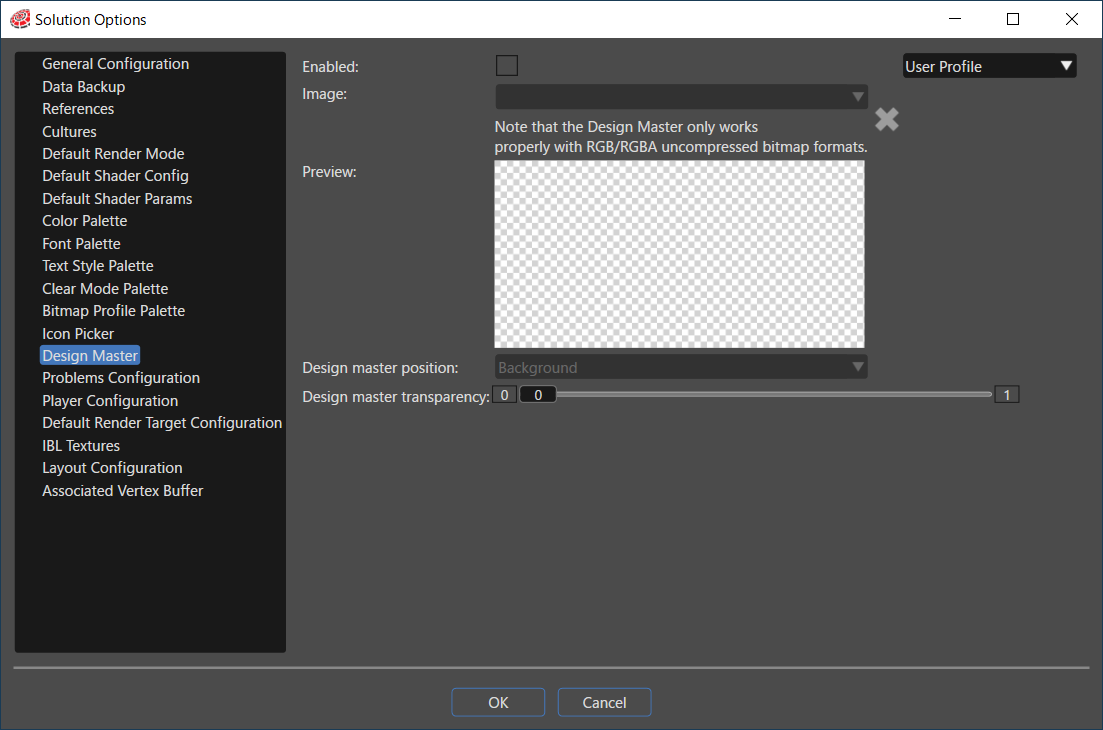

</div></div></div></div><div drawio-diagram="6656"><img src="https://doc316en.candera.eu/uploads/images/drawio/2024-09/drawing-4-1725599772.png" alt=""/></div>

<div class="contents" id="bkmrk--0"><div class="contents"><div class="textblock">  
</div></div></div>This feature can also be enabled by using the button placed near Active Rendering.

<div drawio-diagram="5880"><img src="https://doc316en.candera.eu/uploads/images/drawio/2024-05/drawing-5-1717142291.png" alt=""/></div>

<div class="contents" id="bkmrk--2"><div class="textblock">  
</div></div>