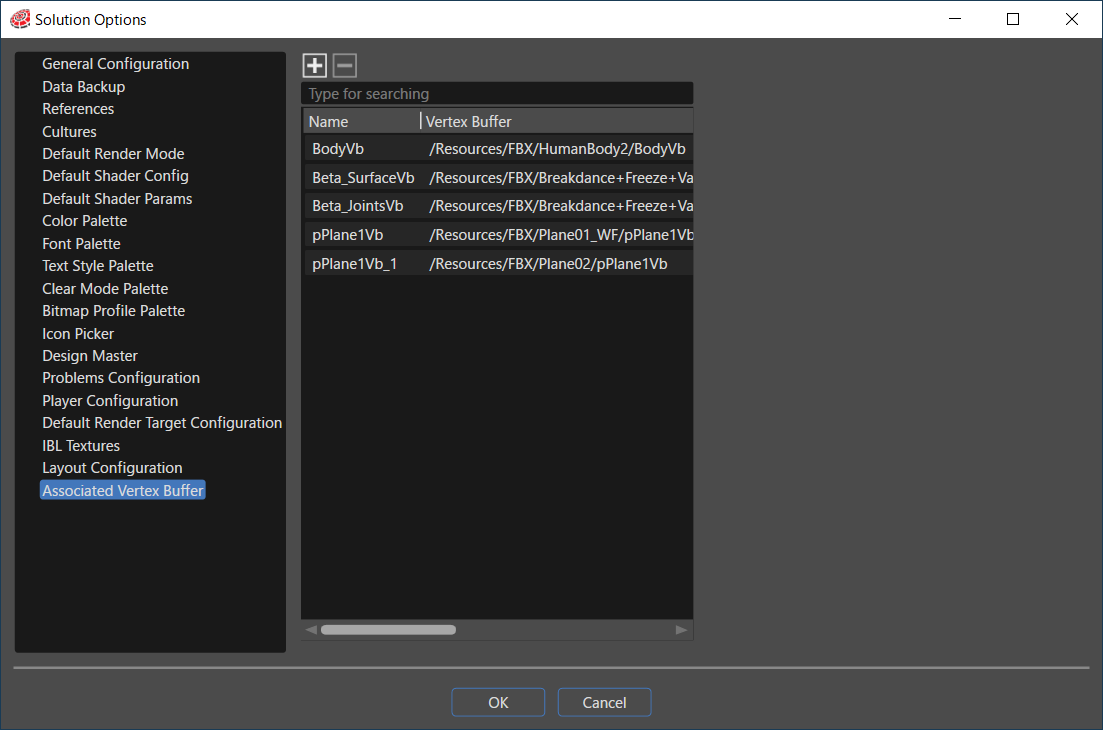
# Associated Vertex Buffer

<div drawio-diagram="6662"><img src="https://doc316en.candera.eu/uploads/images/drawio/2024-09/drawing-4-1725600017.png" alt=""/></div>

Here, the original mesh vertex buffer and wireframe vertex buffer information are managed as unique vertex buffer association information.

<table border="1" id="bkmrk-vertex-buffer-vertex" style="border-collapse: collapse; width: 100%;"><colgroup><col style="width: 24.6228%;"></col><col style="width: 75.487%;"></col></colgroup><tbody><tr><td>Vertex Buffer</td><td>Vertex buffer to provide model geometry data</td></tr><tr><td>Wireframe Vertex Buffer</td><td>Wireframe vertex buffer providing model geometry data</td></tr></tbody></table>

<p class="callout info">When importing an FBX file, the vertex buffer and the wireframe vertex buffer are automatically registered if the \[ <span style="color: rgb(230, 126, 35);">[Import as wireframe](https://doc316en.candera.eu/books/import-of-resources/page/import-dialog-options#bkmrk--01)</span> \] is enabled.</p>

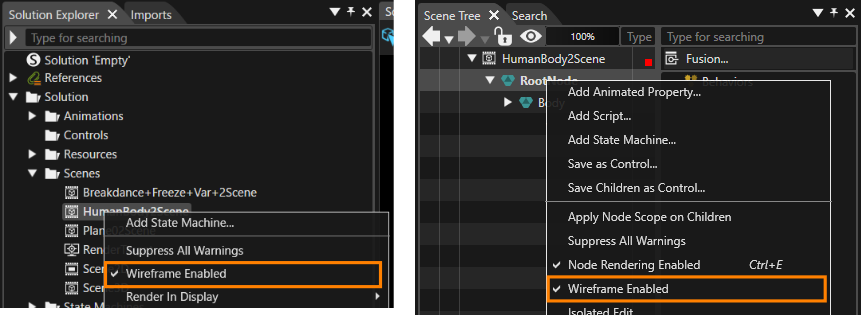
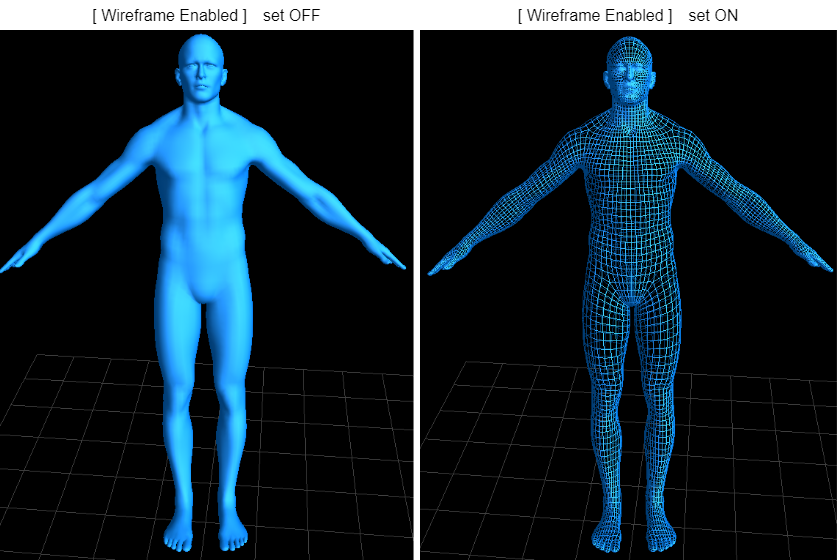
If the vertex buffer association information is available, you will see \[ Wireframe Enabled \] in the context menu of the 3D scene or 3D node.
<div drawio-diagram="7566"><img src="https://doc316en.candera.eu/uploads/images/drawio/2024-11/drawing-5-1732883259.png" alt=""/></div>

<div drawio-diagram="6722"><img src="https://doc316en.candera.eu/uploads/images/drawio/2024-09/drawing-4-1725624198.png" alt=""/></div>