# Template
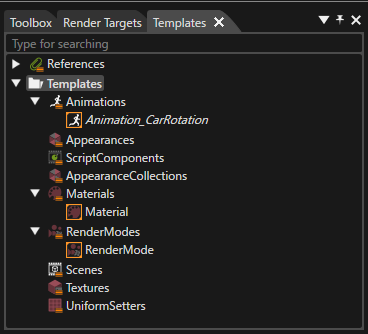
The following items in a solution can be saved as templates. Using templates can help you streamline work when you need to use similar items repeatedly.
- Animation
- Node Attachment
- Appearance
- AppearanceCollection
- Material
- RenderMode
- Texture
- UniformSetter
- ScriptComponent
- Scene
Saved templates are displayed in the Templates panel, which can be displayed by checking \[ View > Libraries > Templates \] on the menu bar.
For details on how to save and use templates for each item, please refer to the following pages.
- [Template Animations](https://doc316en.candera.eu/books/animation-design/chapter/template-animations#:~:text=Template%20Animations-,Template%20Animations,-Create%20an%20Animation)
- [Node Attachment Templates](https://doc316en.candera.eu/link/132#bkmrk-node-attachment-temp)
- [Script Component Templates](https://doc316en.candera.eu/link/78#bkmrk-script-component-tem)
- [Scene Templates](https://doc316en.candera.eu/link/41#bkmrk-page-title)
You can import and use templates saved in another solution by using \[ Import > Import From Solution... \] on the menu bar.