# Referencing external resource
External resources can be referenced and drawn on the scene editor. This feature is only available when launching Scene Composer on the Android platform.
#### Resource Reference Menu
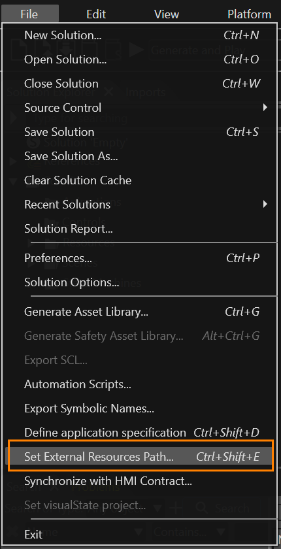
\[ Set External Resource Path... \] in the menu bar under \[ File \] to browse external resources. This menu is grayed out and not selectable for Scene Composer on non-Android platforms.
Referable external resource file formats are \*.bmp, \*.jpg, \*.jpeg, \*.gif, \*.tga, \*.png, \*.dds, \*.hdr, and \*.exr.
#### Basic Usage
1. Run Scene Composer and open a new or existing solution file.
2. From \[ File \] menu in the menu bar, select \[ Set External Resource Path... \].
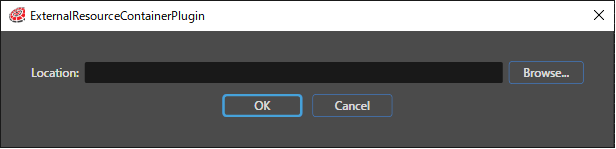
3. The ExternalResourceContainerPlugin dialog will appear.
4. Click the \[ Browse... \] button in the dialog to select the external resource folder to be referenced.
- Select the Android Studio project folder.
The behaviors **Set External Bitmap**, **Check External Resource Change**, and **External Bitmap Provider** are used to display external resources. For details on each behavior and their usage, please refer to [this page](https://doc316en.candera.eu/books/controls-and-behaviors/page/external-resource).