# Manage Scopes in Scopes Panel
#### Scopes Panel
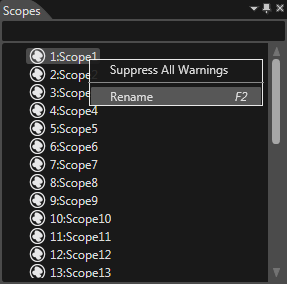
The Scopes Panel (enable from menu "View" > "Libraries" > "Scopes") displays all 32 scopes with default scope names.
#### Rename a Scope
Rename a scope by selecting the option Rename of the context menu in Scopes panel:
#### Assign Single Scope to a Node
Assign a single scope to the scope mask of a node by dragging the scope from the Scopes panel and dropping it over the desired node.
The valid scope is highlighted.