# Bitmap Preview

#### <a class="anchor" id="bkmrk--3"></a>Use Bitmap Preview

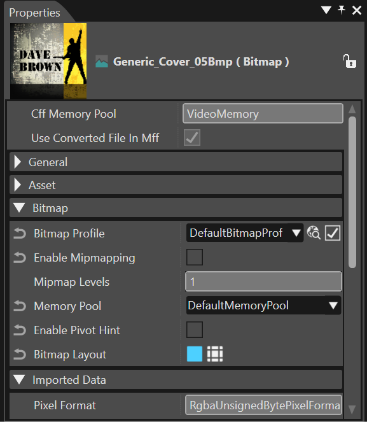
Whenever a Bitmap is selected - for example from the "Imports" panel, "Scene Tree" panel or "Solution Explorer" panel - a preview of the selected Bitmap is displayed in the "Properties" panel in addition to the specific Bitmap properties.

<div drawio-diagram="6036"><img src="https://doc316en.candera.eu/uploads/images/drawio/2024-06/drawing-5-1717755230.png" alt=""/></div>

<div class="contents" id="bkmrk--0"><div class="contents"><div class="textblock">  
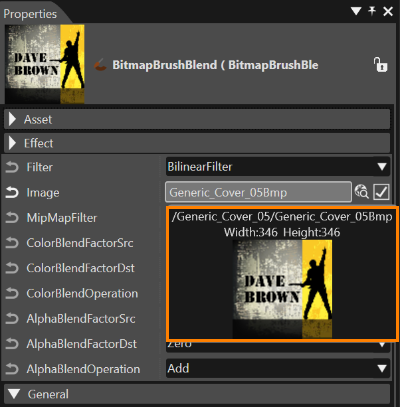
</div></div></div>Image properties in the properties panel also show a preview of the image as a tooltip when they are hovered over with the mouse.
<div drawio-diagram="6037"><img src="https://doc316en.candera.eu/uploads/images/drawio/2024-06/drawing-5-1717756645.png" alt=""/></div>

<div class="contents" id="bkmrk--2"><div class="textblock">  
</div></div>