# 2D Effects Solution
#### Summary
This solution shows various 2D effects applied on different node types in a 2D scene.
#### Purpose
The user can see how 2D effects are used on various node types in a 2D scene. This solution helps to understand the basic properties of the shown 2D effects.
For platforms that support OpenGL, an additional solution for OpenGL 2D effects is available.
#### Description
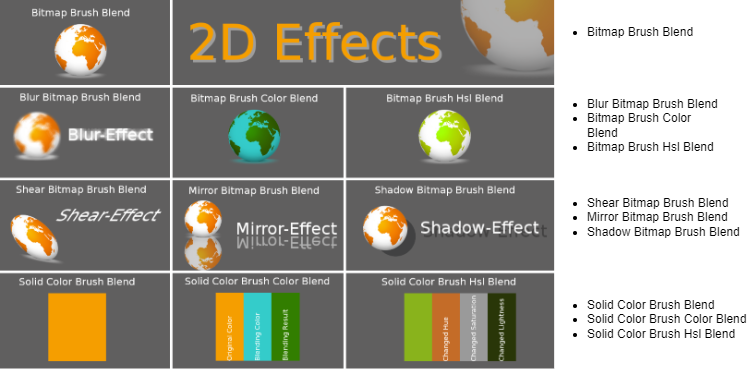
This solution contains the following effects applied on different node types:
The final amount of samples depend on the available platforms and also on the kind of package that has been received.(The figure below shows the Android case.)
If the platform is Traveo2, Bitmap Brush Color Mask Blend does not exist in the sample.
#### Information about 2D Effects
More information about 2D effects can be found in section [2D Effects](https://doc316en.candera.eu/books/2d-effects).
Effects of type Bitmap Brush Blend are described in detail in section [Bitmap Brush Blend Effects](https://doc316en.candera.eu/link/602#bkmrk-page-title)
Information about Solid Color Blend effects can be found in section [Solid Color Brush Blend Effects](https://doc316en.candera.eu/link/603#bkmrk-page-title)
Information about Bitmap Brush Color Mask Blend effect, the content of [OpenGL Bitmap Brush Mask](https://doc316en.candera.eu/books/2d-effects/page/opengl-bitmap-brush-mask-effects) is helpful.
---