# Widgets
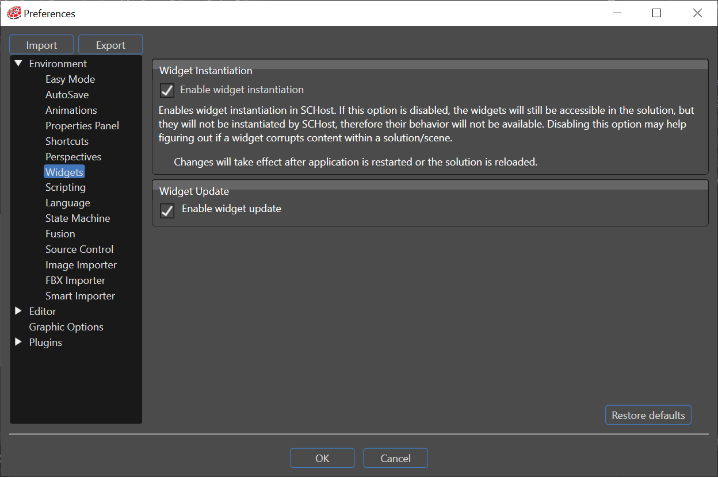
Two options for disabling widgets are available in the Preferences menu:
#### Enable widget instantiation
True by default. If this option is disabled, the widgets will still be accessible in the solution, but they will not be instantiated by SCHost, therefore their behaviour will not be available. Disabling this option will disable the following one and may help figuring out if a widget corrupts content within a solution/scene.
This option becomes available just after the application is restarted.
#### Enable widget update
True by default, indicates whether or not the widgets will be updated. By using the "Enable/Disable updating for all widgets in all scenes" button, the user can control whether the widgets from all scenes will be updated or just the ones from the current scene.
If this option is disabled, the Update() method of the widget will not be called by SCHost and also the "Enable/Disable updating for all widgets in all scenes" button from the toolbar will be disabled.
**See also:**
- - - [Update Widgets in all Scenes](https://doc316en.candera.eu/link/200#bkmrk-update-widgets-in-al) in SceneComposer User Manual
---