# Axure RP Importing example
In this section, explain how to import Axure RP file format using Smart Importer.
You can get the Axure RP file described below at the following location.
**"...\\cgi-studio-root\\cgi\_studio\_content\\Resources\\AxureRP\\AxureTest.rp"**
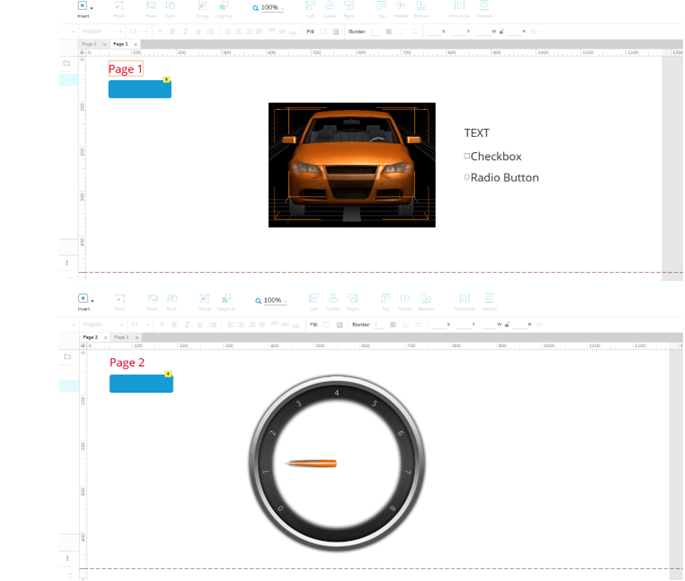
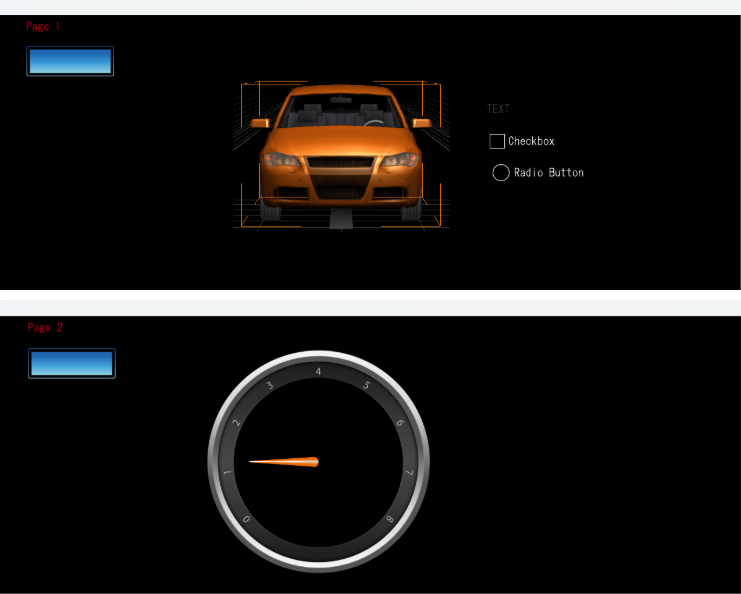
- The sample Axure RP file contains a button that links to page 2, an image, a text, a checkbox and a radiobutton.
---
#### How to import
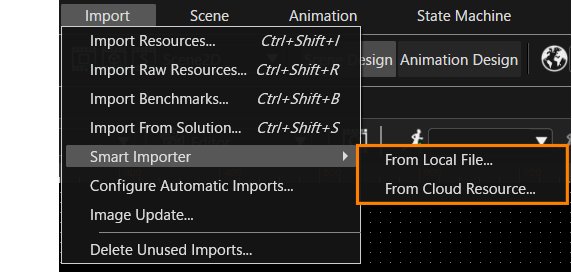
1. In SceneComposer, open a solution file, and select Import > Smart Importer from the main menu. And select your import target file (.xscil, .xd, .rp and .sketch).
- In case a font used in the Axure file was not imported to Scene Composer, a pop-up message will appear. Click OK to proceed a default font will be used in such a case.
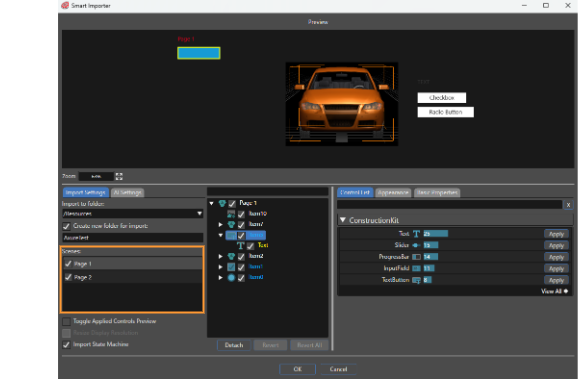
- Click on the items in layer tree and check the detected controls you want to assign to each in the Controls List. For this sample, the detected controls don’t need any manual assignment.
2. Click Scene 2 under “Scenes” on the lef side to show page 2.
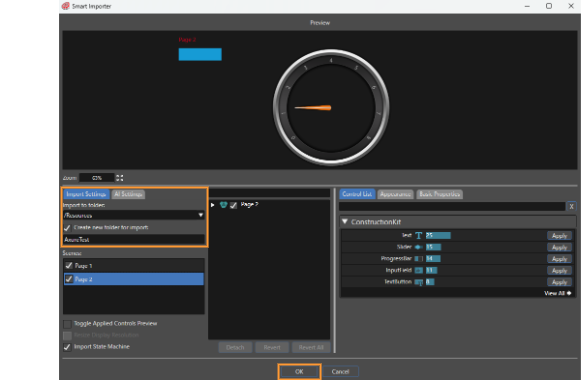
3. Set the desired Import settings. Click OK.
4. Run in CGI Player. When the button is clicked, the scene should display page 2.