# Controls and Behaviors
#### Controls and Behaviors
A Control is a reusable structure for a control that can have specific functionality. This means that a Control can exist of Behaviors (or Widgets). It is recommended that a Control is composed of Behaviors instead of Widgets because Behaviors are more flexible. There is no way to implement a Control as its functionality is delegated to the Behaviors it consists of. A Control is created in SceneComposer only while a Behavior must be implemented. It is possible to expose the properties of a Behavior to the Control which makes them public in the scene in which the Control exists.
More detailed information about Controls and Behaviors can be found in chapter [Controls and Behaviors.](https://doc316en.candera.eu/books/controls-and-behaviors)
#### Predefined Controls
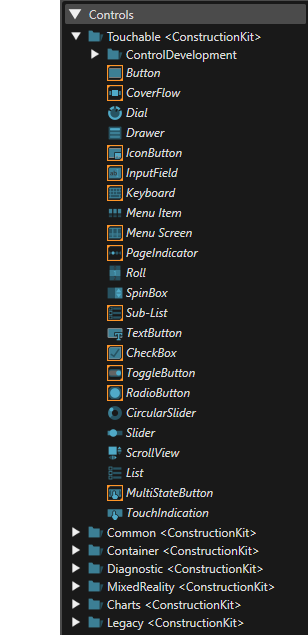
SceneComposer comes with a variety of predefined Controls. They are placed in the Construction Kit which is referenced in every sample Solution. They consist of HMI controls that allow to design a user interface in a simple way. Controls for Cluster- and IVI-HMIs exist. The IVI-Controls even react on touch-input. Sample Controls for IVI use cases are a button, list, slider, check-box and radio button. For Cluster-HMIs, Controls for telltales, progress-bars and gauges exist, for instance.
For a complete list of controls please refer to [Predefined Controls](https://doc316en.candera.eu/books/controls-and-behaviors/chapter/predefined-controls).
#### Predefined Behaviors
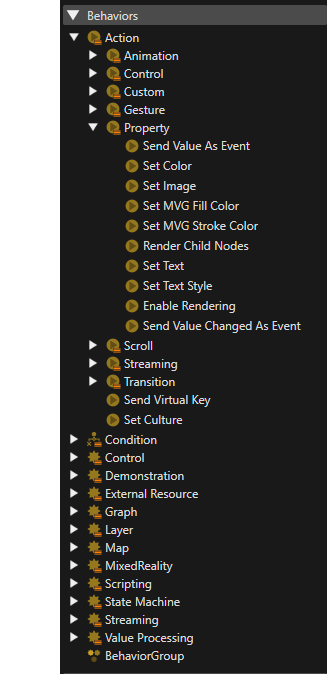
SceneComposer also includes a huge variety of predefined Behaviors in order to add dynamics to a static scene structure. Behaviors can easily be used in Scene-Composer by people without any coding knowledge. With their configurable properties they can be adapted to apply in multiple different scenarios. Reacting on a user's input or setting a timer or a condition for a certain action, all those things can be configured using the predefined behaviors that are included in the Construction Kit that comes with CGI Studio SceneComposer. For a complete list of behaviors please refer to [Predefined Behaviors](https://doc316en.candera.eu/books/controls-and-behaviors/chapter/predefined-behaviors).