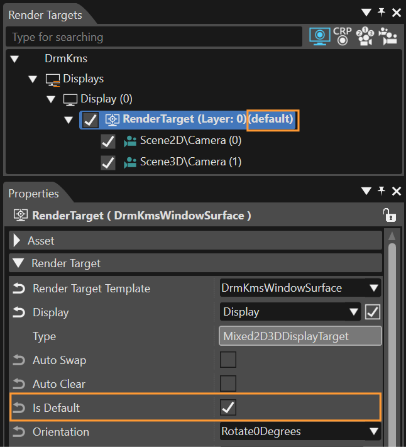
The default render target works with Camera, Reflection Camera and Stereo Camera.
--- #### Manually Setting Setting the default render target can be done in one of the following ways: - via context command using the "Set As Default Render Target" option - by enabling the property "Is Default" from the Property panel - via \[ [Solutions Options > Default Render Target Configuration](https://doc316en.candera.eu/books/solution-handling/page/default-render-target-configuration) \] window --- #### Automatically Setting The default render target is set automatically in one of the following two situations: - when adding a new render target if there is no other - when deleting the current default render target, if another one is available ---