# Editor

<span lang="EN-US">An editor for the Native-Function definition can be found here:  
“</span><span class="DescriptionChar"><span lang="EN-US">cgi\_studio\_connector/bin/NativeFunctionEditor.exe</span></span><span lang="EN-US">”</span>

<span lang="EN-US">If called with a file as first argument the editor will try to open the specified file.</span>

#### <span lang="EN-US">Native-Functions</span>

<div drawio-diagram="6949"><img src="https://doc316en.candera.eu/uploads/images/drawio/2024-10/drawing-7-1728279947.png" alt=""/></div>

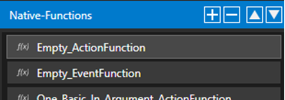
On the left side, Native-Functions can be added/removed and reordered using the respective buttons.

**Properties:**

<div drawio-diagram="8311"><img src="https://doc316en.candera.eu/uploads/images/drawio/2025-04/drawing-7-1744610843.png" alt=""/></div>

<table border="1" id="bkmrk-property-name-descri-7" style="border-collapse: collapse; width: 98.0247%;"><colgroup><col style="width: 16.7778%;"></col><col style="width: 83.2222%;"></col></colgroup><tbody><tr><td class="align-center" style="background-color: rgb(230, 126, 35);"><span style="color: rgb(255, 255, 255);">**Property Name**</span></td><td class="align-center" style="background-color: rgb(230, 126, 35);"><span style="color: rgb(255, 255, 255);">**Description**</span></td></tr><tr><td>**Name**</td><td>Name of the function. This name must be a valid C/C++ name and must be implemented in the Action-Context.</td></tr><tr><td>**UId**</td><td>The UId is used to identify the native function. It can be seen as the tooltip of the ‘UId’ button. When the button is clicked a new UId will be generated.</td></tr><tr><td>**Description**</td><td>Description of the function.</td></tr><tr><td>**Has Result**</td><td>If enabled, the function must return a bool value. This indicates that the function is used for Function-Call Events. The return value will indicate if the related event has been raised or not.</td></tr></tbody></table>

**Arguments:**

A function can have arguments. Arguments can be added/removed with the respective buttons.

<div drawio-diagram="6951"><img src="https://doc316en.candera.eu/uploads/images/drawio/2024-10/drawing-7-1728280154.png" alt=""/></div>

<table border="1" id="bkmrk-property-name-descri" style="border-collapse: collapse; width: 97.6543%;"><colgroup><col style="width: 16.3934%;"></col><col style="width: 83.6066%;"></col></colgroup><tbody><tr><td class="align-center" style="background-color: rgb(230, 126, 35);"><span style="color: rgb(255, 255, 255);">**Property Name**</span></td><td class="align-center" style="background-color: rgb(230, 126, 35);"><span style="color: rgb(255, 255, 255);">**Description**</span></td></tr><tr><td>**Name**</td><td>Name of argument. This name must be a valid C/C++ identifier.</td></tr><tr><td>**Type**</td><td>Data type of the argument. In principal all types can be used here. However if the argument is used for a dynamic input/output the type must either be a compatible basic FeatStd type or a supported Complex-Type.</td></tr><tr><td>**Is Output**</td><td>Indicates if the argument is used as an output. This can then be used to apply additional conditions when checking for an event.</td></tr><tr><td>**Description**</td><td>Description of the argument.</td></tr></tbody></table>

---