# CGI Studio 3.11
Release Date: July 2022
# General 3.11
#### General Changes
This page describes general updates that were made to CGI Studio for version 3.11.
#### Documentation and Sample Updates
Newly added and reworked documentation about
- [Axure RP Guide](https://doc316en.candera.eu/link/85#bkmrk-page-title)
- [Multiple global State Machines tutorial](https://doc316en.candera.eu/books/best-practice/chapter/state-machine-solution)
- [New IVI sample & tutorial](https://doc316en.candera.eu/books/best-practice/chapter/ivi-sample-solution)
- Updated Smart Importer best practices document
- <CGI Studio root folder>\\cgi\_studio\_docs\\
- Changed dialog windows to appear on the same screen as the main window.
- Changed generated code to use the MLC namespace.
- Changed HMI-Signal-Buffer to separate Output-Signal and Input-Signal processing to allow reduction of delays in specific use cases.
- Changed HMI-Signal-Buffer methods to be virtual to support custom modifications.
- Changed default compiler to Visual Studio 2017 (previously Visual Studio 2010)
- Added support for Toggle-Buttons to the Input-Panel.
- Added new “Generate Code” build option.
- Added build flags to configure MEX (MATLAB Executable) compiler settings.
- Added generation of additional meta-info for signals (Signal-Type, Data-Type) for enhanced logging capabilities.
- Fixed an issue where the port-type setting is being reset when the signal type is changed.
- Fixed Input-Panel build issues for 64-Bit systems.
**Templates:**
- Changed templates to support changes related to generated code.
- Added IPC integration. This allows the CGI-Application to run independently from the MATLAB state machine offering multiple benefits:
- Improved stability due to separated processes.
- Improved diagnostics as the console window of the CGI-Application is now visible.
- Easier debugging as the CGI-Application can now be debugged normally.
- Faster testing on target as target device can connect directly to MATLAB simulation.
- Easy to integrate additional features like recording and replaying of signal data.
**Documentation:**
- Added “MLC IPC” chapter.
#### Extended Hardware Support
Additional support has been added for the following hardware,
- Extended platform support for NXP iMX8 Nano
- Extended platform support for STMicroelectronics STM32MP1 series
- Multiple display support for DRM/KMS devices
---
# Candera 3.11
#### Text engine shaping on host and SceneComposer
HarfBuzz shaper got set as default shaper. HarfBuzz is a text shaping library which converts a sequence of Unicode input into properly formatted and positioned glyph output - for any writing system and language.
---
# Controls 3.11
#### New Controls
##### BarGraph Control
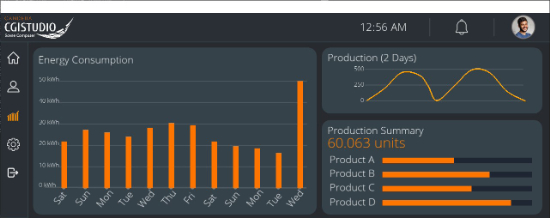
This control is a graph that presents categorical data with rectangular bars with heights proportional to the values that they represent. Used to show comparisons among two or more categories.
##### LineGraph Control
A line graph or curve graph is a type of chart which displays information as a series of data points connected by straight line or spline segments.
---
# Behaviors 3.11
#### New Behaviors
The following Behaviors have been added in CGI Studio 3.11.0:
- Bar Graph Behavior: Displays a list of values as a Bar Graph.
- Line Graph Behavior: The line graph behavior is used to draw a 2D line defined by a list of Vector2 elements.
- Set Text Style Behavior: This behavior sends change style action. Thus allows to control the style of text Nodes.
#### Modified Behaviors
The following Behaviors have been modified in CGI Studio 3.11.0: In CGI 3.11, there are two new properties are related to Partial Animation are added, SequenceStartTime and SequenceDurationTime in the following two behaviors.
- Configure and Play Animation Behavior
- Jump to Anmation Keyframe Behavior
---
- Support of multiple independent regions of the global state machine got introduced with support of bubbling events.
- Multiple global state machines can be shown and edited in SceneComposer.
- State names are inherited when converting from State to Subchart.
**Animations**
- It is possible to play an animation from a given start to a given end time.
**Color Palette**
- A Color Palette combo box has been added to the Color property. The combo box shows the color and name of the item.
**HMI Report**
- The HMI Report Customization Dialog has been updated.
**Smart Importer**
- Support of partial execution of animations
- Adobe XD format
- Direct import without converters of Adobe XD, Adobe Photoshop, Axure RP and Sketch
- Automatic sizing support
- Selection of empty bitmaps
- And many other smaller improvements
---