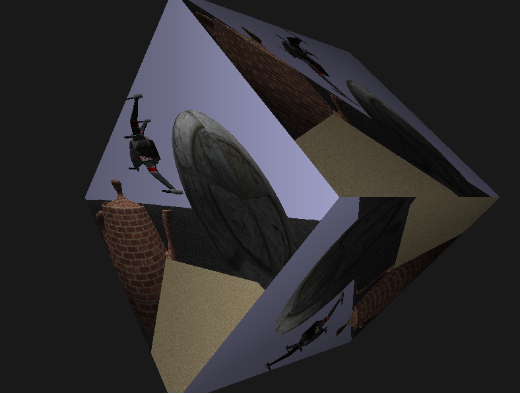
# Proxy Texture Image

#### <a class="anchor" id="bkmrk--0"></a>Description

This section describes how to use the proxy texture images and how to create custom image sources.

#### **Texture Images** 

[Candera](http://dev.doc.cgistudio.at/APILINK/namespace_candera.html "[DataBinding_RefTypeSample]") offers out of the box usage of 2D and CubeMap textures in 3D scenes, which is sufficient in many cases. These two texture types are directly represented through the classes

<div class="contents" id="bkmrk-candera%3A%3Abitmaptextu"><div class="contents"><div class="textblock">- [Candera::BitmapTextureImage](http://dev.doc.cgistudio.at/APILINK/class_candera_1_1_bitmap_texture_image.html "TextureImage encapsulates a VRAM handle which is retrieved when uploading an image to the vram...") and
- [Candera::CubeMapTextureImage](http://dev.doc.cgistudio.at/APILINK/class_candera_1_1_cube_map_texture_image.html "CubeMapTextureImage encapsulates a VRAM handle which is retrieved when uploading a cube mapping textu...").

</div></div></div>However, these two derivations of [Candera::TextureImage](http://dev.doc.cgistudio.at/APILINK/class_candera_1_1_texture_image.html "Abstract base class for Texture images.A texture image mainly encapsulates a texture handle in VRAM a...") don't represent all use cases that can be realized with textures.

##### <a class="anchor" id="bkmrk--2"></a>ProxyTextureImage

For this reason a third derivation, namely, [Candera::ProxyTextureImage](http://dev.doc.cgistudio.at/APILINK/class_candera_1_1_proxy_texture_image.html "The class ProxyTextureImage provides a TextureImage interface to an externally maintained image sourc...") exists, that simply forwards an external texture handle to the texture activation procedures, in order to display other input than the previously mentioned image data. Detailed description of usage is given in chapter <span style="color: rgb(230, 126, 35);">[Proxy Texture Images](https://doc316en.candera.eu/link/541#bkmrk-proxy-texture-images)</span>.

One use case that can be realized with [Candera::ProxyTextureImage](http://dev.doc.cgistudio.at/APILINK/class_candera_1_1_proxy_texture_image.html "The class ProxyTextureImage provides a TextureImage interface to an externally maintained image sourc...") is the usage of off-screen render targets in order to use arbitrary rendered images of 3D scenes as texture image. Refer to the first example part of this tutorial:

<div class="contents" id="bkmrk-example%3A-offscreen-r"><div class="contents"><div class="textblock">- <span style="color: rgb(230, 126, 35);">[Example: Offscreen Render Targets](https://doc316en.candera.eu/link/541#bkmrk-example%3A-offscreen-r-0)</span>

</div></div></div>Other use cases, such as video textures can only be realized using (often proprietary) OpenGL ES 2.0 extensions. How to create an ImageSource3D that can be used for these use cases is the second part of this tutorial. Refer to:

<div class="contents" id="bkmrk-example%3A-external-im"><div class="textblock">- <span style="color: rgb(230, 126, 35);">[Example: External Image Source](#bkmrk-example%3A-external-im-0)</span>

</div></div>####   
**Proxy Texture Images** 

In [Candera](http://dev.doc.cgistudio.at/APILINK/namespace_candera.html "[DataBinding_RefTypeSample]") [Candera::TextureImage](http://dev.doc.cgistudio.at/APILINK/class_candera_1_1_texture_image.html "Abstract base class for Texture images.A texture image mainly encapsulates a texture handle in VRAM a...") provides an interface to upload and activate a textures VRAM handle. This interface is further used by [Candera::Texture](http://dev.doc.cgistudio.at/APILINK/class_candera_1_1_texture.html "Texture encapsulates a TextureImage and a set of attributes specifying how it is applied to a vertex'...") to separate the common settings of textures and the specialized texture types. This chapter focuses on the use of [Candera::ProxyTextureImage](http://dev.doc.cgistudio.at/APILINK/class_candera_1_1_proxy_texture_image.html "The class ProxyTextureImage provides a TextureImage interface to an externally maintained image sourc..."), for details on texturing itself, please refer to the <span style="color: rgb(230, 126, 35);">[Appearance Tutorial on Textures](https://doc316en.candera.eu/link/448#bkmrk-appearance%3A-texture%C2%A0)</span>.

Knowledge of the following [Candera::TextureImage](http://dev.doc.cgistudio.at/APILINK/class_candera_1_1_texture_image.html "Abstract base class for Texture images.A texture image mainly encapsulates a texture handle in VRAM a...") functions is needed to understand [Candera::ProxyTextureImage](http://dev.doc.cgistudio.at/APILINK/class_candera_1_1_proxy_texture_image.html "The class ProxyTextureImage provides a TextureImage interface to an externally maintained image sourc...").

```
virtual Handle GetVideoMemoryHandle() const = 0;
```

exposes a textures VRAM handle to all clients that use [Candera::TextureImage](http://dev.doc.cgistudio.at/APILINK/class_candera_1_1_texture_image.html "Abstract base class for Texture images.A texture image mainly encapsulates a texture handle in VRAM a..."). This is needed in order to enable texture render states and to activate the texture.

```
virtual bool IsMipMappingEnabled() const = 0;
```

returns if mip mapping is enabled on a texture or not.

These functions are directly implemented and coupled to fixed functionality in the derivations [Candera::BitmapTextureImage](http://dev.doc.cgistudio.at/APILINK/class_candera_1_1_bitmap_texture_image.html "TextureImage encapsulates a VRAM handle which is retrieved when uploading an image to the vram...") and [Candera::CubeMapTextureImage](http://dev.doc.cgistudio.at/APILINK/class_candera_1_1_cube_map_texture_image.html "CubeMapTextureImage encapsulates a VRAM handle which is retrieved when uploading a cube mapping textu...").

[Candera::ProxyTextureImage](http://dev.doc.cgistudio.at/APILINK/class_candera_1_1_proxy_texture_image.html "The class ProxyTextureImage provides a TextureImage interface to an externally maintained image sourc...") also implements the [Candera::TextureImage](http://dev.doc.cgistudio.at/APILINK/class_candera_1_1_texture_image.html "Abstract base class for Texture images.A texture image mainly encapsulates a texture handle in VRAM a...") interface, but in contrast to the other implementations it takes Candera::ImageSource3D objects, and simply forwards their VRAM handles through the GetVideoMemoryHandle function. Setting of the ImageSource can only be done at creation time, use the ProxyTextureImage's factory function for doing this.

```
static MemoryManagement::SharedPointer<ProxyTextureImage> <a class="code" href="http://dev.doc.cgistudio.at/APILINK/group___c_o_u_r_i_e_r___v_i_s_u_a_l_i_z_a_t_i_o_n.html#ggaf0e93dc4242f607c3c8d13dafd036af9aaabfa5309af24986d3111a092449f857">Create</a>(ImageSource3D* imageSource);
```

##### <a class="anchor" id="bkmrk--3"></a>ImageSource3D Interface

As explained in the previous section, [Candera::ProxyTextureImage](http://dev.doc.cgistudio.at/APILINK/class_candera_1_1_proxy_texture_image.html "The class ProxyTextureImage provides a TextureImage interface to an externally maintained image sourc...") takes an Candera::ImageSource3D and forwards its VRAM handle through the [Candera::TextureImage](http://dev.doc.cgistudio.at/APILINK/class_candera_1_1_texture_image.html "Abstract base class for Texture images.A texture image mainly encapsulates a texture handle in VRAM a...") interface. This section explains what the Candera::ImageSource3D interface is, and how it's used.

A Candera::ImageSource3D object in [Candera](http://dev.doc.cgistudio.at/APILINK/namespace_candera.html "[DataBinding_RefTypeSample]") is basically an interface that provides a handle to an OpenGL ES 2.0 texture in VRAM. It is derived from Candera::ImageSource, which inherits from Candera::Surface which itself inherits from Candera::Synchronizable.

Therefore the following interface has to be implemented:

<div class="contents" id="bkmrk-candera%3A%3Asynchroniza"><div class="contents"><div class="textblock">- Candera::Synchronizable Methods ```
    virtual void Sync() = 0;
    ```
    
    If some kind of synchronization needs to be done, implement it inside this method. It will be called every time the [Candera::ProxyTextureImage](http://dev.doc.cgistudio.at/APILINK/class_candera_1_1_proxy_texture_image.html "The class ProxyTextureImage provides a TextureImage interface to an externally maintained image sourc..."), where this ImageSource3D is associated to, gets activated. Prerequisite is that [Candera::ProxyTextureImage::IsSyncEnabled](http://dev.doc.cgistudio.at/APILINK/class_candera_1_1_proxy_texture_image.html#ac99447caf32f5c067d0e393763cb3f91) is set to true. ```
    virtual void WaitSync() = 0;
    ```
    
    Blocks the current thread until the object is in synchronized state. In the context of [Candera::ProxyTextureImage](http://dev.doc.cgistudio.at/APILINK/class_candera_1_1_proxy_texture_image.html "The class ProxyTextureImage provides a TextureImage interface to an externally maintained image sourc...") this is never called, but has to be implemented at least empty.

- Candera::Surface Methods ```
    virtual Int GetHeight() const = 0;
    ```
    
    ```
    virtual Int GetWidth() const = 0;
    ```
    
    These functions have to return the width and the height of the texture in texels.

- Candera::ImageSource Methods

</div></div></div>No special interface to implement.

<div class="contents" id="bkmrk-candera%3A%3Aimagesource"><div class="contents"><div class="textblock">- Candera::ImageSource3D Methods ```
    virtual Handle GetVideoMemoryHandle() const = 0;
    ```
    
    Exposes the video memory handle of the Candera::ImageSource3D implementation. This is the most important function to create ImageSources as this is the handle which gets forwarded from [Candera::ProxyTextureImage::GetVideoMemoryHandle](http://dev.doc.cgistudio.at/APILINK/class_candera_1_1_proxy_texture_image.html#aeea0facf94545b8cec08674f519d0e8c). This handle is further used for setting render states and activation of the texture. Note: This handle has also to be uploaded and eventually updated, which is not done by [Candera](http://dev.doc.cgistudio.at/APILINK/namespace_candera.html "[DataBinding_RefTypeSample]") itself, but has to be done by the application. Imagine e.g. a video texture using an appropriate extension, the handle has to be uploaded before rendering. The content of the VRAM buffer then has to be updated before the [Candera::Renderer::RenderCamera](http://dev.doc.cgistudio.at/APILINK/class_candera_1_1_renderer.html#a10dbe66b15c60f44cce3aaccd38d2ee5) or [Candera::Renderer::RenderAllCameras](http://dev.doc.cgistudio.at/APILINK/class_candera_1_1_renderer.html#aed822ba1d66620f2d1e794973e30f354) is called. ```
    virtual bool IsMipMappingEnabled() const = 0;
    ```
    
    Returns if mip mapping is enabled or not. Set it to your needs or make it configurable.

</div></div></div>This interface is used for multiple purposes:

<div class="contents" id="bkmrk-candera-uses-it-for-"><div class="textblock">- [Candera](http://dev.doc.cgistudio.at/APILINK/namespace_candera.html "[DataBinding_RefTypeSample]") uses it for multiple device objects, such as off-screen render targets. With [Candera::ProxyTextureImage](http://dev.doc.cgistudio.at/APILINK/class_candera_1_1_proxy_texture_image.html "The class ProxyTextureImage provides a TextureImage interface to an externally maintained image sourc...") this is used to realize rendering scenes into textures.

- Existing [Candera::TextureImage](http://dev.doc.cgistudio.at/APILINK/class_candera_1_1_texture_image.html "Abstract base class for Texture images.A texture image mainly encapsulates a texture handle in VRAM a...") derivations like [Candera::BitmapTextureImage](http://dev.doc.cgistudio.at/APILINK/class_candera_1_1_bitmap_texture_image.html "TextureImage encapsulates a VRAM handle which is retrieved when uploading an image to the vram...") and [Candera::CubeMapTextureImage](http://dev.doc.cgistudio.at/APILINK/class_candera_1_1_cube_map_texture_image.html "CubeMapTextureImage encapsulates a VRAM handle which is retrieved when uploading a cube mapping textu...") offer a function ToImageSource3D and can therefore also be used with [Candera::ProxyTextureImage](http://dev.doc.cgistudio.at/APILINK/class_candera_1_1_proxy_texture_image.html "The class ProxyTextureImage provides a TextureImage interface to an externally maintained image sourc...").

- Own ImageSources that use e.g. an OpenGL ES extension for texturing have to implement the ImageSource3D interface and can also be used with [Candera::ProxyTextureImage](http://dev.doc.cgistudio.at/APILINK/class_candera_1_1_proxy_texture_image.html "The class ProxyTextureImage provides a TextureImage interface to an externally maintained image sourc...").

</div></div>####   
**Example: Offscreen Render Targets** 

##### <a class="anchor" id="bkmrk--4"></a>Offscreen Render Targets

The following source code example demonstrates the additional steps that need to be done in order to use offscreen render targets with [Candera::ProxyTextureImage](http://dev.doc.cgistudio.at/APILINK/class_candera_1_1_proxy_texture_image.html "The class ProxyTextureImage provides a TextureImage interface to an externally maintained image sourc...").

<div class="contents" id="bkmrk-for-specific-devices"><div class="contents"><div class="textblock"><dl class="note"><dd><p class="callout info">For specific devices the prefix "Device" is used in the beginning of class identifiers. Simply exchange it with the according device name.</p>

</dd></dl></div></div></div>First, after display creation, create and configure an off-screen render target:

```
DeviceFrameBufferObject* CreateFrameBufferObject() {
    Int count = 0;
    const GraphicDeviceUnitTypeHandle* handle = DevicePackageDescriptor::GetUnitTypes(DevicePackageDescriptor::OffscreenTarget3D, 0, count);
    if (handle == 0 || count < 1){
        return 0; //Handle creation error.
    }
    GraphicDeviceUnit* gdu = DevicePackageInterface::CreateGraphicDeviceUnit(handle[0]);
    if (gdu != 0) {
        gdu->SetDisplay(displayId);
    }

    return (DeviceFrameBufferObject*)gdu;
}

GraphicDeviceUnit* m_gdu;
DeviceFrameBufferObject* m_fbo;


void <a class="code" href="http://dev.doc.cgistudio.at/APILINK/namespace_courier.html#a2e6f80d7ef7c7a120595f3d56e6f4246">Init</a>() {
    ...
    //Display creation
    m_gdu = ...;
    ...
    m_gdu->Upload();
    
    //Create and configure offscreen render target.
    m_fbo = CreateFrameBufferObject();
    m_fbo->SetWidth(m_gdu->ToRenderTarget3D()->GetWidth());   //Offscreen RT now has same dimensions than GDU.
    m_fbo->SetHeight(m_gdu->ToRenderTarget3D()->GetHeight()); //Of course this can vary.
    m_fbo->SetColorFormat(RgbaUnpackedColorFormat);
    m_fbo->SetDepthFormat(Depth32Format);
    m_fbo->Upload();
    ...
    InitCamera();
    InitScene();
    m_scene->UploadAll();
}
```

Further specify a camera which renders the offscreen render target. This is basically the same as normal camera creation, except that the fbo is set as render target.

```
void InitCamera() {
    //Initialize main camera
    m_camera = <a class="code" href="http://dev.doc.cgistudio.at/APILINK/group___c_o_u_r_i_e_r___v_i_s_u_a_l_i_z_a_t_i_o_n.html#ggaf0e93dc4242f607c3c8d13dafd036af9aaabfa5309af24986d3111a092449f857">Camera::Create</a>();
    ...
    
    //Initialize offscreen camera
    m_offscreenCam = <a class="code" href="http://dev.doc.cgistudio.at/APILINK/group___c_o_u_r_i_e_r___v_i_s_u_a_l_i_z_a_t_i_o_n.html#ggaf0e93dc4242f607c3c8d13dafd036af9aaabfa5309af24986d3111a092449f857">Camera::Create</a>();
    m_offscreenCam->SetName("OffScreen Camera");
    m_offscreenCam->SetViewport(<a class="code" href="http://dev.doc.cgistudio.at/APILINK/class_candera_1_1_rectangle.html" title="Represents a rectangle.">Candera::Rectangle</a>(0.0f, 0.0f, 1.0f, 1.0f));
    //Here the offscreen RT is used as camera render target.
    m_offscreenCam->SetRenderTarget(m_fbo->ToRenderTarget3D());

    const Int vpWidth = 1600;//m_width;
    const Int vpHeight = 600;//m_height;

    SharedPointer<PerspectiveProjection> perspectiveProjection = <a class="code" href="http://dev.doc.cgistudio.at/APILINK/group___c_o_u_r_i_e_r___v_i_s_u_a_l_i_z_a_t_i_o_n.html#ggaf0e93dc4242f607c3c8d13dafd036af9aaabfa5309af24986d3111a092449f857">PerspectiveProjection::Create</a>();
    perspectiveProjection->SetNearZ(0.001F);
    perspectiveProjection->SetFarZ(100.0F);
    perspectiveProjection->SetFovYDegrees(45.0F);
    perspectiveProjection->SetAspectRatio(static_cast<Float>(vpWidth) / static_cast<Float>(vpHeight));

    m_offscreenCam->SetProjection(perspectiveProjection);
    m_offscreenCam->SetPosition(Vector3(0.0f, 0.0f, 0.0f));
    m_offscreenCam->SetUpVector(Vector3(0.0f, 1.0f, 0.0f));
    m_offscreenCam->LookAtWorldPoint(Vector3(0.0f, 0.0f, -1.0f));

    m_clearMode.SetClearColor(<a class="code" href="http://dev.doc.cgistudio.at/APILINK/group___behaviors_control.html#ggae7abc816df647d0ecbc280480fefb788a6d1d4da086e381cb2c5a5ce6a2513ebd">Color</a>(0.8f,0.8f,1.0f,1.0f));
    m_clearMode.SetColorClearEnabled(true);
    m_clearMode.SetDepthClearEnabled(true);
    m_clearMode.SetClearDepth(1.0f);
    m_offscreenCam->SetClearMode(m_clearMode);
    m_offscreenCam->SetClearModeEnabled(true);
    m_offscreenCam->SetSwapEnabled(true);

    m_scene->AddChild(m_offscreenCam); //You can off course also render different scenes
                                       //your offscreen camera.
}
```

Finally, set the off-screen render target as image source of the proxy texture.

```
void InitScene() {
    //Init your scenes here
    ...
    //The texture the offscreen RT is rendered into.
    SharedPointer<Texture> proxyTex = <a class="code" href="http://dev.doc.cgistudio.at/APILINK/group___c_o_u_r_i_e_r___v_i_s_u_a_l_i_z_a_t_i_o_n.html#ggaf0e93dc4242f607c3c8d13dafd036af9aaabfa5309af24986d3111a092449f857">Texture::Create</a>();
    //here the fbo is set as the textures image source!
    SharedPointer<ProxyTextureImage> proxyTexImg = <a class="code" href="http://dev.doc.cgistudio.at/APILINK/group___c_o_u_r_i_e_r___v_i_s_u_a_l_i_z_a_t_i_o_n.html#ggaf0e93dc4242f607c3c8d13dafd036af9aaabfa5309af24986d3111a092449f857">ProxyTextureImage::Create</a>(m_fbo->ToImageSource3D());
    //Use the ProxyTextureImage as the textures TextureImage.
    proxyTex->SetTextureImage(proxyTexImg);
    //Set up the texture to fit your needs.
    proxyTex->SetMipMapFilter(Texture::MipMapNone);
    proxyTex->SetMagnificationFilter(Texture::MinMagNearest);
    proxyTex->SetMinificationFilter(Texture::MinMagNearest);
    proxyTex->SetWrapModeU(Texture::ClampToEdge);
    proxyTex->SetWrapModeV(Texture::ClampToEdge);

    ...

}
```

The result is that the content of the off-screen render target is displayed as texture in the display render target. See the screenshot below:

<div drawio-diagram="2413"><img src="https://doc316en.candera.eu/uploads/images/drawio/2023-02/drawing-4-1677218158.png" alt=""/></div>

<div class="contents" id="bkmrk-see-also%3A-multiple-r"><div class="textblock"><dl class="see"><dt>**See also:**</dt><dd><span style="color: rgb(230, 126, 35);">[Multiple Render Targets](https://doc316en.candera.eu/books/candera/page/multiple-render-targets)</span> for how to configure an offscreen render target in SceneComposer.</dd></dl></div></div>####   
**Example: External Image Source** 

##### <a class="anchor" id="bkmrk--6"></a>External Image Source

This section shall be understood more as a proposal on how you might implement your own external image source than as tutorial. Reason is that various OpenGL ES extensions exist, a concrete tutorial therefore would be too extension specific.

Here a proposal is presented on how a class could be realized, that encapsulates a texture handle.

<div class="contents" id="bkmrk-candera%3A%3Aproxytextur-0"><div class="contents"><div class="contents"><div class="textblock"><dl class="note"><dt></dt><dd><p class="callout info">[Candera::ProxyTextureImage](http://dev.doc.cgistudio.at/APILINK/class_candera_1_1_proxy_texture_image.html "The class ProxyTextureImage provides a TextureImage interface to an externally maintained image sourc...") can be used with textures of type GL\_TEXTURE\_2D or GL\_TEXTURE\_CUBE\_MAP. For other types, e.g. 3D textures, activation and other steps have to be done using own implementations along with node listeners.</p>

</dd></dl></div></div></div></div>Following class is a proposal on how an external image source could look like. Have a look at the comments to figure out the details.

```
class ExternalImageSource : public ImageSource3D       //First step is to derive from ImageSource3D.
{

public:
    ExternalImageSource();
    virtual ~ExternalImageSource();

    //Uploads the external image source to VRAM, ensure that the desired OpenGL ES Context is activated.
    //Implementation has to be extension specific. 
    bool Upload();

    //Unloads the external image source from VRAM, ensure that the desired OpenGL ES Context is activated.
    //Implementation has to be extension specific.
    bool <a class="code" href="http://dev.doc.cgistudio.at/APILINK/group___c_o_u_r_i_e_r___v_i_s_u_a_l_i_z_a_t_i_o_n.html#ggaebf7a2d5677fc4e6ddcb367db56e9c15a1b6f59824b91ac64e42a98cf561639d6">Unload</a>();

    /*
 Updates the external image source in VRAM, ensure that the desired OpenGL ES Context is activated.
 Adapt function to your needs.
 Has to be called whenever the image changes.
 Implementation has to be extension specific.
     */
    bool Update();

    //Implement ImageSource3D interface:
    virtual Handle GetVideoMemoryHandle() const;
    virtual bool IsMipMappingEnabled() const { return m_isMipMappingEnabled; }
    virtual Int GetHeight() const { return m_height; }
    virtual Int GetWidth() const { return m_width; }
    virtual void Sync() {}
    virtual void WaitSync() {}

    /*
 Getters and setters as well as members to interact with the external image source, such as a video
 player, have to be added to this header.
     */

#ifndef GL_VIV_direct_texture
    void SetBitmap(const Bitmap::SharedPointer& bitmap) { m_bitmap = bitmap; }
    const Bitmap::SharedPointer& GetBitmap() const { return m_bitmap; }
#endif

private:

    bool m_isMipMappingEnabled;
    Int m_width;
    Int m_height;
    Handle m_videoMemoryHandle[<a class="code" href="http://dev.doc.cgistudio.at/APILINK/group___config.html#gaa0f86f8c24d807ca04a69036482f740c" title="CANDERA_MAX_CONTEXT_COUNT defines how many GPU contexts are supported. Candera supports up to 4 conte...">CANDERA_MAX_CONTEXT_COUNT</a>];

#ifdef GL_VIV_direct_texture
    GLvoid* m_texels;       //Direct pointer to buffer in VRAM!
#else
    Bitmap::SharedPointer m_bitmap;
#endif


    /*
 Getters and setters as well as members to interact with the external image source, such as a video
 player, have to be added to this header.
     */

};
```

```
Handle ExternalImageSource::GetVideoMemoryHandle() const
{
    Handle handle = m_videoMemoryHandle[ContextResourcePool::GetActive().GetIndex()];
    return handle;
}
```

Finally, set the external image source as image source of your proxy texture. Upload should be called manually before or after uploading other nodes, but at least before your render loop starts.

Update should be called any time the external image source changes (e.g. a new frame is grabbed from a video). When calling Update, ensure that it is called before rendering the next camera frame.

```
    //An instance of the external image source (or pointer to) is needed.
    ExternalImageSource m_externalImage;
```

```
void ExternalImageSourceApp::InitScene()
{
    m_scene = <a class="code" href="http://dev.doc.cgistudio.at/APILINK/group___c_o_u_r_i_e_r___v_i_s_u_a_l_i_z_a_t_i_o_n.html#ggaf0e93dc4242f607c3c8d13dafd036af9aaabfa5309af24986d3111a092449f857">Scene::Create</a>();
    m_scene->SetName("Scene");

    m_light = <a class="code" href="http://dev.doc.cgistudio.at/APILINK/group___c_o_u_r_i_e_r___v_i_s_u_a_l_i_z_a_t_i_o_n.html#ggaf0e93dc4242f607c3c8d13dafd036af9aaabfa5309af24986d3111a092449f857">Light::Create</a>();
    m_light->SetType(Light::Directional);
    m_light->SetAmbient(<a class="code" href="http://dev.doc.cgistudio.at/APILINK/group___behaviors_control.html#ggae7abc816df647d0ecbc280480fefb788a6d1d4da086e381cb2c5a5ce6a2513ebd">Color</a>(0.3f, 0.3f, 0.3f));
    m_light->SetDiffuse(<a class="code" href="http://dev.doc.cgistudio.at/APILINK/group___behaviors_control.html#ggae7abc816df647d0ecbc280480fefb788a6d1d4da086e381cb2c5a5ce6a2513ebd">Color</a>(1.0f, 1.0f, 1.0f));
    m_light->SetSpecular(<a class="code" href="http://dev.doc.cgistudio.at/APILINK/group___behaviors_control.html#ggae7abc816df647d0ecbc280480fefb788a6d1d4da086e381cb2c5a5ce6a2513ebd">Color</a>(1.0f,1.0f,1.0f));
    m_light->SetDirection(Vector3(0.0f, -5.0f, 0.0f));
    m_light->SetName("Light");
    m_light->SetRenderingEnabled(true);
    m_light->SetSpotAngle(30.0f);
    m_light->SetSpotExponent(30.0f);
    m_light->SetAttenuationEnabled(true);
    m_light->SetAttenuation(1.0f, 0.0f, 0.0f);
    m_scene->AddChild(m_light);


    //Create External image source, for demonstration with a bitmap.
    m_assetFactory.CreateBitmap(BitmapData_color_map.name, m_colorMapBmp);
    m_externalImage.SetBitmap(m_colorMapBmp);
   
    //Upload external image. Ensure context is active!
    m_gdu->ToRenderTarget3D()->Activate();
    m_externalImage.Upload();

    //Now create ProxyTextureImage.
    m_externalTextureImage = <a class="code" href="http://dev.doc.cgistudio.at/APILINK/group___c_o_u_r_i_e_r___v_i_s_u_a_l_i_z_a_t_i_o_n.html#ggaf0e93dc4242f607c3c8d13dafd036af9aaabfa5309af24986d3111a092449f857">ProxyTextureImage::Create</a>(&m_externalImage);

    //Create texture with proxy image.
    SharedPointer<Texture> texture = <a class="code" href="http://dev.doc.cgistudio.at/APILINK/group___c_o_u_r_i_e_r___v_i_s_u_a_l_i_z_a_t_i_o_n.html#ggaf0e93dc4242f607c3c8d13dafd036af9aaabfa5309af24986d3111a092449f857">Texture::Create</a>();
    texture->SetTextureImage(m_externalTextureImage);

    //Finally create node (billboard) to display proxy image.
    m_billboard = <a class="code" href="http://dev.doc.cgistudio.at/APILINK/group___c_o_u_r_i_e_r___v_i_s_u_a_l_i_z_a_t_i_o_n.html#ggaf0e93dc4242f607c3c8d13dafd036af9aaabfa5309af24986d3111a092449f857">Billboard::Create</a>(1.0f, 1.0f);
    m_billboard->SetAppearance(<a class="code" href="http://dev.doc.cgistudio.at/APILINK/group___c_o_u_r_i_e_r___v_i_s_u_a_l_i_z_a_t_i_o_n.html#ggaf0e93dc4242f607c3c8d13dafd036af9aaabfa5309af24986d3111a092449f857">Appearance::Create</a>());
    m_billboard->GetAppearance()->SetShader(m_refTransRefTexShader);
    m_billboard->GetAppearance()->SetMaterial(<a class="code" href="http://dev.doc.cgistudio.at/APILINK/group___c_o_u_r_i_e_r___v_i_s_u_a_l_i_z_a_t_i_o_n.html#ggaf0e93dc4242f607c3c8d13dafd036af9aaabfa5309af24986d3111a092449f857">Material::Create</a>());
    m_billboard->GetAppearance()->GetMaterial()->SetDiffuse(<a class="code" href="http://dev.doc.cgistudio.at/APILINK/group___behaviors_control.html#ggae7abc816df647d0ecbc280480fefb788a6d1d4da086e381cb2c5a5ce6a2513ebd">Color</a>(1.0f, 1.0f, 1.0f, 1.0f));
    m_billboard->GetAppearance()->SetRenderMode(<a class="code" href="http://dev.doc.cgistudio.at/APILINK/group___c_o_u_r_i_e_r___v_i_s_u_a_l_i_z_a_t_i_o_n.html#ggaf0e93dc4242f607c3c8d13dafd036af9aaabfa5309af24986d3111a092449f857">RenderMode::Create</a>());
    m_billboard->GetAppearance()->SetShaderParamSetter(<a class="code" href="http://dev.doc.cgistudio.at/APILINK/group___c_o_u_r_i_e_r___v_i_s_u_a_l_i_z_a_t_i_o_n.html#ggaf0e93dc4242f607c3c8d13dafd036af9aaabfa5309af24986d3111a092449f857">GenericShaderParamSetter::Create</a>());
    m_billboard->GetAppearance()->SetTexture(texture,0);
    m_billboard->SetPosition(0.0f, 0.0f, -2.5f);
    m_billboard->SetRotation(0.0f, 0.0f, 0.0f);
    m_billboard->SetScale(1.5f, 1.5f, 1.5f);

    m_scene->AddChild(m_billboard);

}
```

```
{
    //You need to update your external image source before rendering.Again make sure that context is activated.
    m_gdu->ToRenderTarget3D()->Activate();
    m_externalImage.Update();
}
```

```
void ExternalImageSourceApp::OnRender()
{
    m_gdu->ToRenderTarget3D()->Activate();
    Renderer::RenderAllCameras();
    m_gdu->ToRenderTarget3D()->SwapBuffers();
}
```