# Baked Shadows

#### <a class="anchor" id="bkmrk--4"></a>Description

This chapter describes the baked shadow technique supported by [Candera](http://dev.doc.cgistudio.at/APILINK/namespace_candera.html "[DataBinding_RefTypeSample]").

#### **Introduction**   


##### <a class="anchor" id="bkmrk--6"></a>Baked shadows

Baking shadows is a method of generating shadows which can be used for scenes where the lights and the objects which cast shadows are not moved with respect to each other.

Because the shadows are pre-computed and integrated into the textures the polygon count is decreased and the time needed for rendering the scene is significantly reduced. As a drawback, if the textures resulted after the baking are large, the memory can be intensive so the rendering becomes slow. Also, for complex scenes, this way of generating shadows might be too laborious to be considered as an option.<span style="color: rgb(230, 126, 35);"><sup>[\[1\]](https://doc316en.candera.eu/link/547#bkmrk-%5B1%5D-http%3A%2F%2Fapricot.b)</sup></span>

<div class="contents" id="bkmrk-"><div class="textblock">  
</div></div><div drawio-diagram="2442"><img src="https://doc316en.candera.eu/uploads/images/drawio/2023-02/drawing-4-1677222224.png" alt=""/></div>

<div class="contents" id="bkmrk--1"></div>#### **Workflow**   


##### <a class="anchor" id="bkmrk--8"></a>Create Models and Textures

The following steps should be performed in any 3D modeling tool that is able to bake shadows (Blender, Maya, 3D Studio Max ...):

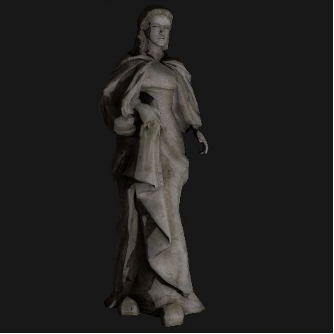
<div class="contents" id="bkmrk-create-a-3d-scene-th"><div class="contents"><div class="textblock">- create a 3D scene that contains some models and at least one source of light  
    <div drawio-diagram="2483"><img src="https://doc316en.candera.eu/uploads/images/drawio/2023-02/drawing-4-1677224453.png" alt=""/></div>
- join the models which casts shadows with the models on which the shadow is projected on
- unwrap the 3D models  
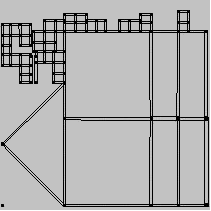
    <div drawio-diagram="2484"><img src="https://doc316en.candera.eu/uploads/images/drawio/2023-02/drawing-4-1677224479.png" alt=""/></div>
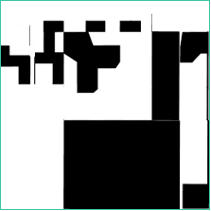
- create a new image that will be used then as the texture containing the shadows
- set the image as texture for the models
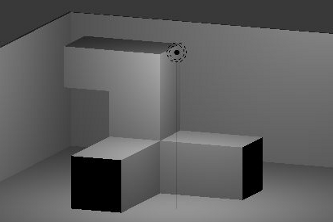
- render the scene and bake the shadows into the texture  
    <div drawio-diagram="2486"><img src="https://doc316en.candera.eu/uploads/images/drawio/2023-02/drawing-4-1677224537.png" alt=""/></div>
- export the texture in any image format supported by [Candera](http://dev.doc.cgistudio.at/APILINK/namespace_candera.html "[DataBinding_RefTypeSample]") and also export the 3D models in FBX format
- If needed, refine the baked image with an image editor
</div></div></div>##### <a class="anchor" id="bkmrk--12"></a>Asset Library Generation

Use SceneComposer to generate the asset library:

<div class="contents" id="bkmrk-import-the-fbx-and-t"><div class="textblock">- import the FBX and the image texture in SceneComposer
- from the Imports panel add the light and the node in a 3D scene
- set the imported image as texture for the node
- export the asset library

</div></div>#### **Example**   


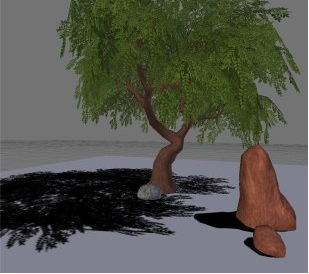
The example shows a 3D node textured with an image containing baked shadows.

<div drawio-diagram="2487"><img src="https://doc316en.candera.eu/uploads/images/drawio/2023-02/drawing-4-1677224574.png" alt=""/></div>

<div class="contents" id="bkmrk--3"></div>#### **References** 

The pictures and the models from this tutorial where obtained from the following sources:

<a class="anchor" id="bkmrk--14"></a>\[1\] [http://apricot.blender.org/wp-content/uploads/2008/06/sbake1.jpg](http://apricot.blender.org/wp-content/uploads/2008/06/sbake1.jpg)