# 9-patch image

For full description of the 9-patch check <span style="color: rgb(230, 126, 35);">[9-patch image](https://doc316en.candera.eu/books/general-concepts/page/9-patch-image)</span> chapter.

#### <a class="anchor" id="bkmrk-"></a>BitmapNode sample

1. Import an image in Solution Explorer window.   
    <div drawio-diagram="2063"><img src="https://doc316en.candera.eu/uploads/images/drawio/2023-02/drawing-4-1676956678.png" alt=""/></div>
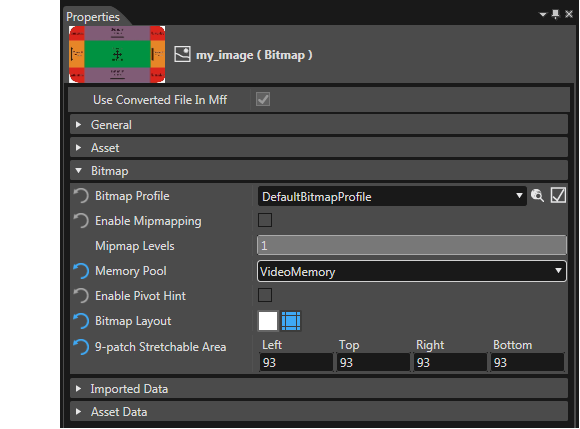
2. To configure the image as a 9patch image, click on my\_image from the Solution Explorer window and change in the Properties window Bitmap -&gt; Bitmap Layout from Stretch to NinePatch. 4 additional properties are available Bitmap -&gt; 9-patch Stretchable Area: Left, Top, Right and Bottom. These properties define the distance in pixel from the border.   
    <div drawio-diagram="2064"><img src="https://doc316en.candera.eu/uploads/images/drawio/2023-02/drawing-4-1676956701.png" alt=""/></div>
3. Drag the image from the Solution Explorer window in the Scene Tree window into Scene2D.   
    <div drawio-diagram="2065"><img src="https://doc316en.candera.eu/uploads/images/drawio/2023-02/drawing-4-1676956729.png" alt=""/></div>
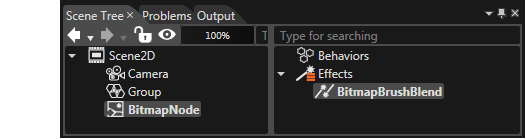
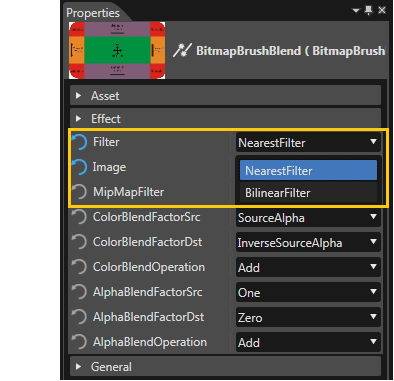
4. In order to have sharp borders, click on my\_image from the Scene Tree window, then click on BitmapBrushBlend and change in the Properties window Filter from BilinearFilter to NereastFilter.   
    <div drawio-diagram="2066"><img src="https://doc316en.candera.eu/uploads/images/drawio/2023-02/drawing-4-1676956745.png" alt=""/></div>
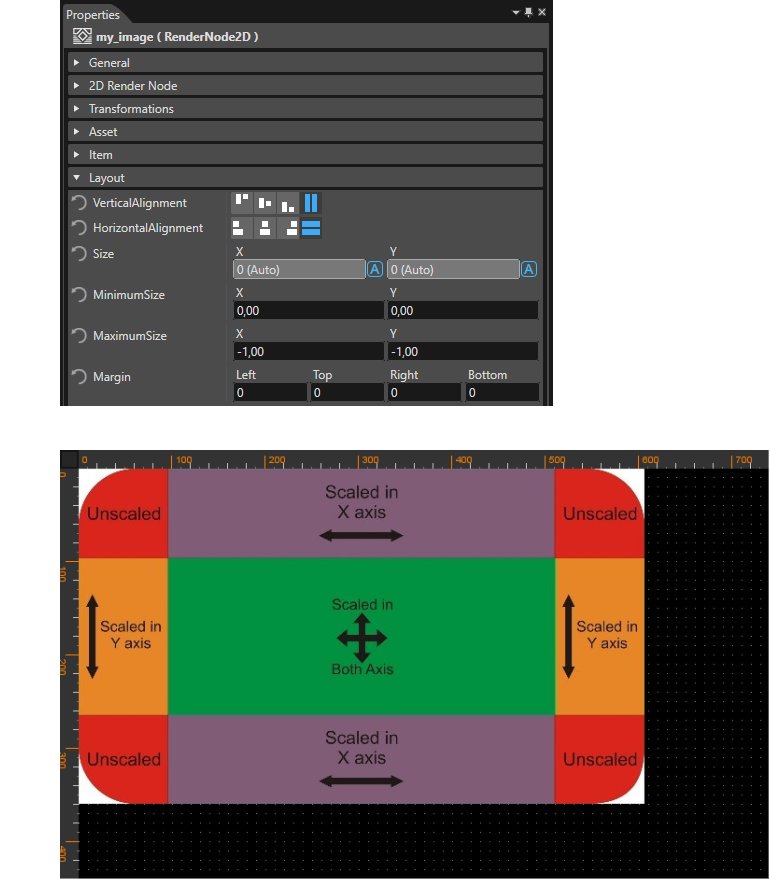
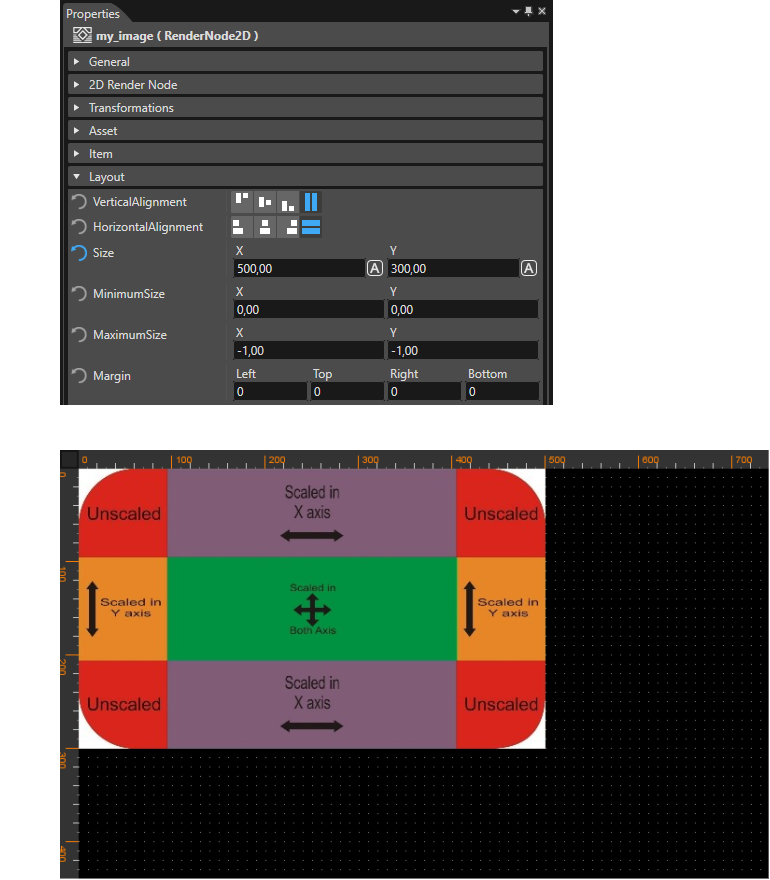
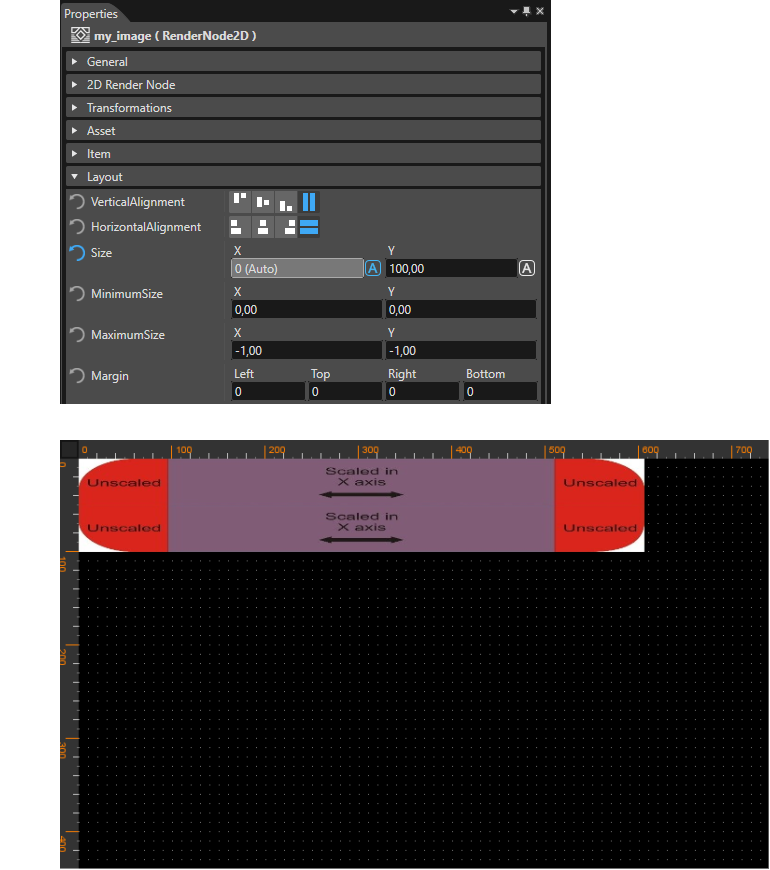
5. To resize a 9patch image, click on my\_image from the Scene Tree window and change in the Properties window Layout -&gt; Size X and Y values.  
      
    
    - Default X, Y values <div class="image"><div class="image"><div drawio-diagram="2073"><img src="https://doc316en.candera.eu/uploads/images/drawio/2023-02/drawing-4-1676957037.png" alt=""/></div>
        
        </div></div>

<div class="contents" id="bkmrk-changed-x%2C-y-values"><div class="contents"><div class="textblock">- Changed X, Y values

<div drawio-diagram="2072"><img src="https://doc316en.candera.eu/uploads/images/drawio/2023-02/drawing-4-1676957014.png" alt=""/></div>

<div class="image">  
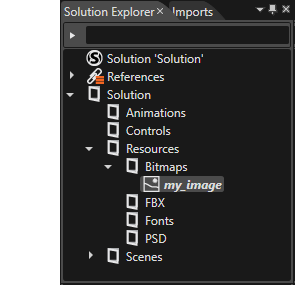
</div></div></div></div><div class="contents" id="bkmrk-if-%28x-%3C-left-%2B-right"><div class="textblock">- If (X &lt; Left + Right) or (Y &lt; Top + Bottom) where Left, Top, Right and Bottom are the 9-patch Stretchable Area, then the borders themselves will also start scaling down.  
    <div drawio-diagram="2071"><img src="https://doc316en.candera.eu/uploads/images/drawio/2023-02/drawing-4-1676956973.png" alt=""/></div>

</div></div>