# 2D Mirror Effect
#### Description
This chapter briefly describes how to use the 2D mirror effect.
Ensure that this effect is supported by the device platform in use.
#### **Configure a 2D Mirror Effect**
##### Mirror Effect
By using [Candera::MirrorBitmapBrushBlend](http://dev.doc.cgistudio.at/APILINK/class_candera_1_1_mirror_bitmap_brush_blend.html "Output includes the bitmap image and it's reflection."), a mirror reflection can be applied to a bitmap node.
Following properties of a mirror effect can be configured:
- Mirror Axis Modifications
- Alpha Value
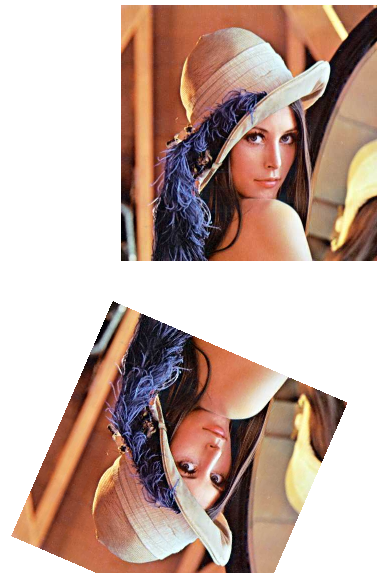
Following is an example of a mirror effect with a diagonal mirror axis and an alpha value of 1.0f:
Refer to [SceneComposer User Manual](https://doc316en.candera.eu/books/scene-design/page/effects) about how to configure a MirrorBitmapBrushBlend effect in a 2D scene.
#### **Modify 2D Mirror Effect Properties**
##### Set Mirror Axis
To set the Mirror Axis you need to set two vectors.
- The first vector defines the start point of the mirror axis (the startpoint's X and Y value),
- and the second vector defines the end of the axis.
The following example shows how to implement a mirror axis from the startpoint (0, 400) to the endpoint (700, 400).
```
Float fromX = 0.0f;
Float fromY = 400.0f;
Float toX = 700.0f;
Float toY = 400.0f;
mirror->MirrorAxisFrom().Set(Vector2(fromX, fromY));
mirror->MirrorAxisTo().Set(Vector2(toX, toY));
```
##### Set Mirror Alpha Value
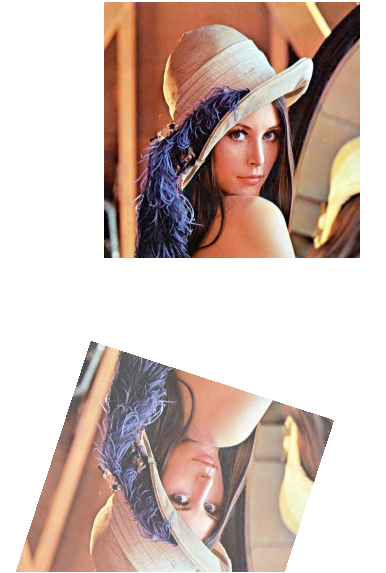
It is possible to set the mirrors alpha value, so that the mirror looks more or less intensive.
```
Float mirrorAlpha = 0.7f;
mirror->Alpha()= mirrorAlpha;
```