# 2D Blur Effect
#### Description
This chapter briefly describes how to use the 2D blur effect.
Ensure that this effect is supported by the device platform in use.
#### **Configure a 2D Blur Effect**
##### Blur Effect
By using [Candera::BlurBitmapBrushBlend](http://dev.doc.cgistudio.at/APILINK/class_candera_1_1_blur_bitmap_brush_blend.html "Output a blurred and alpha blended bitmap image. The blur effect is created by applying a gaussean fi..."), a bitmap node can be blurred, applying a gaussean filter convolution.
Blur Effect supports the following property:
- Filtersize (Number of neighbour pixels)
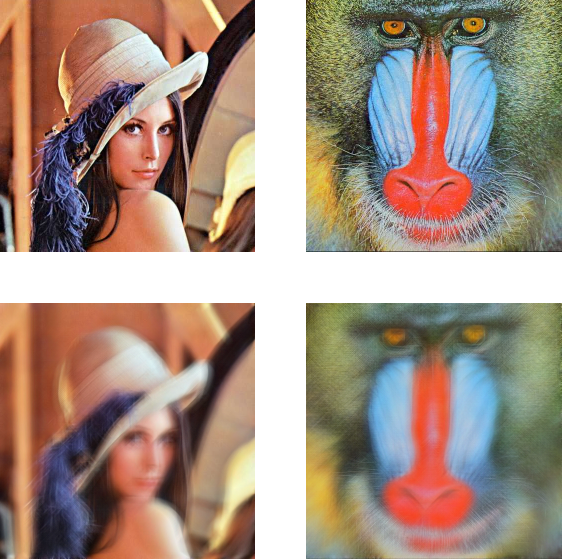
In this example, the upper two pictures are the original ones, the lower two are blurred with a filter size of 15.
Refer to [SceneComposer User Manual](https://doc316en.candera.eu/books/scene-design/page/effects) about how to configure a BlurBitmapBrushBlend effect in a 2D scene.
#### **Modify 2D Blur Effect Property**
##### Set Blur Filtersize
When using this effect you only have to set the filtersize. This value defines the blur factor of, for example, an image. The bigger the value, the more the image is blurred. The following example shows how to set the filtersize.
```
UInt8 factor = 5;
blur->FilterSize() = factor;
```