# Solid Color Brush Blend Effects
### SolidColorBrushBlend
A Solid Color Node is used to display a colored rectangle. When creating a SolidColorNode by clicking the "magnifyingglass"-icon, this is a Node2D with a SolidColorBrushBlend effect on it.
#### Color
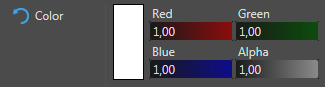
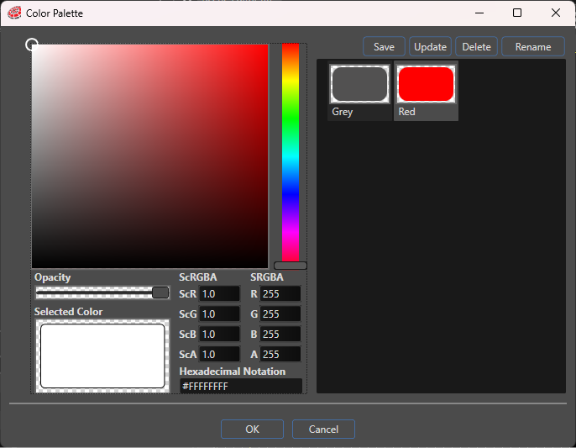
The color can be chosen in the “Color Palette” dialog where you can also define and save the custom colors you need for your project. The default blending color after applying this effect is white.
#### Size
This property defines the horizontal and vertical size of the SolidColorNode in pixels.
### SolidColorBrushColorBlend
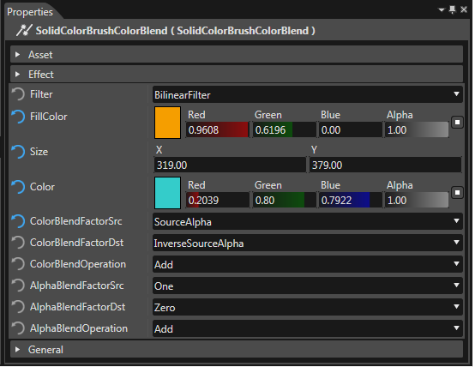
A SolidColorBrushColorBlend effect adds a color effect to the existing SolidColorBrushBlend effect. It multiplies the [FillColor](https://doc316en.candera.eu/link/603#bkmrk-fillcolor) with the [Color](https://doc316en.candera.eu/link/603#bkmrk-color-0). This effect can be useful when it comes to reusing ColorEffects out of an effect, to multiply a color with the actual color to blit; especially in cases where the original color should be preserved, but should be changed for certain effects.
#### Filter
For more details please see chapter [Filter](https://doc316en.candera.eu/link/600#bkmrk-filter) of the "Basic Effect Properties" page.
#### FillColor
The FillColor is the solid color for this effect.
#### Size
This property defines the horizontal and vertical size of the Node in pixels.
#### Color
The SolidColorBrushColorBlend's Color property defines the constant color for modulating all input color channels (RGBA).
#### Blending
There are several parameters that can be edited to adjust the color blending:
| - ColorBlendFactorSrc
- ColorBlendFactorDst
- ColorBlendOperation
| - AlphaBlendFactorSrc
- AlphaBlendFactorDst
- AlphaBlendOperation
|
- Zero
- One
- SourceColor
- InverseSourceColor
- SourceAlpha
- InverseSourceAlpha
- DestColor
- InverseDestColor
- DestAlpha
- InverseDestAlpha
*BlendOperation*
The BlendOperation properties may be configured to have one of the following values:
- Add
- Subtract
- ReverseSubtract
- BitwiseAnd
For more details about blending please refer to chapter [Blending](https://doc316en.candera.eu/books/2d-effects/page/blending).
### SolidColorBrushHslBlend
This effect is similar to the SolidColorBrushBlend, but it has additional properties to be defined. Using the properties hue, saturation and lightness, a color correction can be applied. Additional information about hue, saturation and lightness properties can be found in chapter [BitmapBrushHslBlend](https://doc316en.candera.eu/link/602#bkmrk-bitmapbrushhslblend) .